Mailto link generator
Generate deep mailto links with subject, body, cc, bcc, and HTML code using our mailto link generator tool.
The Mailto link generator is a free tool that creates a mailto URL and HTML code with a recipient address, CC, BCC, subject line, and pre-filled message body.
How is a mailto link structured?
A mailto link starts with the mailto: scheme, followed by the main recipient and any optional header fields. The first header field begins with a question mark, and subsequent header fields are separated by ampersands.
A complete link can contain these parts:
- To email is the main recipient. It appears immediately after mailto:, as in mailto:accounts@example.co.uk.
- CC adds a visible copy recipient through the cc header field. Other recipients can see this address when the email is sent.
- BCC adds a blind-copy recipient through the bcc header field. It is hidden from recipients in the sent email, but it is not hidden in the link itself.
- Subject becomes the draft email's subject line through the subject header field.
- Body content becomes the initial message text through the body header field. Line breaks and characters that are reserved or otherwise disallowed in that URI component must be percent-encoded.
The general pattern is mailto:recipient@example.co.uk?cc=copy@example.co.uk&bcc=archive@example.co.uk&subject=Subject%20text&body=Message%20text. The optional CC, BCC, Subject, and Body content fields can be omitted. A link with no header fields may contain only the scheme and recipient address.
How do I create a mailto link?
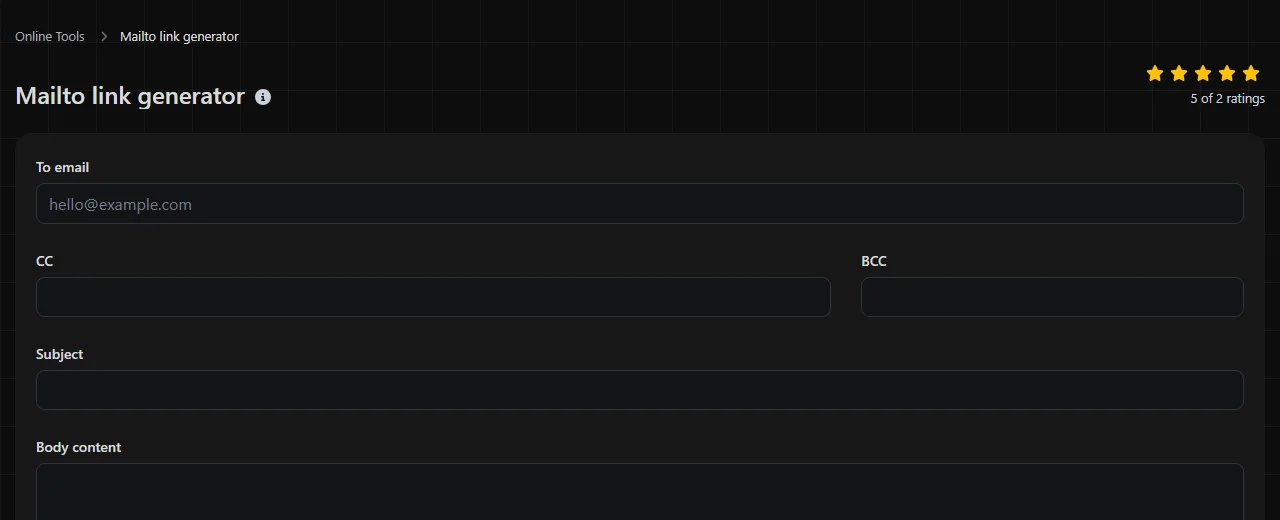
Enter the destination address in To email, complete any optional fields, and then use the resulting mailto URL or HTML code wherever the link will appear.
- Check the main recipient carefully, especially shared addresses such as sales@, accounts@ or support@.
- Add CC only when every recipient should see that address.
- Use BCC only if you understand that anyone who inspects or copies the original link can read the address.
- Write a concise Subject that will still make sense if the sender does not edit it.
- Add useful context to Body content, leaving placeholders where the sender needs to provide information.
Header field names are case-insensitive, but they are conventionally written in lowercase, such as cc, bcc, subject and body. Do not include literal spaces in the finished URL. Spaces are normally represented as %20, while line breaks are represented using encoded newline characters.
Keep repeated wording in mailto subjects or body content consistent when several links are part of the same process. For example, use either "Quote request" or "Request for quotation" across the set instead of changing the subject on every page. Numbers can remain in subjects and message bodies, so references such as Invoice 1047 do not need special treatment beyond encoding the spaces.
Worked mailto example
Suppose an invoice approval page uses the following values.
To email: accounts@example.co.uk
CC: manager@example.co.uk
BCC: archive@example.co.uk
Subject: Invoice 1047 for approval
Body content: Hello Sam,
Please review invoice 1047.
Thanks
The composed URL is:
mailto:accounts@example.co.uk?cc=manager%40example.co.uk&bcc=archive%40example.co.uk&subject=Invoice%201047%20for%20approval&body=Hello%20Sam%2C%0D%0A%0D%0APlease%20review%20invoice%201047.%0D%0A%0D%0AThanks
For use on a web page, the equivalent HTML uses an anchor element. Within an HTML attribute, ampersands should appear as & in the source:
<a href="mailto:accounts@example.co.uk?cc=manager%40example.co.uk&bcc=archive%40example.co.uk&subject=Invoice%201047%20for%20approval&body=Hello%20Sam%2C%0D%0A%0D%0APlease%20review%20invoice%201047.%0D%0A%0D%0AThanks">Email accounts</a>
You can change the visible link text without changing the mailto destination. Descriptive wording such as "Email accounts about this invoice" is usually more helpful than displaying the full URL.
Where does the result appear when someone clicks the link?
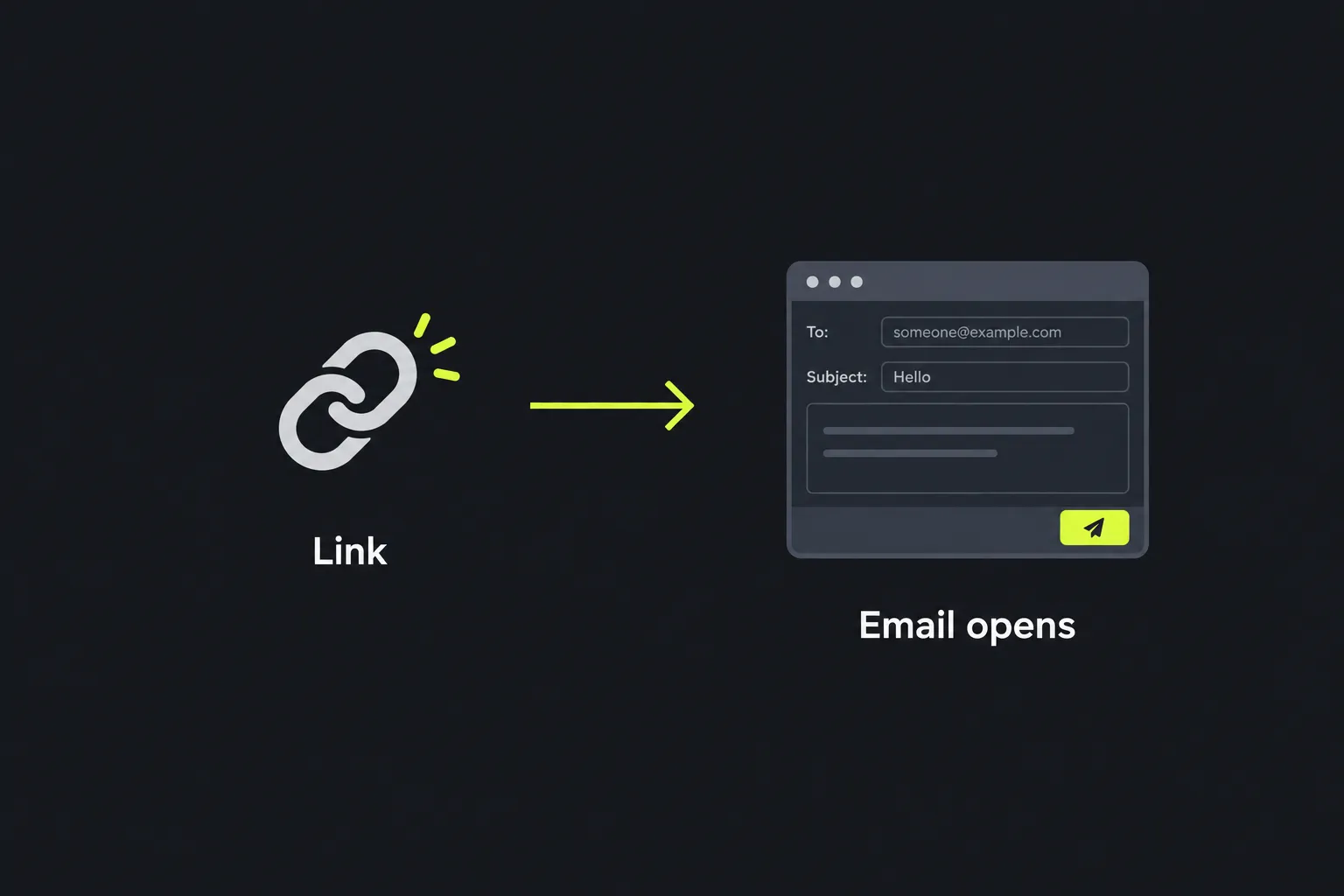
The result normally appears as a new draft in the email application registered on the person's device. The To, CC, BCC, subject, and body fields are filled from the URL, depending on what that application supports.
A mailto link does not send the message by itself. The sender can edit the draft, add an attachment, and decide whether to send it. If the device has no configured email application or browser handler, clicking the link may do nothing or prompt the person to choose an application.
The link does not create an analytics report. A website can separately record that its email link was clicked, but the mailto format cannot confirm that the draft was sent or delivered. UTM parameters apply to HTTP and HTTPS web addresses rather than directly to a mailto destination. Use a UTM link generator when the destination is a trackable web page instead.
What causes mailto links to fail?
Mailto links can fail because the address is incorrect, reserved characters have not been percent-encoded, no email handler is available, or the URL exceeds an application-specific length limit.
- Leaving spaces in the URL. Encode a space as %20. Do not assume every browser or content system will fix it.
- Using unescaped punctuation inside a value. A literal ampersand can be mistaken for the next header field. Encode it as %26. A hash becomes %23, a plus sign becomes %2B and a percent sign becomes %25.
- Confusing BCC with secrecy. BCC hides the address in the resulting email, but the address is present in the URL itself and may be visible in the page source, link preview, and copied URL.
- Writing a very long body. Browsers, content management systems, and email applications have different URL limits. A short prompt is safer than putting an entire letter, legal notice, or detailed form in the link.
Accented and non-Latin characters require UTF-8 percent-encoding in a URL. For example, plain text such as names or Welsh place names may expand into several encoded bytes, making the link considerably longer. In a manually written link, it is better to omit empty optional header fields than to include them with blank values.
Building links by hand is manageable for a few fixed contact actions, but it does not scale well for a large campaign with many recipients, subjects, or page variations. A spreadsheet, template system, or campaign platform is easier to audit when mailto links with different recipient, subject, or body fields must be generated in bulk.
Frequently asked questions
Can a mailto link add an attachment?
No standard, widely compatible mailto header field can attach a local file. Some email applications recognize their own nonstandard instructions, but those links will not work consistently elsewhere. Ask the sender to add the file after the draft opens.
Can the message body contain HTML formatting?
Mailto body content is generally treated as plain text. HTML tags may appear as literal characters or be removed, depending on the email application. Use line breaks and clear plain-text wording instead of relying on headings, colors, or embedded images.
Can I include more than one recipient?
The mailto format allows multiple addresses separated by commas, but handling can vary between browsers, form controls, and email applications. For a public link, consider using a shared mailbox or distribution address instead of exposing a long recipient list.
Are mailto links safe for confidential information?
No. Do not put passwords, access tokens, medical details, or other confidential information in a mailto URL. The full link may be stored in page source, browser history, copied messages, logs, or analytics systems. Use the body only for nonsensitive prompts, and ask the sender to add private details in their email application if appropriate.
Will mailto links work in PDF files and documents?
They can work when the PDF reader, word processor, or presentation application allows mailto hyperlinks and the device has an email handler. Compatibility depends on the viewing software, so keep the visible email address nearby as a fallback when contacting you is important.
Final checks
Open the generated mailto draft on both a desktop device and a phone if people commonly access the page on both. Confirm each address, check that line breaks appear in the intended places, and make sure punctuation has not split the query into unintended header fields. Keep the pre-filled message brief, avoid sensitive data, and provide a visible contact address for people whose devices cannot open mailto links.
Popular Tools
Create your own custom signature and download it easily with our signature generator tool for personalized e-signatures.
Calculate the size of any text in Bytes (B), Kilobytes (KB), or Megabytes (MB) using our text size calculator tool.
Use the reverse IP lookup tool to find the domain or host associated with any IP address quickly and easily.
Use our ping tool to check the status and response time of any website, server, or port quickly and efficiently.
Generate your free WhatsApp link instantly with our WhatsApp Link Generator. Add a custom message and start chats in one click. No login or coding required.
Digily Link's IP lookup tool provides detailed information about any IP address. Use this free online service to get comprehensive IP data.