SSL Lookup
Use our SSL lookup tool to retrieve comprehensive details about any SSL certificate and ensure your website's security.
SSL Lookup is a free tool that retrieves an SSL/TLS certificate's validity dates, signature type, and issuing authority details for a specified host and port.
What does an SSL certificate lookup check?
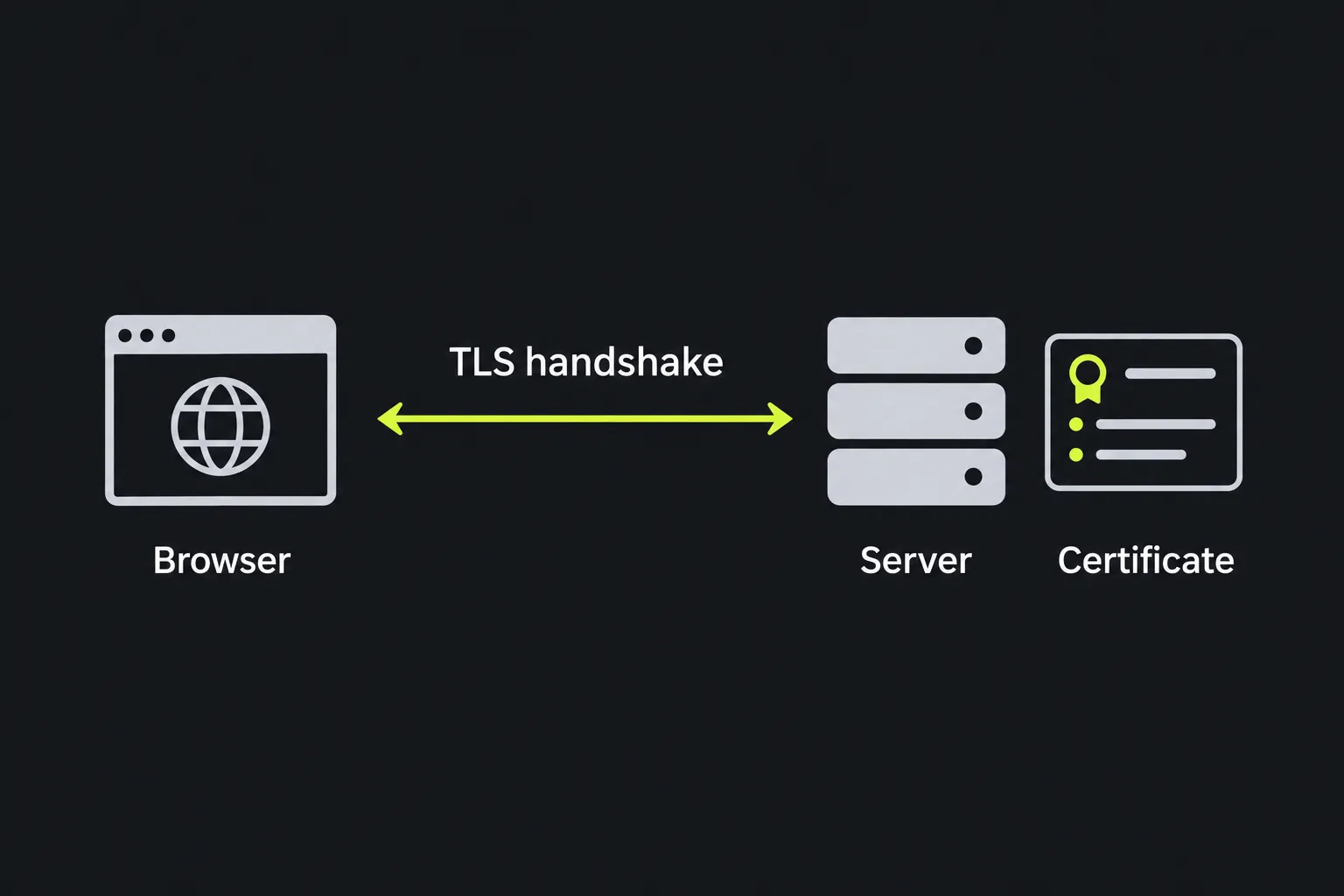
It checks the certificate a server presents when a client starts a secure connection to the selected host and port. The certificate is sent during the TLS handshake, before normal HTTPS page content is exchanged.
SSL is still widely used as a label, although current secure connections normally use TLS. Most server certificates follow the X.509 standard and bind a public key to one or more identities. For a CA-issued certificate, the certificate authority digitally signs it so clients can verify the issuer and detect unauthorized modification during certificate path validation.
How do I use SSL Lookup?
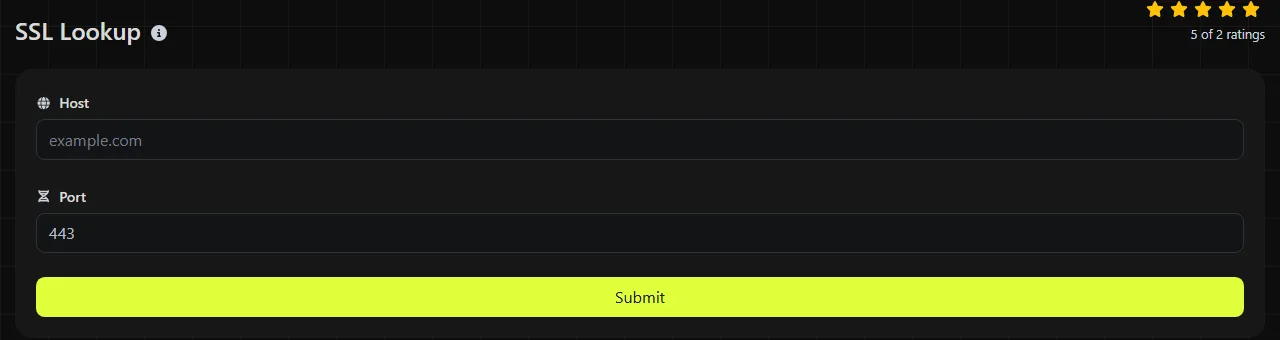
Enter the server's hostname in Host and the relevant network port in Port, then run the lookup.
- Use a hostname such as www.example.co.uk, without a page path, query string, or fragment.
- Use the port where the secure service is listening. Port 443 is conventional for HTTPS, but another service may use a different port.
- Compare the returned certificate details with the hostname and deployment you expected to reach.
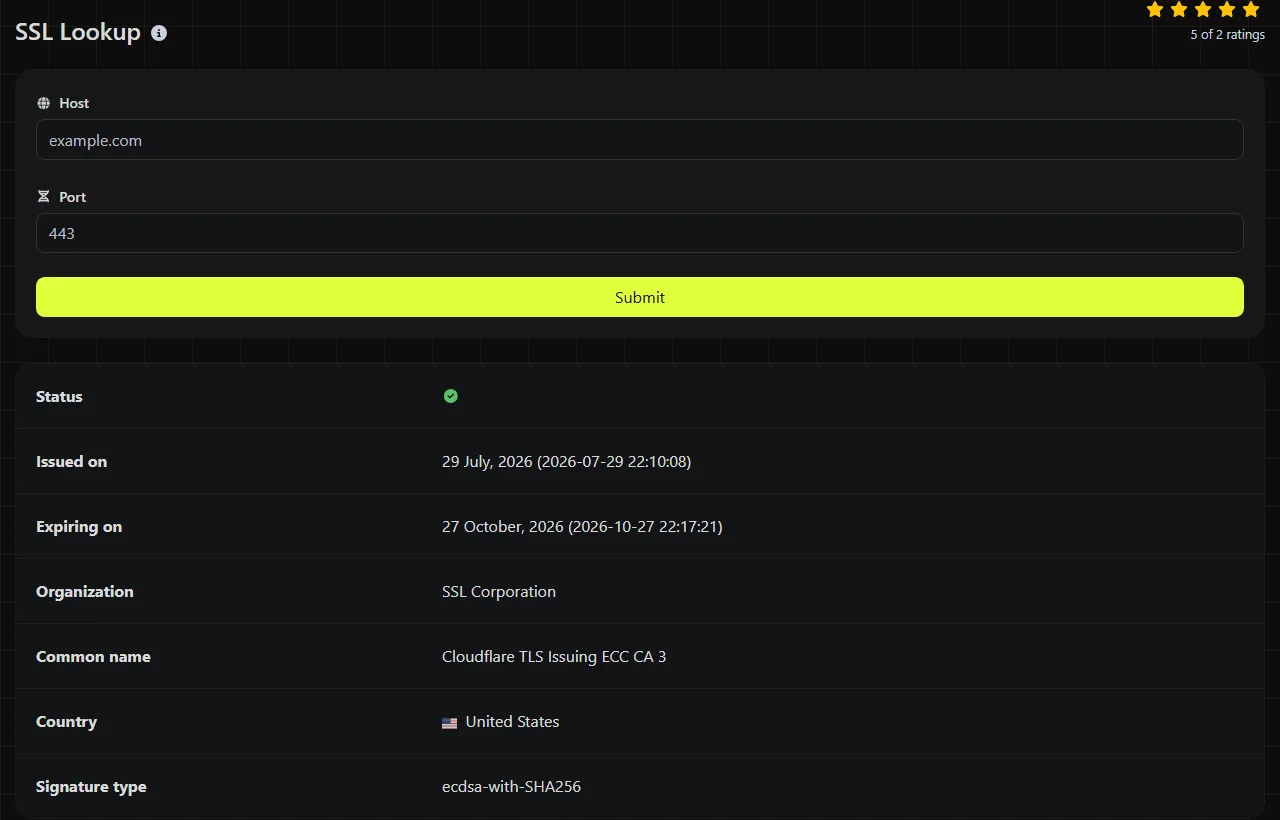
For example, a successful lookup for www.example.co.uk on port 443 returns five labeled certificate fields. Checking the same host on port 8443 targets a different service endpoint and may therefore return a different certificate.
Hostnames cannot contain spaces or URL paths. Dots and hyphens are normal hostname characters, while accented or non-Latin names are represented in DNS using their IDNA form, often called Punycode. An empty hostname or port does not identify an endpoint, and a TCP port must be a number from 1 to 65535. Very long names must still meet DNS limits, including a maximum of 63 octets for each label.
SSL Lookup runs on the server. Your host and port inputs are sent to the server over HTTPS and are not stored.
How do I read the SSL certificate result?
Check the dates first. Then use the organization and common name fields to identify which certificate authority issued the certificate, with the signature type providing supporting technical information.
| Result field | What it tells you |
|---|---|
| Organization | The organization of the certificate's issuing authority, such as Google Trust Services or Let's Encrypt. It is not the website owner's company name. |
| Common name | The common name of the issuing authority's certificate, often an intermediate CA label such as WE1 or R11. It is not the site's hostname. The site's own names are in the certificate's subject and Subject Alternative Names, which this result does not return. |
| Issued on | The certificate's notBefore value, which marks the beginning of its validity period. It is commonly shown as an issue date, although X.509 defines it as a validity boundary. A recently renewed certificate should normally have a correspondingly recent date. |
| Expiring on | The end of the validity period. Clients may reject the certificate after this time. |
| Signature type | The algorithm used to sign the certificate, such as a SHA-256-based RSA or ECDSA signature. This is separate from the cipher negotiated for an individual connection. |
These fields do not establish that the certificate is fully trusted. Complete validation also considers the Subject Alternative Names, certificate chain, issuing authority, revocation status, and the client's clock. The organization field alone does not prove who operates a website.
Troubleshooting scenarios
- Renewal appears to have failed. If Nginx or Apache was given a new certificate but the old expiration date is returned, check that the service was reloaded and that every load-balanced server has the new files.
- A certificate warning appeared after a DNS change. Compare the returned dates and issuing authority with the certificate expected on the old and new hosting platforms. A different issuer can reveal that the hostname still resolves to the previous server.
- A CDN or proxy shows the wrong certificate. Services such as Cloudflare may terminate TLS separately from the origin server. Check the public hostname and port instead of assuming the origin certificate is the one visitors receive.
You can also check a mail service that uses implicit TLS on its selected port. Services that require a protocol-specific STARTTLS command before the handshake, which is common for SMTP on ports 25 and 587, may not work with a generic certificate lookup. This lookup also cannot diagnose unrelated delivery problems involving MX records, SPF, DKIM, message queues, or rejected recipients.
Why does an old certificate still appear after renewal?
After a renewal, an old certificate usually still appears because the web service was not reloaded, one server in a distributed deployment has not received the new files, or a CDN or load balancer node is still presenting the previous certificate. If the renewal coincided with a DNS or hosting change, cached DNS answers can also direct the lookup to an older endpoint.
Certificates themselves do not propagate through DNS. DNS records have time-to-live values, and recursive resolvers may retain an earlier answer until that cache expires. Because this lookup runs on a server, its resolver may have a different cached answer than your laptop, office network, or mobile connection.
Load balancers and CDN edge locations can produce a similar effect. One node may present the new certificate while another still presents the old one. Record the resolved IP addresses, repeat the checks after the relevant DNS cache period, and inspect each backend or edge configuration when possible.
Frequently asked questions
Does SSL Lookup show the certificate chain?
No. The returned fields do not include the intermediate certificates, root trust path, issuer details, or revocation information. Use a browser's certificate viewer or a TLS command-line client when you need to inspect the full chain.
Can it check a wildcard certificate?
Yes. The lookup retrieves whatever certificate the server presents, including a wildcard certificate for a name such as *.example.co.uk. The wildcard name itself is in the certificate's subject fields, so it does not appear in this result's issuer-focused fields, but the dates and signature type still describe the presented certificate. A wildcard normally matches one hostname level, so it can cover shop.example.co.uk but not checkout.shop.example.co.uk.
Can an SSL certificate tell me who owns a website?
No. Many certificates confirm control of a domain without naming a legal organization. For domain registration or network ownership information, Whois Lookup and IP Lookup cover different parts of the investigation.
Why does another checker show a different issue or expiration date?
X.509 validity values represent exact times, while checkers may display them in UTC or convert them to another time zone. A conversion around midnight can make the calendar date appear one day earlier or later even when the underlying timestamp is the same.
Can this tool renew or fix an expired certificate?
No. It only retrieves certificate details. Renewal must be completed through the certificate authority, hosting control panel, or automated certificate client, followed by installation and a service reload where required.
Final checks
When investigating a warning, record the exact hostname, port, returned dates, and issuing authority. Check DNS separately, confirm the certificate installed on each server, and perform a full chain inspection if the dates look correct but browsers still report an error.
Similar Tools
Use the reverse IP lookup tool to find the domain or host associated with any IP address quickly and easily.
Use our DNS lookup tool to quickly find A, AAAA, CNAME, MX, NS, TXT, SOA DNS records of any host and get detailed information.
Digily Link's IP lookup tool provides detailed information about any IP address. Use this free online service to get comprehensive IP data.
Popular Tools
Create your own custom signature and download it easily with our signature generator tool for personalized e-signatures.
Calculate the size of any text in Bytes (B), Kilobytes (KB), or Megabytes (MB) using our text size calculator tool.
Use the reverse IP lookup tool to find the domain or host associated with any IP address quickly and easily.
Use our ping tool to check the status and response time of any website, server, or port quickly and efficiently.
Generate your free WhatsApp link instantly with our WhatsApp Link Generator. Add a custom message and start chats in one click. No login or coding required.
Digily Link's IP lookup tool provides detailed information about any IP address. Use this free online service to get comprehensive IP data.