Whois Lookup
Use the Whois lookup tool to obtain detailed information about any domain name, including registration and ownership details.

Whois Lookup is a free tool that checks a domain name and returns its nameservers, registrar, registration dates, and age.
What is WHOIS, and what does it check?
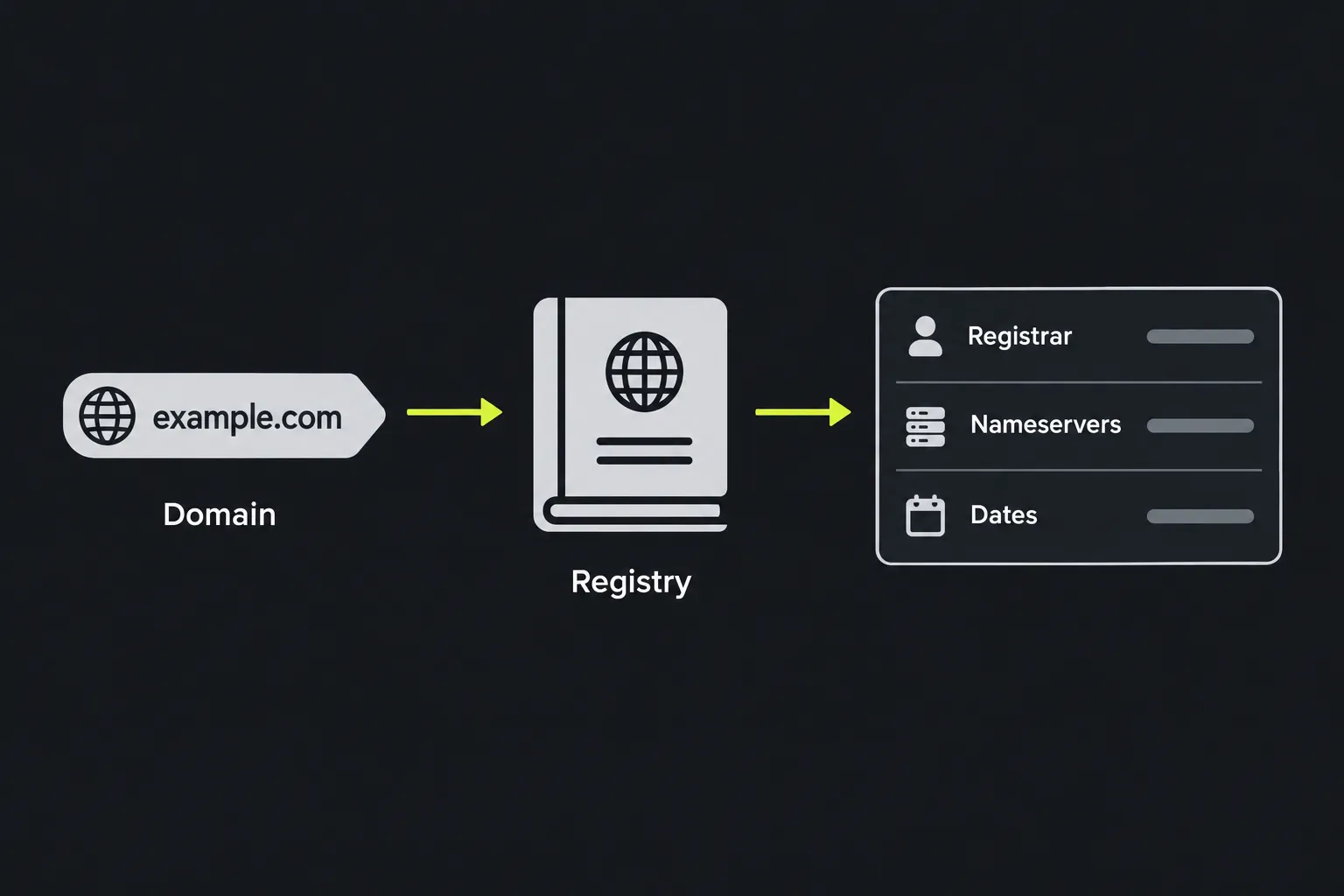
WHOIS is a system for retrieving registration information about internet domains. Traditional WHOIS uses a text-based query protocol, while many registries now also publish domain data through the newer Registration Data Access Protocol, known as RDAP.
A registration record describes the domain itself, not the website hosted on it. It can identify the registrar responsible for the registration, relevant dates, and the nameservers recorded for the domain. Public contact information is often redacted because of data protection rules or registrar privacy services.
WHOIS is separate from DNS. A record can show which nameservers are registered, but it does not show the A, AAAA, MX, or other DNS records stored on those servers.
How do I use Whois Lookup?
Enter a domain in the Domain name field and run the lookup. For the clearest input, use the bare domain, such as example.co.uk, instead of a full address containing https://, a page path, or query parameters.
Domain names are case-insensitive, so EXAMPLE.CO.UK and example.co.uk refer to the same name. Numbers and hyphens can appear within labels, but spaces are invalid, and a label normally cannot begin or end with a hyphen. Underscores may appear in specialized DNS record names, but they are not valid in an ordinary registrable hostname.
Accented and non-Latin domain names use Internationalized Domain Name encoding. An IDN label represented in ASCII is an A-label, which begins with xn-- and uses Punycode encoding. Acceptance and display rules vary among registries.
Understanding the result
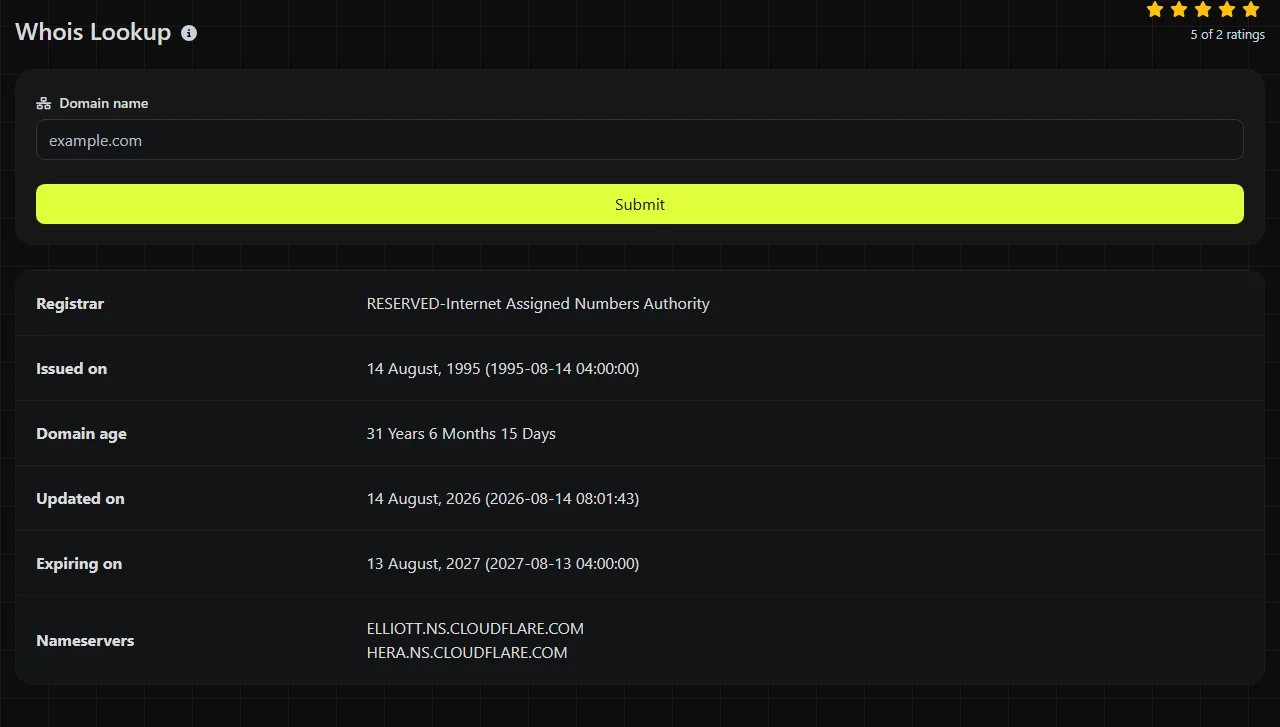
The result contains six fields, each describing a different part of the domain registration record.
- Nameservers lists the nameserver hostnames recorded for the domain. Compare them with the nameservers provided by the current DNS or hosting provider.
- Registrar identifies the company managing the registration. The registrar is not necessarily the hosting company or the domain owner.
- Issued on gives the domain's registration or creation date as published in the record.
- Expiring on gives the recorded expiration date. Renewal, grace period, and registry policies can affect what happens on that date.
- Updated on shows when the registration record was last changed. It does not mean the website's pages were updated at that time.
- Domain age reports how old the registration is based on the available registration dates. It does not establish how long the current owner has controlled it.
For example, an old Issued on date combined with a recent Updated on date may indicate a registrar change, renewal, or nameserver update. The fields alone do not identify which change occurred.
Why can accurate domain information look outdated?
Registration and DNS changes can take time to appear consistently because registrars, registries, and DNS resolvers update different systems. A registrar may show a submitted change before the registry's public registration data reflects it.
Nameserver changes also have a DNS caching period. The WHOIS record may already list the new Nameservers while an internet provider or office network still uses cached information pointing to the old servers. Conversely, a third-party WHOIS service may retain an earlier public record even after DNS resolution has changed.
Propagation is not a single global event. Check again after the relevant DNS time to live has elapsed, and compare results from a different network or resolver before repeatedly changing the configuration.
When should I run a WHOIS check?
Run a WHOIS check when the problem may involve domain registration, delegation, or an unexpected registrar-side change. Common situations include the following.
- A website no longer resolves. Check whether the listed nameservers match those provided by the DNS provider. If they match, use Ping or inspect the individual DNS records because WHOIS cannot confirm the web server's address.
- Email stops arriving after a domain move. A nameserver change can send mail lookups to a DNS zone that lacks the correct MX records. WHOIS can report the registered nameservers, but confirming the current delegation requires a DNS query to the parent zone. It cannot display or validate the MX records themselves.
- A certificate warning appears after a hosting change. The listed nameservers can help you check whether they match those provided by the intended provider. Use SSL Lookup to inspect the certificate because its issuer, hostname coverage, and validity dates are not part of WHOIS.

Providing the registrar, nameservers, and relevant dates helps the registrar and hosting provider determine which organization controls the part that may be failing.
Frequently asked questions
Can WHOIS tell me who owns a domain?
No, this result does not establish the legal owner of a domain. Registrant details may be redacted, replaced by a privacy service, or withheld under registry policy, and the registrar name identifies the registration provider rather than the registrant.
Does the expiration date mean the domain will be available that day?
No, domains do not necessarily become available immediately after the displayed expiration date. Registrars and registries may apply auto-renewal, grace, redemption, or deletion periods, with timing determined by the domain suffix and provider.
Can I use this lookup for an IP address?
No. The input field is for a domain name, not an IP address. For an address such as 192.0.2.10, an IP WHOIS service can identify the allocated network, while Reverse IP Lookup may help find domain associations.
Does a recent update date prove that a domain was transferred?
No, the Updated on value can change for several reasons, including renewal, contact changes, status changes, or nameserver edits. Confirm a transfer through the relevant registrar account or registry process instead of inferring it from that date alone.
Is the domain I enter stored?
No. The lookup is performed on the server, the submitted domain is sent to it over HTTPS, and the input is not stored.
Final checks
Copy the domain directly from the registrar account when possible, remove page paths, and check for misspelled labels. If the nameservers are correct, continue with DNS, mail, or certificate-specific checks instead of treating the WHOIS record as proof that the service itself is working.
Similar Tools
Use the reverse IP lookup tool to find the domain or host associated with any IP address quickly and easily.
Use our DNS lookup tool to quickly find A, AAAA, CNAME, MX, NS, TXT, SOA DNS records of any host and get detailed information.
Digily Link's IP lookup tool provides detailed information about any IP address. Use this free online service to get comprehensive IP data.
Popular Tools
Create your own custom signature and download it easily with our signature generator tool for personalized e-signatures.
Calculate the size of any text in Bytes (B), Kilobytes (KB), or Megabytes (MB) using our text size calculator tool.
Use the reverse IP lookup tool to find the domain or host associated with any IP address quickly and easily.
Use our ping tool to check the status and response time of any website, server, or port quickly and efficiently.
Generate your free WhatsApp link instantly with our WhatsApp Link Generator. Add a custom message and start chats in one click. No login or coding required.
Digily Link's IP lookup tool provides detailed information about any IP address. Use this free online service to get comprehensive IP data.