SHA-3/256 generator
SHA-3/256 generator is a free tool that creates a 256-bit SHA-3 digest from any string input.
What is SHA-3/256?
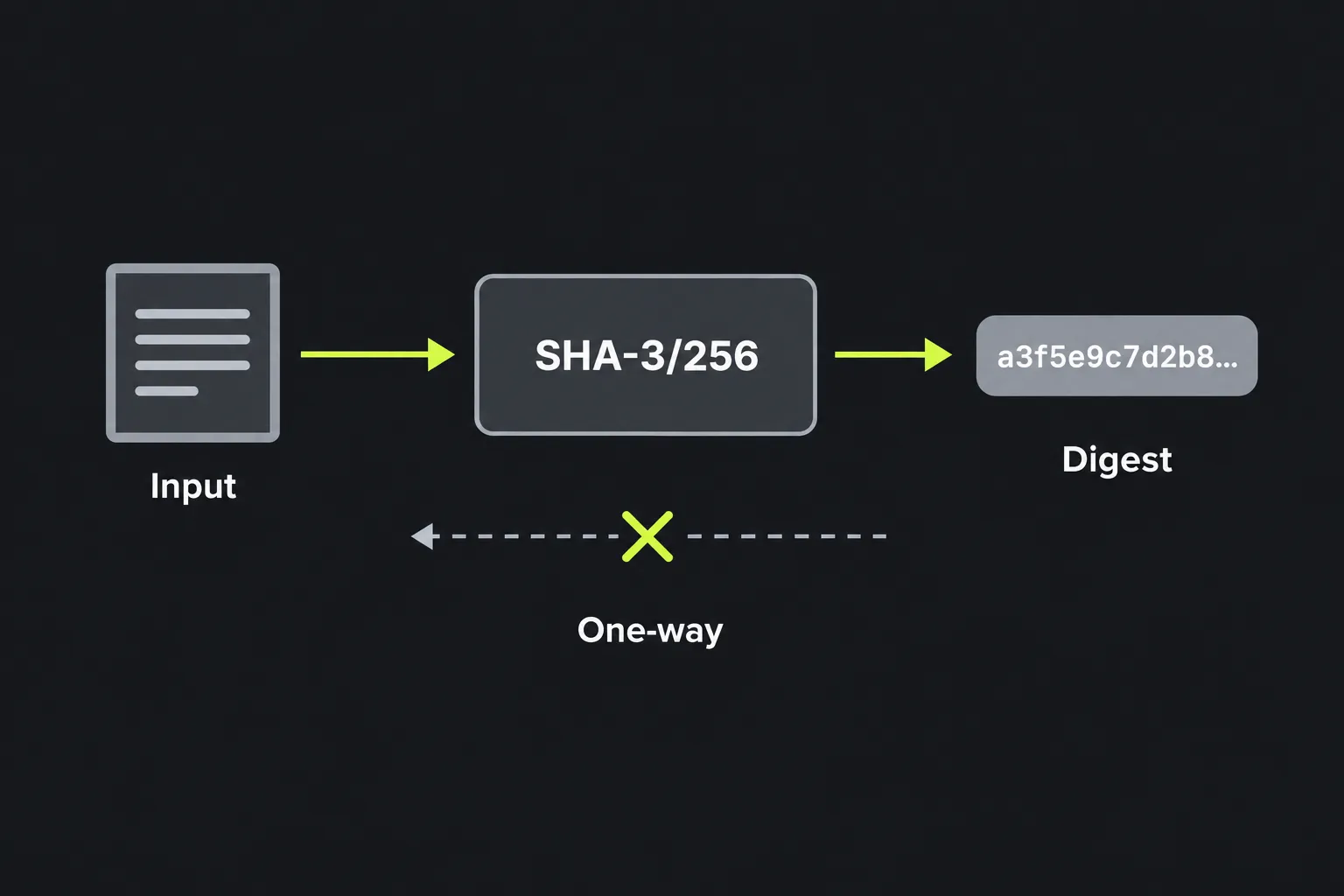
The SHA-3/256 label used by this generator refers to the standard SHA3-256 algorithm, a cryptographic hash function that turns data of any length into a fixed-length 256-bit fingerprint. Hashing is one-way, and the digest can be used to check whether two inputs produce the same value, but equal digests do not prove that the inputs are identical because collisions are possible. For SHA3-256, the same bytes always produce the same digest, while even a small change normally produces a completely different result.
SHA-3 is based on Keccak, designed by Guido Bertoni, Joan Daemen, Michaël Peeters and Gilles Van Assche. NIST selected Keccak in 2012 and published SHA-3 as the FIPS 202 standard in 2015. SHA3-256 produces 32 bytes, normally displayed as 64 hexadecimal characters.
SHA3-256 remains current and has no known practical break. Its expected collision resistance is 128 bits, while its expected preimage resistance is 256 bits. It uses a sponge construction rather than the construction used by SHA-2, so SHA3-256 and SHA-256 are separate algorithms despite having the same digest length.
How do I generate a SHA-3/256 hash?
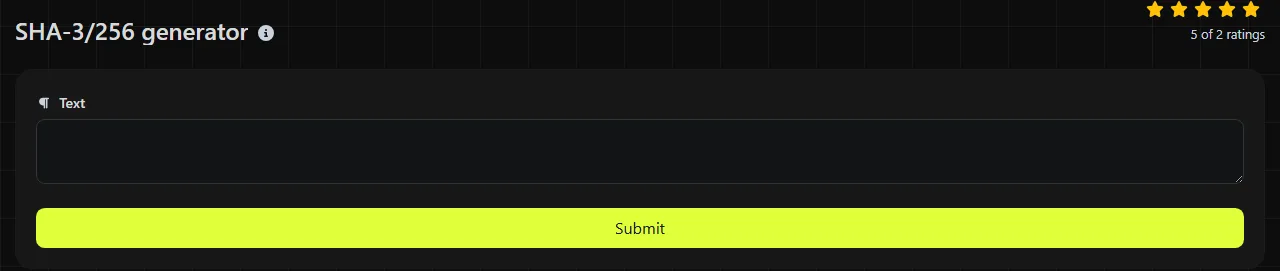
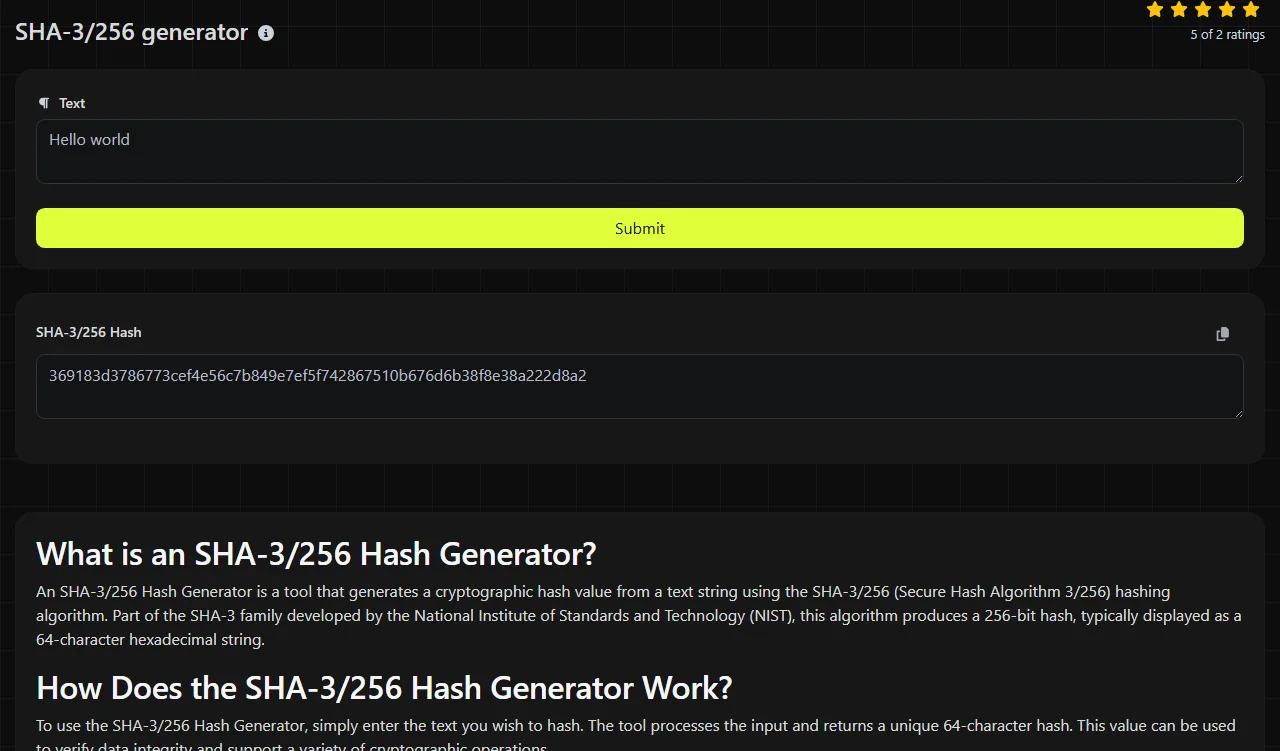
Enter the string to be hashed and run the generator, then copy the value shown in SHA-3/256 Hash. The output will be a 64-character hexadecimal string containing the characters 0 to 9 and a to f.
This generator's SHA3-256 calculation takes place on the server. Your input travels to the server over HTTPS and is not stored, so avoid submitting material that your security policy does not permit you to send to an external service.
- Copy the exact source text, including any spaces or line breaks that are meant to be present.
- Generate the digest and check that the result contains 64 hexadecimal characters.
- Compare it with another SHA3-256 value exactly. Do not compare it with a SHA-256 or Keccak-256 digest.
Can SHA3-256 be decrypted or reversed?
No, a SHA3-256 digest cannot be decrypted because hashing is not encryption and there is no decryption key. Recovering an arbitrary original input from its digest is intended to be computationally infeasible.
That does not mean every input is hidden safely. An attacker can hash likely values, such as common passwords, short PINs or known reference numbers, and compare the results. This guessing process is why a plain SHA3-256 hash must not be used to store passwords. For passwords, do not use this generator; use a dedicated password-hashing method such as Argon2id, scrypt or bcrypt, with an individual salt and suitable cost settings.
When should I use SHA3-256?
Use SHA3-256 when a specification requires it or when you need a current 256-bit digest based on the SHA-3 standard. Common legitimate uses include the following.
- Checking whether copied or downloaded data has changed, provided the expected checksum comes from a trustworthy source.
- Finding duplicate records or content by comparing digests, while retaining a byte-for-byte comparison where collision handling matters.
- Generating stable content identifiers inside a system designed around SHA3-256.
- Maintaining compatibility with an existing API, archive or older integration that specifies this exact algorithm.
A SHA3-256 checksum can detect accidental corruption, but a plain SHA3-256 hash does not prove who supplied the data. If an attacker can alter both a file and its published digest, the comparison provides no protection. Use a digital signature or a keyed construction such as HMAC where authenticity is required.
SHA3-256 can be slower than SHA-256 on systems with dedicated SHA-2 hardware acceleration, although performance depends on the implementation and workload. If another system specifically requires SHA3-384, use the SHA-3/384 generator rather than truncating or padding this output.
Input details that change the digest
SHA3-256 hashes bytes, so every character and its encoding affect the result. Text that looks nearly identical can therefore produce unrelated digests.
- hello and Hello differ because hashing is case-sensitive.
- hello and hello differ because the second input has a trailing space.
- A final line break copied from a text file becomes part of the input.
- Punctuation and numbers are hashed as data rather than interpreted mathematically.
- Accented and non-Latin characters depend on their byte encoding and Unicode normalisation. Two visually identical strings can have different underlying bytes.
- An empty byte sequence has a valid SHA3-256 digest. It is not the same as a space or a blank line.
For example, hashing the text Invoice 0042 produces one 64-character hexadecimal digest. Changing the input to Invoice 0042., with a full stop, produces a different 64-character digest. When matching another system, confirm its character encoding, line-ending convention and treatment of surrounding whitespace.
Frequently asked questions
Is SHA3-256 the same as Keccak-256?
No. Standard SHA3-256 and the original Keccak-256 variant use different domain-separation padding, so they return different digests for the same input. Some blockchain systems, including Ethereum, use Keccak-256 and may label it informally as SHA-3, so check the required specification.
Does uppercase hexadecimal change the hash?
No. Uppercase and lowercase hexadecimal are two textual representations of the same SHA3-256 digest bytes. A case-sensitive application may still reject the unexpected representation, so preserve the format requested by the receiving system.
Can I use this generator to hash a file?
The input field takes a string rather than an uploaded file. Pasting a file's displayed contents may change line endings or encoding and is unsafe for binary data. For a file checksum, use a file-aware SHA3-256 utility that reads the original bytes unchanged.
Is SHA3-256 vulnerable to length-extension attacks?
SHA3-256 is not vulnerable to the classic length-extension attack associated with Merkle-Damgård hashes. Even so, inventing an authentication scheme from a plain SHA3-256 hash is risky. Use a standard keyed or signed construction and verify that every participating system names the same algorithm.
Popular Tools
Create your own custom signature and download it easily with our signature generator tool for personalized e-signatures.
Calculate the size of any text in Bytes (B), Kilobytes (KB), or Megabytes (MB) using our text size calculator tool.
Use the reverse IP lookup tool to find the domain or host associated with any IP address quickly and easily.
Use our ping tool to check the status and response time of any website, server, or port quickly and efficiently.
Digily Link's IP lookup tool provides detailed information about any IP address. Use this free online service to get comprehensive IP data.
Generate your free WhatsApp link instantly with our WhatsApp Link Generator. Add a custom message and start chats in one click. No login or coding required.