Text size calculator
| Size |
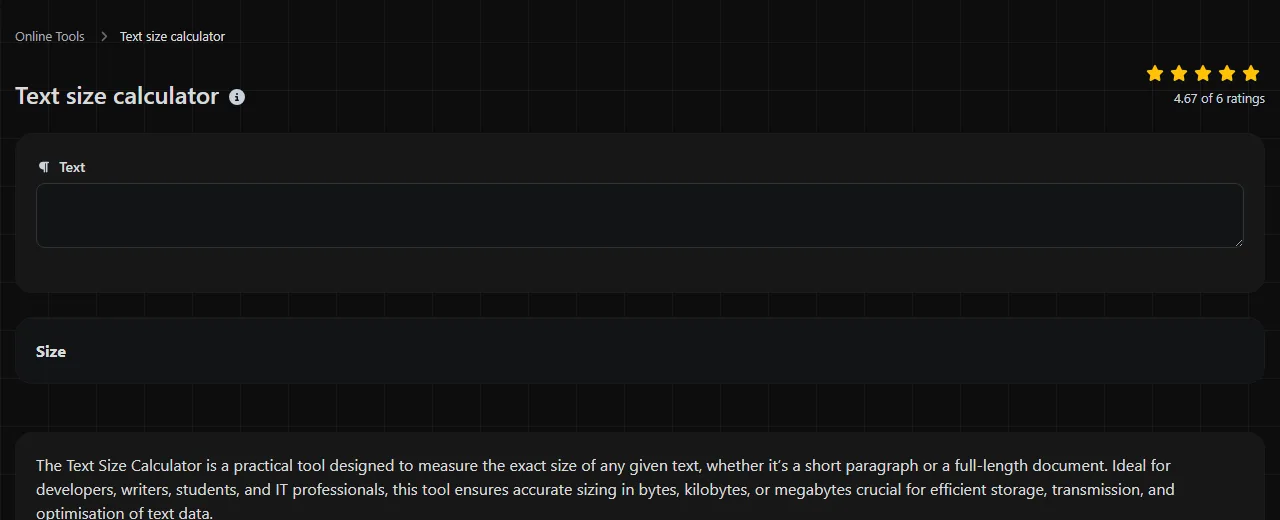
Text size calculator is a free tool that calculates the size of entered text in bytes (B), kilobytes (KB) or megabytes (MB).
What does text size mean?
Text size is the amount of storage needed to represent a string of characters. It is different from a character count because some characters require more than one byte, depending on the character encoding.
For example, in UTF-8 encoding:
- A uses 1 byte.
- £ uses 2 bytes.
- café uses 5 bytes because the accented character requires 2 bytes.
- A typical emoji such as 😀 uses 4 bytes.
These are UTF-8 examples rather than guaranteed outputs from this tool. The tool description does not specify which character encoding it uses or whether a kilobyte means 1,000 or 1,024 bytes. That distinction can matter when working close to a technical limit.
How do I calculate the size of text?
Enter the text and read the value returned in the Size result field.
- Copy or type the exact text whose encoded byte size you want to measure.
- Check its size in bytes, kilobytes or megabytes.
- Compare the result with the limit imposed by the receiving system.
Include punctuation, spaces and line breaks if they will appear in the final text. A useful habit is to calculate the final version rather than an early draft. Escaping, added labels and a trailing line break can all change the transmitted size.
Where does a text size check save time?
A text size check helps when a service limits data by bytes rather than visible characters. It can prevent repeated upload or validation failures where the text looks short enough but contains accented letters, non-Latin scripts or emoji.
- API requests: check a completed JSON or XML payload before sending it through an API gateway with a body-size limit.
- Database imports: inspect values copied from Microsoft Excel or a CSV file before loading them into byte-limited database fields.
- Mail merge preparation: check long personalised paragraphs after placeholders have been replaced with recipient data.
- CMS fields: measure embedded code, metadata or structured text before pasting it into WordPress or another content management system.
- Log and message systems: confirm that a generated message remains below a per-entry byte limit.
For spreadsheet exports, calculate the cleaned text rather than the whole workbook. CSV files add delimiter and line-ending structure and may include an encoding marker, while XLSX files also include workbook structure and metadata, so the text result will not necessarily match the size shown for an XLSX or CSV file.
Why is the byte count different from the character count?
The byte count differs because character encodings store characters using different numbers of bytes. Basic Latin letters and digits usually occupy one byte in UTF-8, while many accented characters, symbols and writing systems occupy more.
Spaces and punctuation also take storage. Line endings are a common source of small discrepancies. Unix-style systems generally use a single line-feed character, while Windows text files commonly use carriage return plus line feed. The same visible multiline text can therefore have a different file size after saving.
Character limits on platforms such as X or LinkedIn should not be checked with byte size alone. Those services apply character-counting or weighting rules rather than treating the UTF-8 byte total as the posting limit. Likewise, this calculation does not include document formatting, images, file headers or compression.
Frequently asked questions
Can I paste confidential text into the calculator?
It is not certain where this tool processes entered text.
Does copied formatting affect the result?
The result concerns the text entered into the tool, not the full size of a Word document, email or web page. Fonts, colours, tracked changes, embedded images and other document data may add storage without appearing as ordinary text.
Can I use the result for a JSON request?
Yes, but calculate the final serialised JSON rather than an individual value. Quotation marks, property names, commas, brackets and escaped characters all add bytes, while HTTP headers and transport encoding may add further data outside the request body.
Will it calculate the number of SMS messages needed?
No, a general byte count is not enough to predict SMS segmentation. SMS text commonly uses the GSM 7-bit default alphabet or UCS-2 encoding, and multipart messages reserve space for joining information. Characters such as curly quotation marks can change the encoding used for the whole message, while emoji support may depend on a provider using UTF-16 or another non-standard handling method.
Do invisible characters count towards text size?
They can. Tabs, line breaks, non-breaking spaces, zero-width characters and a byte order mark may occupy storage even though they are difficult or impossible to see. If a result is unexpectedly high, paste the content into an editor or inspection mode that displays invisible characters or code points before calculating it again.
Final checks
Use the exact text that the destination will receive, including line breaks and escaped characters. If you first need to clean copied web content, HTML tags remover can remove markup before the calculation. For strict API, database or file limits, confirm the required encoding and unit definition in that system's documentation.
Popular Tools
Create your own custom signature and download it easily with our signature generator tool for personalized e-signatures.
Calculate the size of any text in Bytes (B), Kilobytes (KB), or Megabytes (MB) using our text size calculator tool.
Use the reverse IP lookup tool to find the domain or host associated with any IP address quickly and easily.
Use our ping tool to check the status and response time of any website, server, or port quickly and efficiently.
Digily Link's IP lookup tool provides detailed information about any IP address. Use this free online service to get comprehensive IP data.
Generate your free WhatsApp link instantly with our WhatsApp Link Generator. Add a custom message and start chats in one click. No login or coding required.