SHA-224 generator
SHA-224 generator is a free tool that creates a fixed-length SHA-224 hash from any string input.
What is SHA-224 and is it still secure?
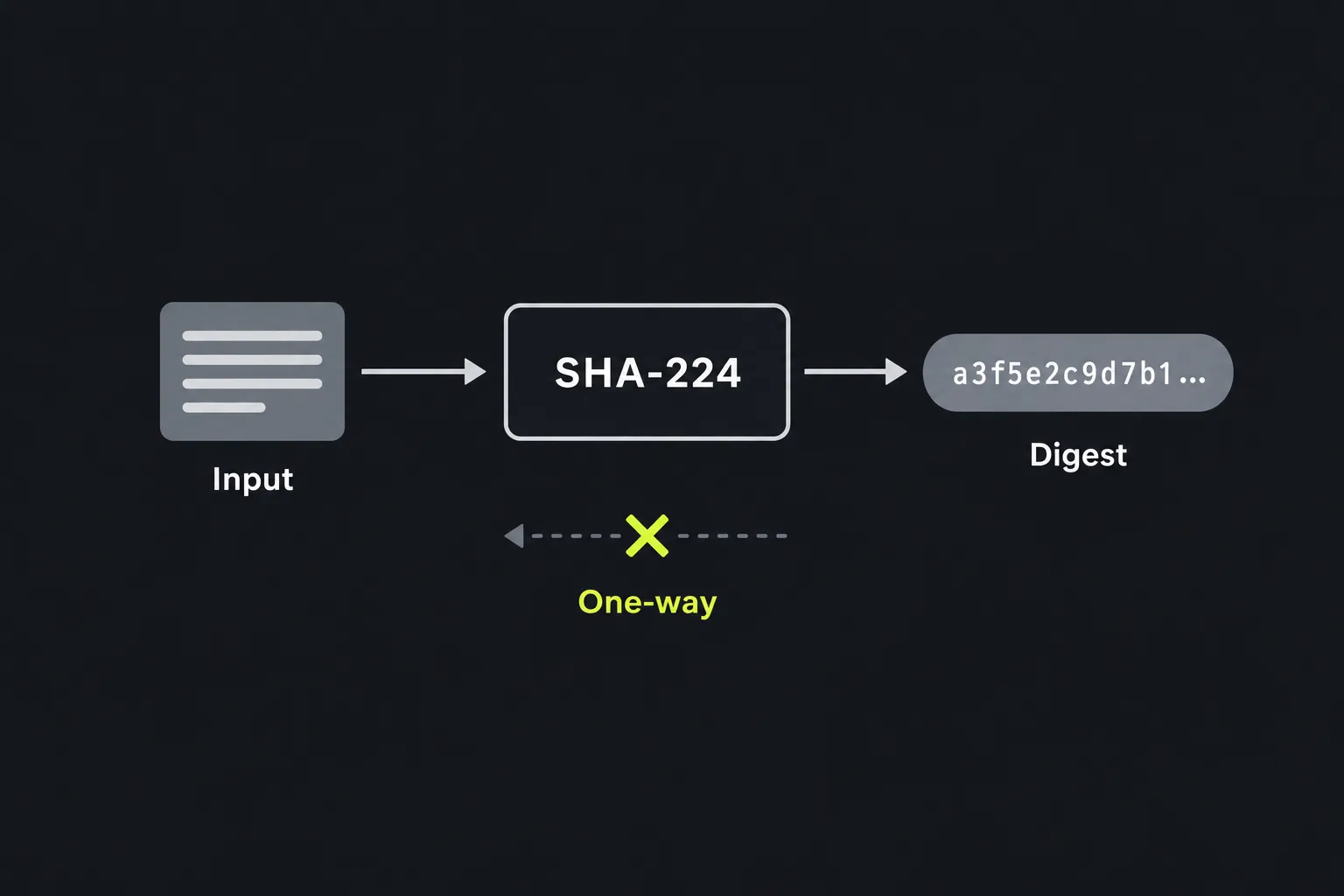
SHA-224 is a cryptographic hash function in the SHA-2 family, and it is not considered broken or deprecated. SHA-224 turns data into a fixed-length fingerprint using a one-way calculation. With SHA-224, the same input produces the same digest, while even a small input change normally produces a very different result. Unlike encryption, SHA-224 hashing has no key that can restore the original text.
SHA-224 produces a 224-bit digest, normally written as 56 hexadecimal characters. The NSA designed the SHA-2 family, which NIST first published in 2001. NIST added SHA-224 to the standard in 2004. It uses the same underlying compression structure as SHA-256 but has different initial values and a shorter result.
No practical collision or preimage attack is publicly known against full SHA-224. Its expected collision resistance is about 112 bits, compared with about 128 bits for SHA-256. SHA-224 can be used for compatibility where a protocol specifically requires it and its current security requirements permit it, although SHA-256 has wider software support and gives a larger security margin.
How do I generate a SHA-224 hash?
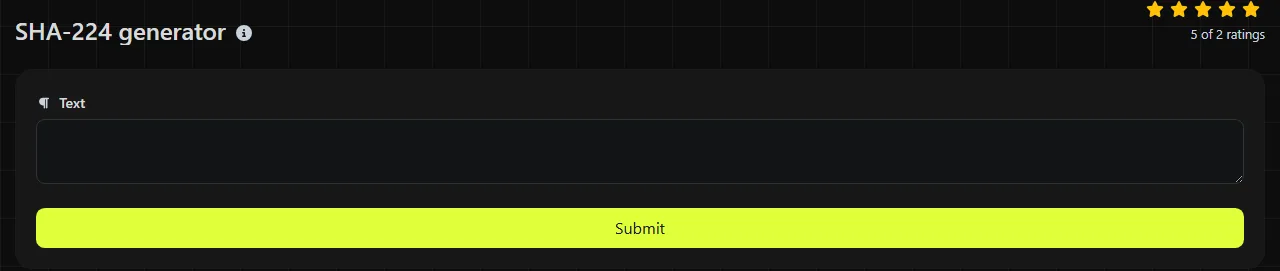
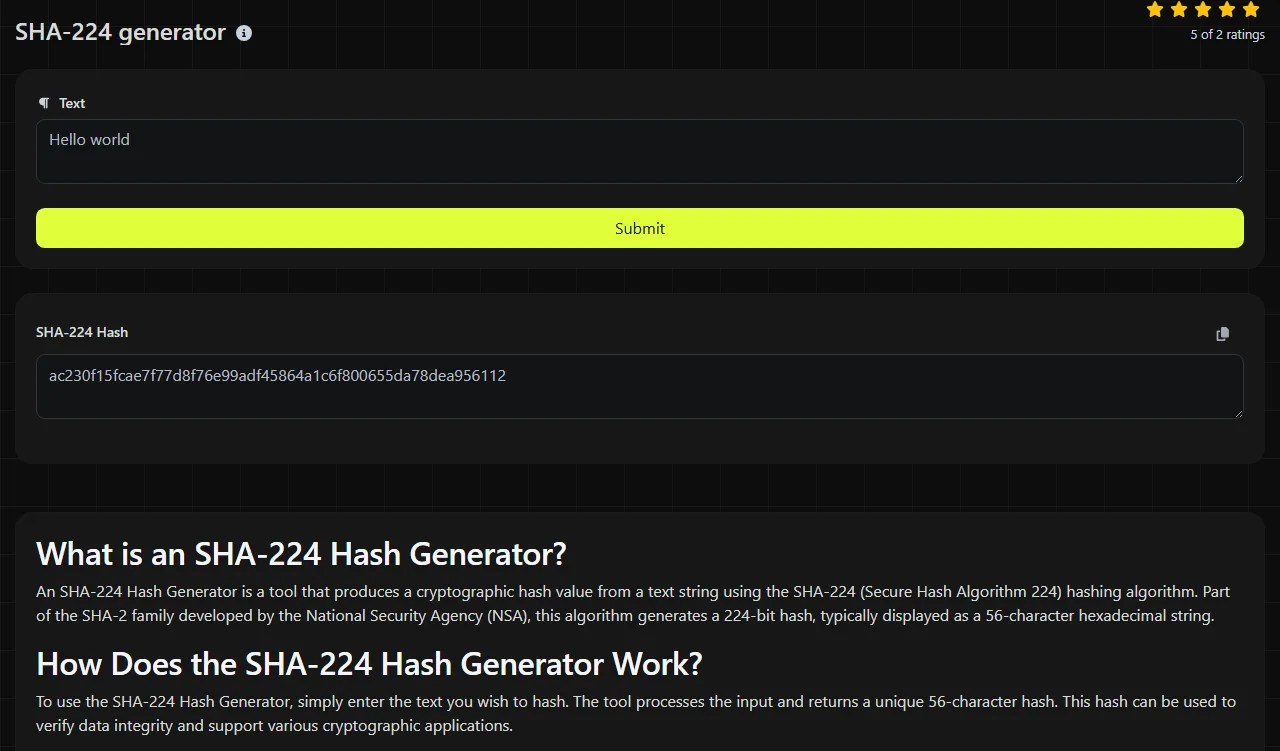
Enter the exact string you want to process, run the generator and read the 56-character value in SHA-224 Hash.
- Prepare the text exactly as it should be processed by SHA-224, including spaces, punctuation and letter case.
- Place that string in the SHA-224 generator's input field and generate the result.
- Copy the 56-character SHA-224 digest without adding quotation marks, spaces or a line break.
- When comparing values, check all 56 hexadecimal characters.
The calculation takes place on the server using PHP's hash implementation. Your input travels to the server over HTTPS and is not stored. Even so, avoid submitting passwords, private keys or other secrets that do not need to leave your device.
Can SHA-224 be decrypted or reversed?
No, a SHA-224 digest cannot be decrypted because SHA-224 is not encryption and contains no reversible key. Attackers can still guess an input, hash the guess and compare the result. This is practical when the original value comes from a small or predictable set, such as short PINs, common words or known reference numbers.
That guessing risk is why SHA-224 must not be used for password storage. Its speed is a feature for checksums and a weakness against guessing attacks. Password systems should use a dedicated password-hashing function such as Argon2id, scrypt or bcrypt, with a unique salt and an appropriate work factor.
When should I use SHA-224?
Use SHA-224 when an existing file format, API, certificate system or legacy application explicitly asks for a SHA-224 digest. Its shorter output can also matter in a tightly specified field that allows 224 bits but not 256 bits.
- Checksums for detecting accidental changes when SHA-224 is the agreed algorithm.
- Deduplication where identical content needs a repeatable identifier and the consequences of a deliberate collision are limited.
- Legacy compatibility with software or stored records that already contain SHA-224 values.
- Protocol implementation where a specification names SHA-224 or HMAC-SHA-224.
A bare SHA-224 checksum does not prove authenticity. If an attacker can replace both a file and its published SHA-224 digest, the comparison provides no protection. Use a digital signature or a keyed HMAC instead of a plain SHA-224 digest when the source must also be verified. For a new general-purpose checksum scheme, SHA-256 is usually easier to integrate and is available through the SHA-256 generator.
Input details and worked example
SHA-224 processes bytes, so every input detail matters. The three-character ASCII string abc produces 23097d223405d8228642a477bda255b32aadbce4bda0b3f7e36c9da7. The result contains 56 hexadecimal characters.
- Report and report produce different hashes because letter case changes the input.
- Leading spaces, trailing spaces and line endings count as data. Text copied from an editor may contain a final newline that is not visually obvious.
- Numbers are hashed as characters in the string. The text 0123 differs from 123.
- Accented and non-Latin characters must first be represented using a character encoding. UTF-8 and another encoding can produce different byte sequences and therefore different hashes.
- The algorithm can process long data in blocks, but this page does not state a maximum input or request size for the online tool.
SHA-224 is not simply the first 224 bits of an ordinary SHA-256 digest. Truncating a SHA-256 result will not reproduce SHA-224 because the two functions start with different internal values.
Frequently asked questions
Are upper-case and lower-case hexadecimal hashes equivalent?
Yes. Hexadecimal letter case does not change the underlying digest, so ab12 and AB12 represent the same bytes. A software system performing an ordinary case-sensitive text comparison may still treat them as different strings, so normalise the case before comparing stored values.
Can I use this generator to hash a file?
This tool is specified for string input, not direct file uploads. For a file checksum, use software that reads the file as raw bytes, such as sha224sum on systems that provide it or an appropriate OpenSSL command. Pasting a file's displayed contents may alter line endings or character encoding.
Is SHA-224 suitable for HMAC authentication?
HMAC-SHA-224 remains a valid keyed construction when a protocol requires it. This generator returns a plain SHA-224 hash, however, not an HMAC. An HMAC calculation needs a secret key and a dedicated implementation.
Why does another SHA-224 calculator give a different result?
The inputs may differ at the byte level. Check for hidden spaces and newline characters. If character representation differs, check Unicode normalisation and text encoding. If application processing differs, check for any prefixes added by the other application. Also confirm that the other result is SHA-224 rather than a shortened SHA-256 digest.
Final checks
Record the exact input encoding and whether a final newline is present whenever another system must reproduce this tool's SHA-224 digest. Confirm that the receiving system expects SHA-224 and a 56-character hexadecimal value. If no specification requires SHA-224, consider SHA-256 for broader compatibility and a larger collision-resistance margin.
Popular Tools
Create your own custom signature and download it easily with our signature generator tool for personalized e-signatures.
Calculate the size of any text in Bytes (B), Kilobytes (KB), or Megabytes (MB) using our text size calculator tool.
Use the reverse IP lookup tool to find the domain or host associated with any IP address quickly and easily.
Use our ping tool to check the status and response time of any website, server, or port quickly and efficiently.
Digily Link's IP lookup tool provides detailed information about any IP address. Use this free online service to get comprehensive IP data.
Generate your free WhatsApp link instantly with our WhatsApp Link Generator. Add a custom message and start chats in one click. No login or coding required.