SHA-256 generator
SHA-256 generator is a free tool that converts any string into a 256-bit SHA-256 hash and returns it as hexadecimal text.
What does SHA-256 do?
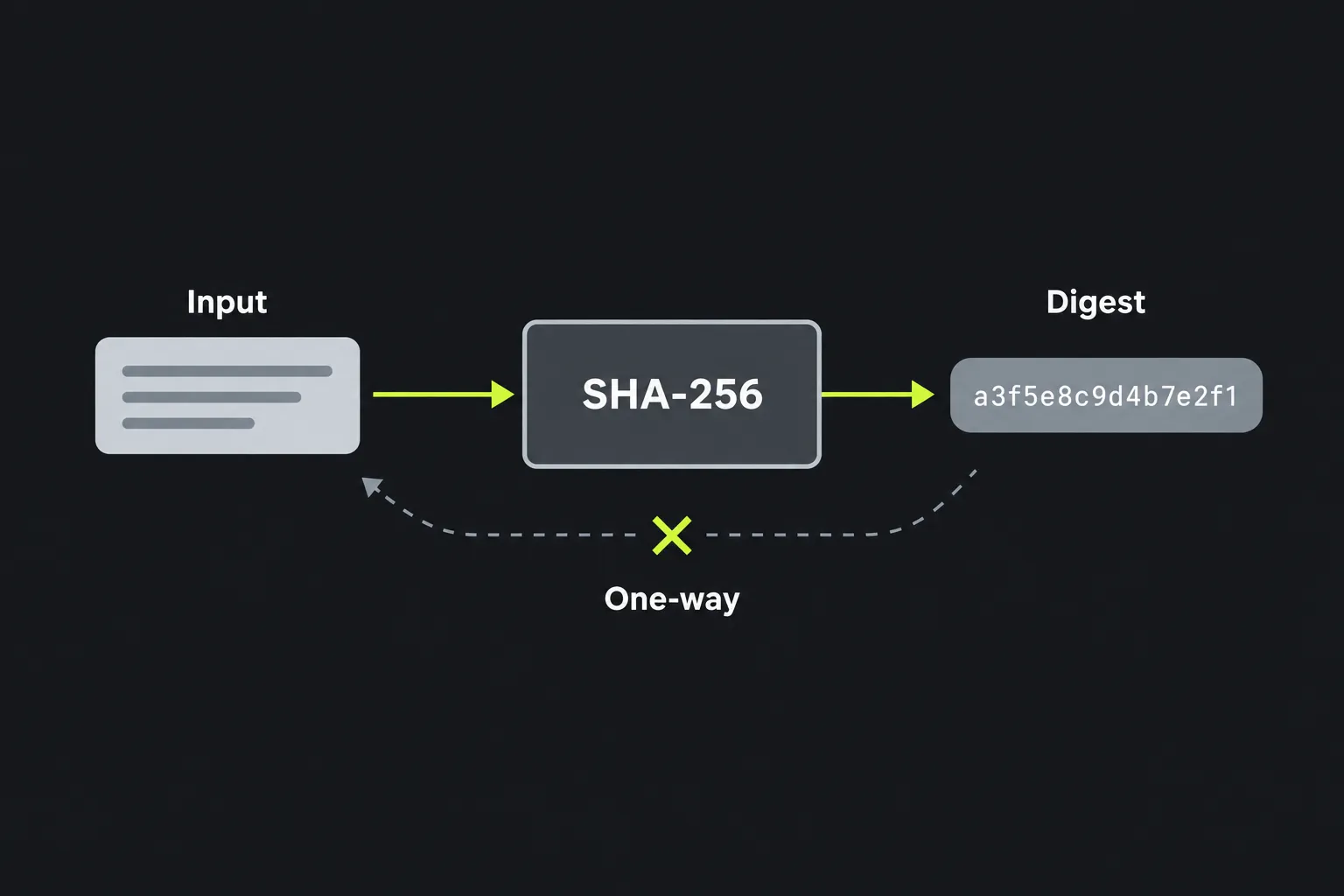
SHA-256 produces a fixed-length fingerprint of an input, regardless of whether that input contains one character or several pages of text. SHA-256 is deterministic, so the same sequence of bytes always produces the same digest. SHA-256 is also one-way, which means the digest does not contain instructions for recovering the original input.
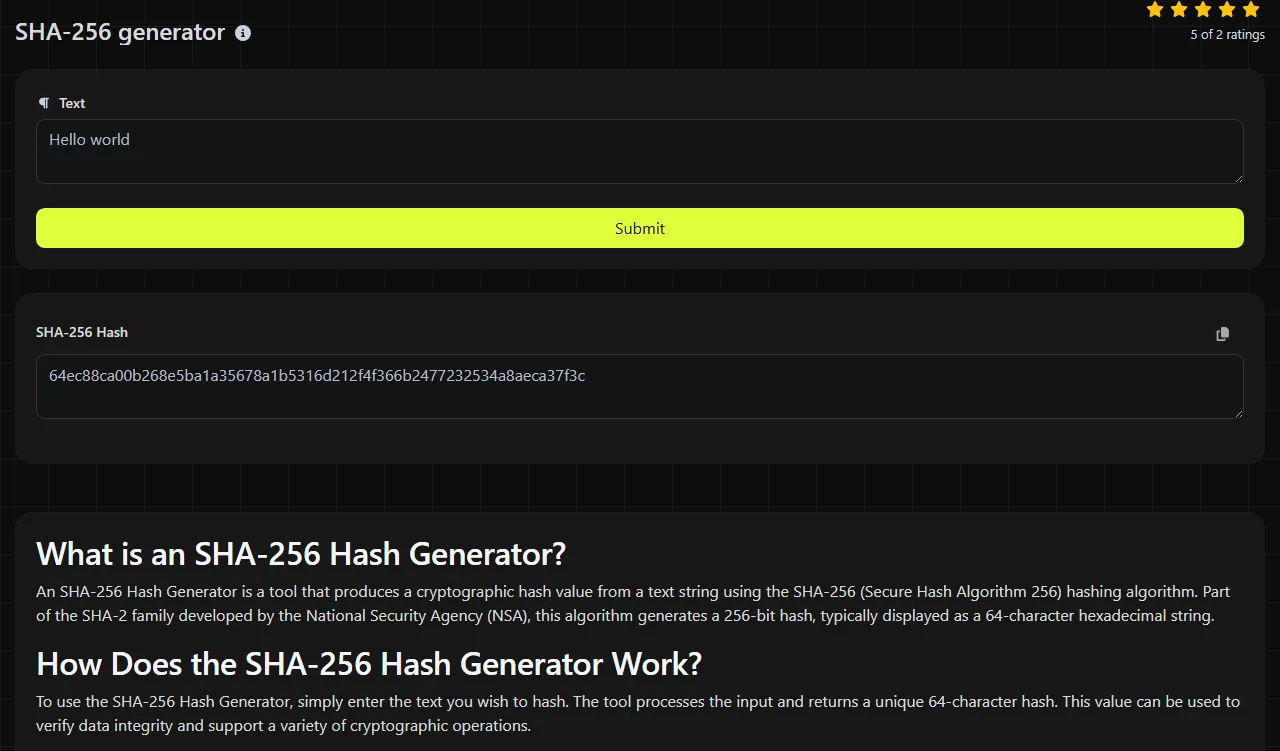
SHA-256 was designed by the US National Security Agency as part of the SHA-2 family, which NIST announced in 2001 and standardised in FIPS 180-2 in 2002. Its digest is 256 bits, or 32 bytes. The usual hexadecimal representation contains exactly 64 characters using the digits 0 to 9 and letters a to f.
SHA-256 remains current for checksums and other general-purpose cryptographic hashing. No practical collision or preimage attack is known against the full algorithm. This differs from SHA-1, whose collision resistance is broken and which should not be chosen for new security-sensitive work.
How do I use the SHA-256 generator?
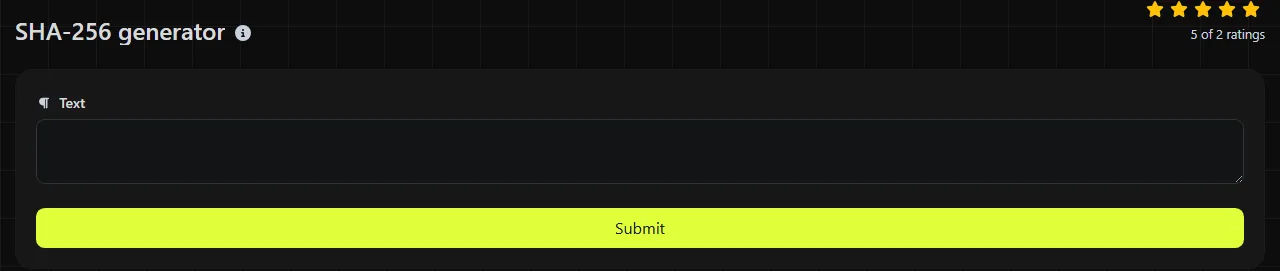
Enter the exact string you want to hash, submit it, then read the 64-character value in the SHA-256 Hash result field. Copy the whole 64-character SHA-256 digest if you need to compare it with another system.
The calculation runs on the server. Your input travels to the server over HTTPS and is not stored. It would therefore be wrong to treat this as local, browser-only processing. Avoid submitting passwords, private keys or other secrets to this SHA-256 generator because its server-side processing means they leave your own device.
- The input abc produces a 64-character hexadecimal digest.
Can SHA-256 be decrypted or reversed?
No, a SHA-256 hash cannot be decrypted because hashing is not encryption and there is no decryption key. The only general way to identify an input is to try possible values, hash each one and look for a match.
That distinction matters for predictable input. A short PIN, common password or small list of reference numbers may be guessed by exhaustive search or a prepared dictionary, even though SHA-256 itself has not been reversed.
Where is SHA-256 still used?
SHA-256 is suitable when you need a stable content fingerprint, compatibility with a system that specifies SHA-256, or an integrity check against a digest obtained through a trusted route.
- Checking that a downloaded ISO image or software package matches a publisher's checksum.
- Finding duplicate files or records by comparing content digests, with a byte-for-byte check where accidental collisions cannot be tolerated.
- Creating content-addressed identifiers in storage and build systems.
- Supporting legacy APIs, file formats and protocols that explicitly require SHA-256.
Do not use plain SHA-256 to store passwords. It is designed to run quickly, which also lets an attacker test guesses quickly. Unlike this fast SHA-256 generator, password storage needs a salted, deliberately expensive password-hashing function such as Argon2id, scrypt, bcrypt or PBKDF2, according to the requirements of the system concerned.
For a shorter digest where a specification explicitly calls for it, the SHA-224 generator may be relevant. SHA-384 provides a longer digest and is sometimes required by particular security standards, but a longer output does not automatically make it the right compatibility choice.
Exact input, character encoding and awkward cases
SHA-256 works on bytes, so every character and formatting detail can affect the result.
The algorithm can process long data, but this page accepts string input and should not be assumed to provide streamed file hashing. For large files, use a file-checksum utility such as sha256sum on Linux or Get-FileHash -Algorithm SHA256 in PowerShell. Those commands hash the file bytes directly and avoid copying file content into a text field.
Frequently asked questions
Is SHA-256 the same as encryption?
No. Encryption is reversible with the correct key, while SHA-256 is designed to produce a one-way digest. Use encryption when authorised recipients must recover the original data.
Do uppercase and lowercase SHA-256 outputs mean different things?
No, hexadecimal output is case-insensitive, so an uppercase A and lowercase a represent the same hexadecimal value. The original input remains case-sensitive, however, so Report and report have different digests.
Can SHA-256 authenticate a message with a secret key?
Plain SHA-256 is not a secure message authentication code because anyone can calculate it. Use HMAC-SHA-256 when a shared secret must prove that a message came from an authorised sender. Do not construct a home-made scheme by simply joining a secret and a message.
Does SHA-256 include a salt?
No, SHA-256 has no built-in salt field. Applications may combine additional data with an input, but doing so does not turn SHA-256 into a suitable password-hashing algorithm. Use a dedicated password-hashing function instead, because this SHA-256 generator does not define how salts and work factors are handled.
Final checks
Before relying on a digest, confirm the exact encoding, whitespace and line endings, then compare all 64 hexadecimal characters. For security-sensitive verification with SHA-256, obtain the expected 64-character digest through a trusted channel rather than from the same location as the file being checked.
Popular Tools
Create your own custom signature and download it easily with our signature generator tool for personalized e-signatures.
Calculate the size of any text in Bytes (B), Kilobytes (KB), or Megabytes (MB) using our text size calculator tool.
Use the reverse IP lookup tool to find the domain or host associated with any IP address quickly and easily.
Use our ping tool to check the status and response time of any website, server, or port quickly and efficiently.
Digily Link's IP lookup tool provides detailed information about any IP address. Use this free online service to get comprehensive IP data.
Generate your free WhatsApp link instantly with our WhatsApp Link Generator. Add a custom message and start chats in one click. No login or coding required.