HTTP/2 Checker
HTTP/2 Checker is a free tool that verifies whether a website is using the HTTP/2 network protocol.
What does an HTTP/2 check actually test?
An HTTP/2 check determines whether a web server can communicate using HTTP/2 for the requested website. HTTP/2 is a version of the Hypertext Transfer Protocol, the set of rules browsers and servers use to request and deliver pages, images, scripts and other web resources.
For an HTTPS website, the client and server usually select a protocol while establishing the secure connection. This negotiation commonly uses Application-Layer Protocol Negotiation, or ALPN. HTTP/2 is identified as h2, while an older connection may use http/1.1.
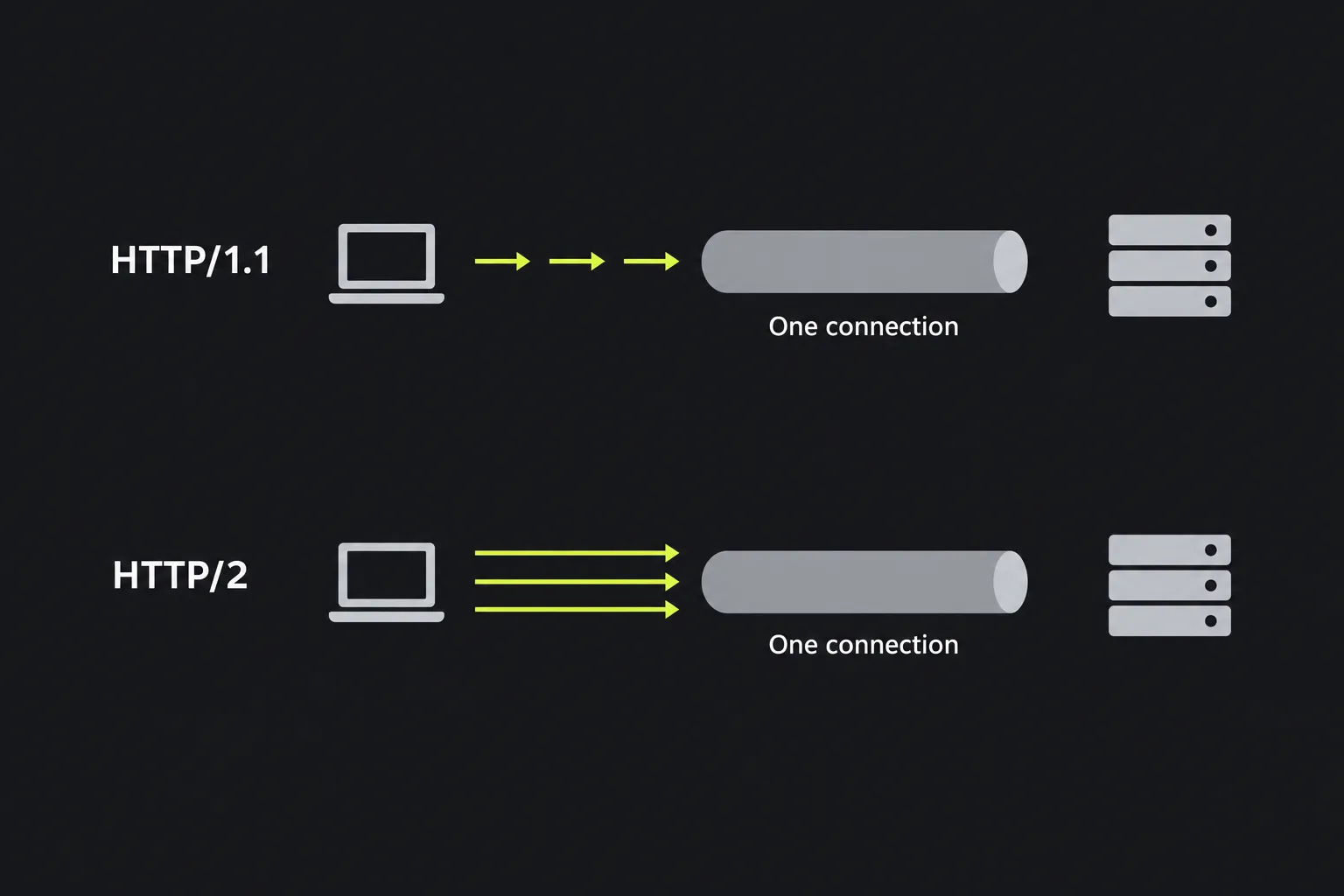
HTTP/2 keeps familiar HTTP concepts such as methods, status codes and headers, but transfers them using binary frames. It can carry several streams over one connection and compress HTTP headers. This can reduce connection overhead, particularly on pages containing many separate resources. It does not make slow application code, large images or delayed database queries faster by itself.
How do I use the HTTP/2 Checker?
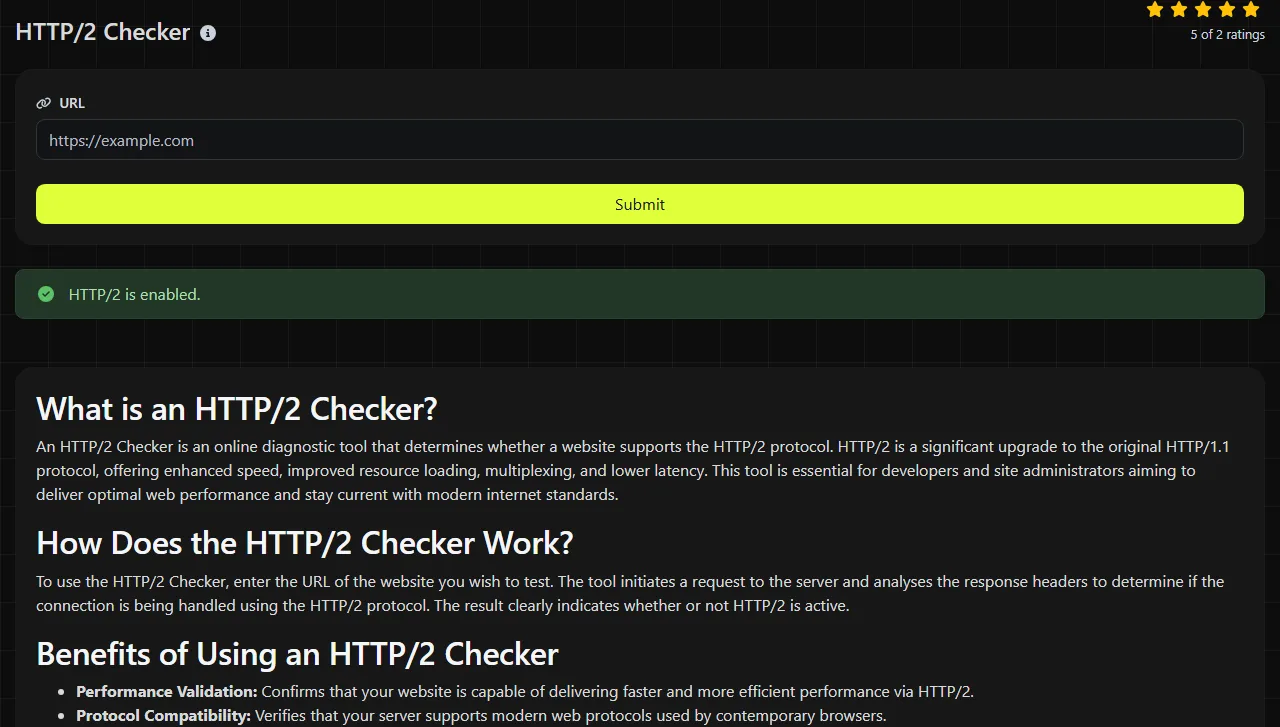
Enter the website for which you want to verify HTTP/2 support and run the check. The input travels to the server over HTTPS, where the work is performed, and it is not stored.
Accented and non-Latin domain labels are represented in DNS as IDNA A-labels, which use the Punycode encoding algorithm.
Do not submit access tokens or other sensitive information. Although input is not stored, it still travels to the tool's server so that the server-side check can be performed.
How do I read the HTTP/2 result?
The result tells you whether the checked website is using HTTP/2. Read it as evidence about the checked website, rather than as a complete assessment of the site's speed or configuration.
- A positive result confirms use of the protocol. A negative result means the check did not verify HTTP/2, but it does not by itself identify the cause.
For a worked example, suppose a website produces a positive HTTP/2 result. That confirms HTTP/2 for the checked website. It does not prove that separate services or an older origin server use the same protocol.
If the result does not confirm HTTP/2, inspect the checked website with an HTTP headers lookup and check the web server or CDN settings. A browser's developer tools can also show the protocol for each request, commonly as h2 or http/1.1.
Common problems this check reveals
An HTTP/2 check is useful after a hosting, proxy or CDN change because it shows whether the public endpoint is serving the expected protocol. These are common situations in which the result narrows down a problem.
- A CDN has just been enabled. Check the public website rather than the origin server's private or temporary address. If the public site uses HTTP/2 but the origin does not, that may be normal because the browser-to-CDN and CDN-to-origin connections are separate.
- A browser still reports HTTP/1.1. Make sure the browser and checker are testing the same website. A page can load resources from several domains, and each connection negotiates its own protocol. One third-party script request using HTTP/1.1 does not mean the main document does.
- A certificate warning appears after a server move. HTTPS certificate handling and HTTP protocol negotiation are related parts of connection setup, but an HTTP/2 result is not a full certificate diagnosis. Check the certificate's hostname, expiry, chain and server configuration separately.

This check cannot explain every slow page load. HTTP/2 support says nothing definite about server response time, JavaScript execution, image size or congestion between a particular visitor and the server. Use Ping when you need a separate view of network reachability and response timing.
Why can caching or propagation make the result look wrong?
DNS caching and configuration propagation can send different checks to different servers for a while. After a DNS record changes, recursive resolvers may continue using the previous answer until its time to live expires. A server-side checker and your office or home connection can therefore reach different IP addresses.
CDN and load-balancer changes may also take time to reach every edge location. One endpoint might have HTTP/2 enabled while another still presents the previous configuration. Check the current DNS answers, confirm that all origin or edge servers share the intended settings, and repeat the comparison after the relevant cache period.
Browsers add another source of confusion because they reuse open connections. A tab may continue using an existing HTTP/1.1 connection until it is closed, while a new server-side check negotiates HTTP/2. Closing the browser connection or starting a fresh private browsing session can provide a cleaner comparison.
Frequently asked questions
Can a website support both HTTP/1.1 and HTTP/2?
Yes. A server can support both and select the version that the connecting client understands. This compatibility allows older clients to use HTTP/1.1 while newer clients negotiate HTTP/2.
Can a site use HTTP/3 as well as HTTP/2?
Yes. Many deployments keep HTTP/2 available as a fallback because HTTP/3 uses a different transport protocol and may not be available on every network. An HTTP/2 result does not establish whether HTTP/3 is also enabled.
Does HTTP/2 require HTTPS?
HTTP/2 can be used over cleartext TCP with prior knowledge, while use of the former h2c HTTP/1.1 Upgrade token is deprecated. Mainstream browser use of HTTP/2 is normally over HTTPS. For a public website, valid TLS configuration is therefore usually part of making HTTP/2 available to browsers.
Can HTTP/2 fix a high time to first byte?
No. A high time to first byte often points to server processing, network distance, cache misses or overloaded infrastructure. HTTP/2 can improve how multiple requests share a connection, but it does not remove the delay before the server begins responding.
For a final check, compare the same website across the checker, browser developer tools and DNS records. If the results differ, record the resolved IP address and test again after existing DNS and CDN caches have expired.
Popular Tools
Create your own custom signature and download it easily with our signature generator tool for personalized e-signatures.
Calculate the size of any text in Bytes (B), Kilobytes (KB), or Megabytes (MB) using our text size calculator tool.
Use the reverse IP lookup tool to find the domain or host associated with any IP address quickly and easily.
Use our ping tool to check the status and response time of any website, server, or port quickly and efficiently.
Digily Link's IP lookup tool provides detailed information about any IP address. Use this free online service to get comprehensive IP data.
Generate your free WhatsApp link instantly with our WhatsApp Link Generator. Add a custom message and start chats in one click. No login or coding required.