Website hosting checker

Website hosting checker is a free tool that resolves a website's host and reports the ISP, organisation and approximate network location associated with it.
What does a website hosting check actually examine?
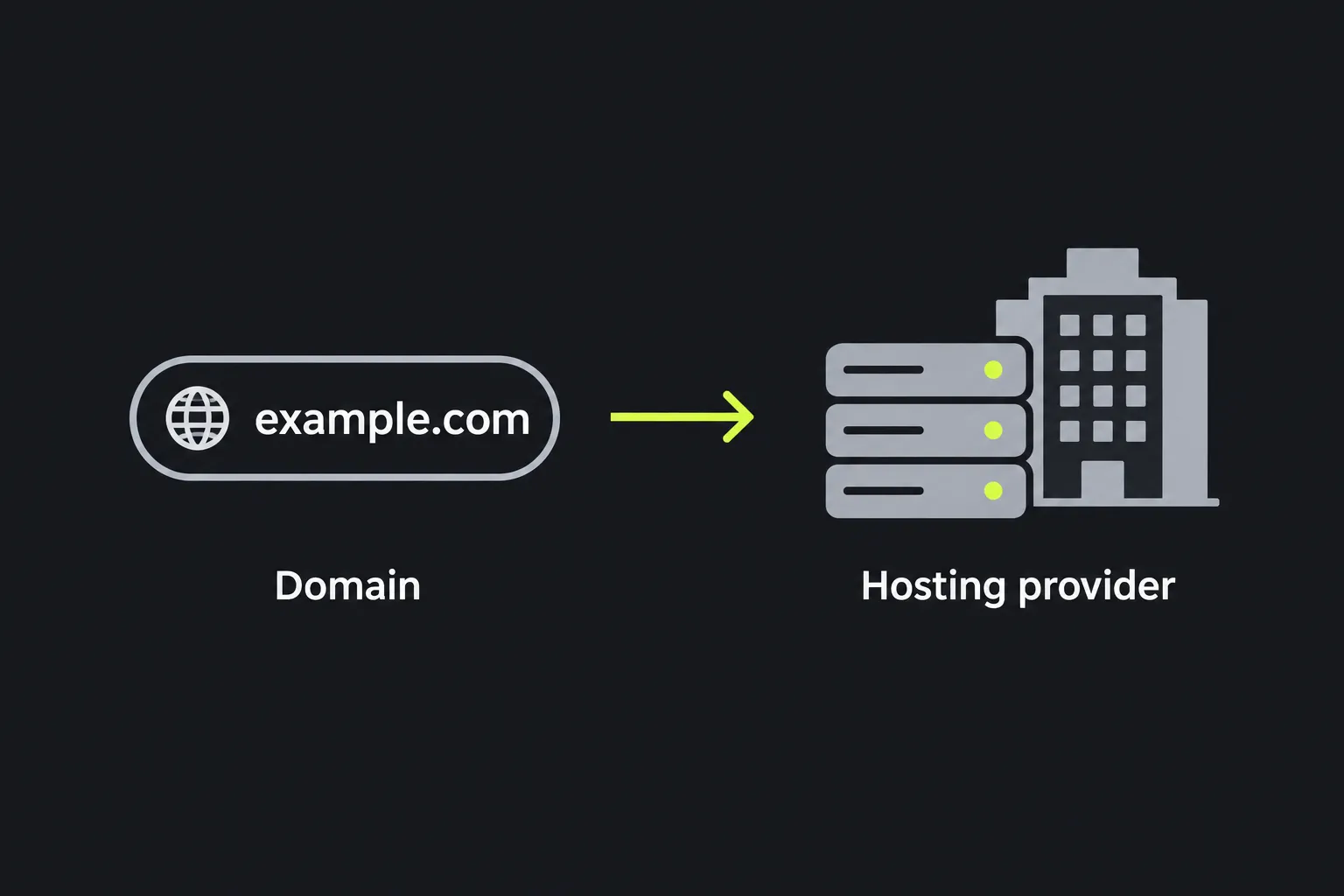
A website hosting check examines the network information attached to the IP address returned for a host name. When you enter a host, the checker uses server-side DNS resolution to find its IPv4 address, then returns information associated with that address.
DNS, or the Domain Name System, translates names such as www.example.co.uk into numerical IP addresses that computers use to make connections. The checker uses PHP's gethostbyname function for this lookup. Because that function resolves IPv4 addresses, a host available only over IPv6 may not produce a useful result.
The organisation shown in the result may be a hosting company, internet service provider, cloud platform or content delivery network. It is not necessarily the company that owns or operates the website. Sites behind services such as Cloudflare can expose the network used as a proxy while keeping the origin server's address hidden.
How do I use the Website hosting checker?
Enter the website's host in the Host field and run the check. A plain host name such as example.co.uk or www.example.co.uk is the least ambiguous input.
- Remove any path, query string or page fragment if you only need to identify the host.
- Keep the exact subdomain that has the problem. www.example.co.uk and shop.example.co.uk may resolve to different providers.
- Run the check and compare the returned organisation and location with the service you expected to see.

For example, enter shop.example.co.uk when diagnosing the shop rather than entering only example.co.uk. If that subdomain points to a separate e-commerce platform, its returned organisation may differ from the main site's result. Do not assume that all names beneath one domain use the same infrastructure.
Spaces are not valid inside an ordinary host name. Paths, punctuation from copied prose and trailing full stops can also make input ambiguous, so remove them first. Internationalised domain names containing accented or non-Latin characters have an ASCII-compatible form comprising A-labels, which use Punycode encoding. If the Unicode spelling does not resolve, use the domain's ASCII-compatible form. Numbers are valid in many host labels, but underscores are not valid in conventional public website host names.
The check runs on the server. Your input travels to the server over HTTPS and is not stored.
Making sense of the result
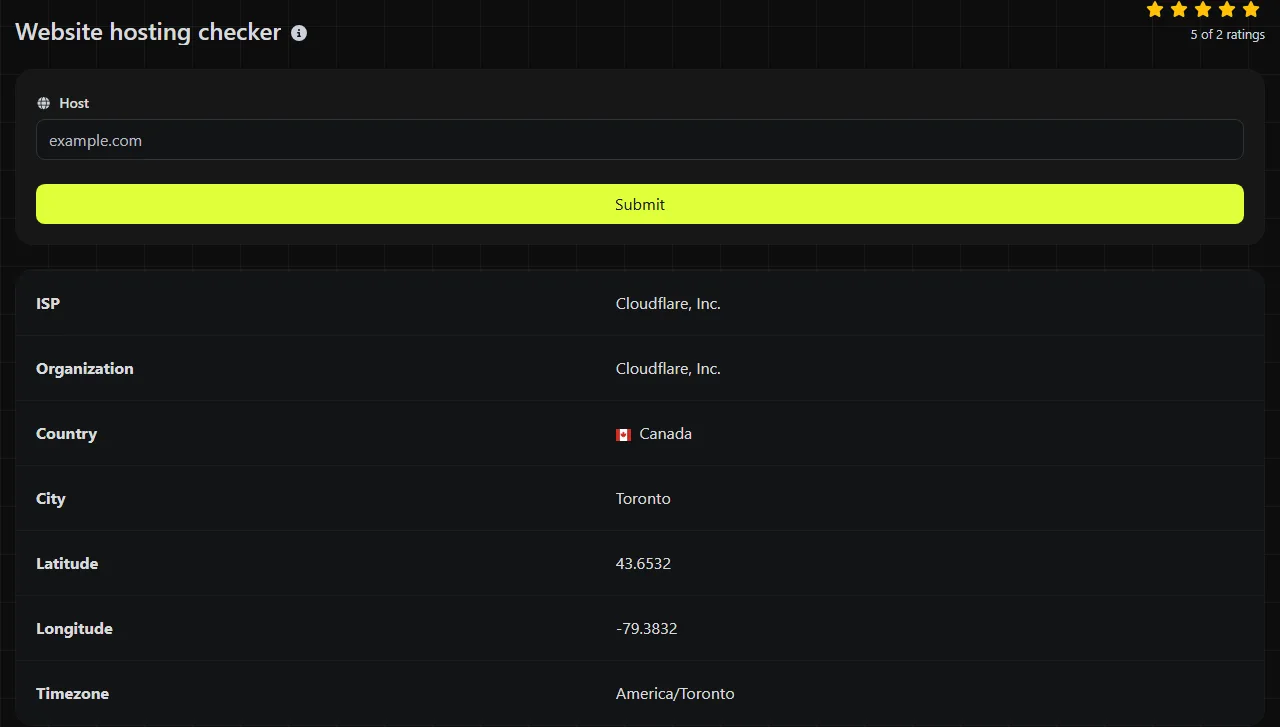
Read the result as information about the network that currently answers for the resolved host, rather than as proof of the website's owner or physical server room. Each field provides a different part of that picture.
| Result field | What it tells you |
|---|---|
| ISP | The internet service provider or network associated with the resolved IP address. |
| Organization | The organisation registered or identified for that network range. This may be a cloud provider, CDN or upstream hosting company. |
| Latitude | An estimated latitude associated with the IP address or its registered network location. |
| Longitude | An estimated longitude associated with the same location data. |
| Timezone | The time zone linked to the estimated network location. |
Latitude and longitude are IP geolocation data, not GPS readings. They may refer to a provider's registered office, a regional network hub or a general area. They should not be used to identify a building or to confirm where website data is legally stored.
An unfamiliar ISP or organisation is not automatically evidence of a fault. Managed hosts often rent capacity from larger infrastructure providers, and resellers may appear under the upstream network owner's name.
Typical investigations
A hosting check is most useful when you already know what provider or migration target you expect and need an independent view of the host's current DNS destination.
- A migrated site still shows the old version. First check for stale content in browser, reverse-proxy or CDN caches. Check the exact host name used in the browser. If its organisation still corresponds to the former provider, the DNS change may not have reached the resolver used by the checker, or the record may still point to the old service.
- One subdomain fails while the main site works. Run separate checks for example.co.uk, www.example.co.uk and the failing subdomain. Different results suggest that the names use separate DNS records or hosting services.
- A certificate warning appears after a hosting change. A missing, mismatched or not-yet-provisioned certificate on the new host is a common cause, so check the certificate configuration first. If that is correct, check whether the host resolves to the intended provider. This can reveal a stale or incorrect DNS destination, although the checker does not inspect the certificate, its expiry date or its covered host names.
If the destination looks correct but the site still fails, the problem may be at the HTTP, TLS or application layer. An HTTP/2 Checker can examine protocol support, while a Brotli Checker can confirm whether the server uses Brotli compression. Neither replaces a DNS or certificate-specific diagnostic.
Why can caching make a correct DNS change look wrong?
DNS caching can cause different resolvers to return different answers until cached records expire. DNS records have a time to live, commonly called TTL, which tells recursive resolvers how long they may retain an answer.
After a change, your broadband provider, office network, device or the checker's server-side resolver may still hold an earlier address. This is often described as propagation delay, although DNS does not update everywhere in one coordinated event. Each cached record expires independently and is normally looked up again when another query requires it.
Use a separate DNS lookup to compare the resolved address with your DNS provider's current A record and check from more than one network if the discrepancy matters. Also confirm that you changed the authoritative DNS zone and the correct host label. Editing www does not automatically change the bare domain, and the reverse is also true.
No hosting checker can guarantee that its answer matches every visitor's current DNS response. Round-robin DNS, geographically distributed services and CDNs can deliberately return different addresses depending on the resolver or location.
Frequently asked questions
Can this checker find the company that owns a website?
No. It identifies network information associated with the resolved host, not the legal owner of the domain or website. Domain registration records, company filings and the site's own legal notices are separate sources.
Why does the organisation name differ from my hosting invoice?
Your supplier may be a reseller or managed service that uses another company's network. The result can therefore name an upstream cloud or data-centre provider rather than the business you pay. Compare network details with your provider's documentation before treating the difference as an error.
Can I check an IPv6-only website?
The underlying hostname lookup uses gethostbyname, which resolves IPv4 addresses. An IPv6-only host may therefore fail to return meaningful hosting information even though it works for visitors with IPv6 connectivity. An AAAA-record lookup is the appropriate separate check for that case.
Will a very long host name work?
DNS limits a complete domain name to 253 octets in its usual textual form when the optional trailing root dot is omitted, with each label normally limited to 63 octets. Input beyond DNS naming limits cannot represent a valid public host. For a practical check, copy only the host and remove long paths or tracking parameters before submitting it.
Should I enter the domain apex or the www address?
Check the name that visitors actually use, then check the other form separately if redirects or DNS records are in doubt. Domain apex and www addresses can point to different systems even when one eventually redirects to the other. Record both results before changing DNS so that you can see which host still needs attention.
Popular Tools
Create your own custom signature and download it easily with our signature generator tool for personalized e-signatures.
Calculate the size of any text in Bytes (B), Kilobytes (KB), or Megabytes (MB) using our text size calculator tool.
Use the reverse IP lookup tool to find the domain or host associated with any IP address quickly and easily.
Use our ping tool to check the status and response time of any website, server, or port quickly and efficiently.
Digily Link's IP lookup tool provides detailed information about any IP address. Use this free online service to get comprehensive IP data.
Generate your free WhatsApp link instantly with our WhatsApp Link Generator. Add a custom message and start chats in one click. No login or coding required.