GIF to ICO
Easily convert GIF image files to ICO format with our GIF to ICO converter tool for creating favicons.
GIF to ICO is a free tool that converts GIF image files to ICO files for favicons and other icon uses.
How do I convert a GIF to ICO?
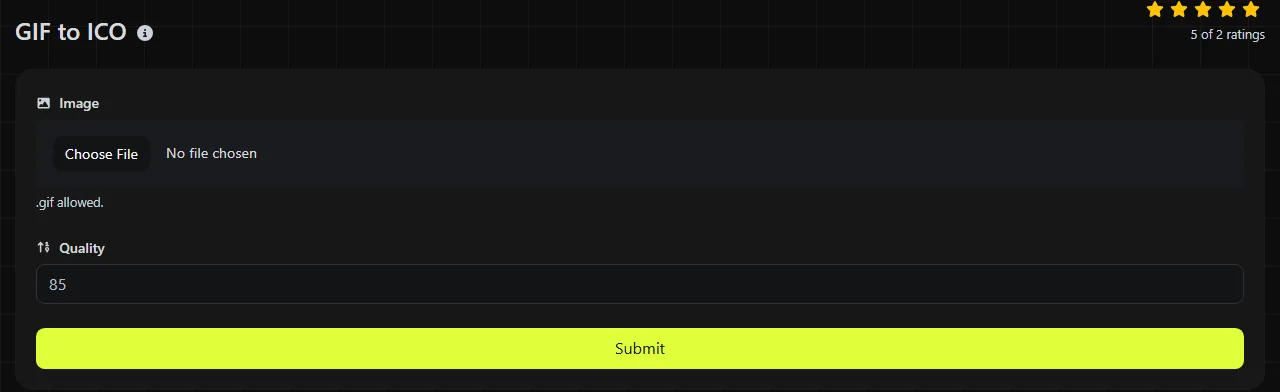
Select the GIF file you want to convert, run the conversion, and then save the resulting ICO file. The entire process takes place in your browser. Your GIF is never uploaded to a server, which is useful when the image is private or belongs to an unpublished website.
- Choose a GIF from your device.
- Convert it to ICO format.
- Save the ICO file and check it at the size where it will be used.
For a website favicon, add the ICO file through your site platform or content management system, or reference it in your HTML markup. Browsers may cache favicons for a long time, so an old icon can remain visible after you replace it. When checking an update, try clearing your browser cache, opening a private window, or temporarily changing the filename and updating the favicon reference in the HTML markup or your site's settings.
What changes when you convert GIF to ICO?
The GIF becomes a static icon file designed for browser tabs, bookmarks, and Windows interfaces rather than a general-purpose web image. GIF and ICO differ in how they handle color, animation, and compression, as well as in their typical uses.
- Animation: GIF can contain multiple frames and timing information. ICO does not support GIF-style animation, so an animated GIF cannot remain animated after conversion. Check the selected static appearance after conversion.
- Color: GIF uses an indexed palette with no more than 256 colors per frame. Converting it to ICO cannot recreate colors that were already removed when the GIF was created.
- Transparency: GIF transparency is usually binary, meaning a pixel is either transparent or visible. ICO can store smoother alpha transparency, but conversion cannot infer soft edges that are missing from the source.
- Compression: GIF uses lossless LZW compression for indexed-color pixels. ICO is a container format. Its icon entries may use bitmap-style data or PNG compression, depending on how the ICO was created.
- Support: Web browsers and image applications widely support GIF as a standard image format. ICO has more specialized support, particularly for website favicons and Microsoft Windows icons.
An ICO file can contain multiple image sizes in one container, such as 16 × 16, 32 × 32 and 48 × 48 pixels. However, just because ICO supports multiple sizes does not mean every converted file contains them. Check the output with an icon viewer if you need a specific set of sizes.
When should I convert GIF to ICO?
Conversion makes sense when you already have a small GIF logo, symbol, or pixel-art image and need an ICO file for a favicon or Windows-related use. Simple artwork with clear edges generally handles the change more predictably than a photograph or detailed animated graphic.
Common uses include replacing a website's favicon.ico, preparing an icon for a Windows shortcut, or adapting an older GIF asset for software that specifically requires ICO. If the original GIF is animated, choose a representative still frame before conversion when possible. A frame that is clear on its own is usually more suitable than the opening frame of a long animation.
Conversion cannot restore image quality. GIF uses a limited palette, so changing it to ICO does not recover missing colors, fine gradients, or detail. Enlarging a tiny GIF may also produce blurry or blocky edges. If the original logo is available as SVG, PNG, or another higher-quality source, start with that file instead to avoid carrying the GIF's limited palette into the ICO favicon.
Will the ICO file be larger?
The ICO may be larger or smaller than the GIF because file size depends on the source dimensions, frame count, image complexity, and how the icon data is stored.
An animated GIF can contain many compressed frames, while the ICO output is static, so removing the animation may reduce the amount of image data. On the other hand, converting a small, efficiently compressed GIF into bitmap-style icon data may produce a larger file. An ICO containing multiple resolutions will usually require more space than one containing a single resolution.
For favicons, pixel dimensions and clarity matter more than achieving the smallest possible file. Inspect the icon at 16 × 16 and 32 × 32 pixels, where thin lines, small text, and detailed illustrations often become hard to recognize. At these small ICO favicon dimensions, removing unnecessary detail from the source usually produces a better result than repeatedly converting the same file.
GIF-to-ICO conversion examples
A 32 × 32 single-frame GIF containing a simple two-color mark can become a static ICO suitable for favicon testing. Its palette-based appearance remains limited by the colors and transparency in the GIF.
A 300 × 100 animated GIF banner is a poor source for a favicon. The ICO cannot retain its animation, and if the wide artwork is squeezed into a square icon, the text may become unreadable. Cropping the recognizable symbol into a square image before conversion is the safer approach.
A GIF with a transparent background can produce an icon with transparent areas, but light-colored edge pixels may show a halo against dark browser themes if the source was designed for a light background. Because GIF transparency is binary, inspect how the ICO favicon appears on both light and dark backgrounds instead of relying on a full-size preview.
Changing a filename from logo.gif to logo.ico is not conversion. The data inside remains GIF data, and software that checks the file structure may reject it.
Frequently asked questions
Can an ICO favicon contain an animated GIF?
No. Conventional ICO files do not preserve GIF frame timing or animation. If animation is required in a particular browser context, keep the animated asset in a supported web format and confirm the target browser's favicon behavior separately.
Does an ICO file have to be square?
Icon images are usually square, and common icon dimensions use equal width and height. Conversion software may stretch or crop a rectangular source, or place it inside a square canvas, so preparing a square GIF first gives you more control over the composition.
Will the ICO work in Safari, Chrome, Edge, and Firefox?
Major desktop browsers recognize ICO favicons, but each browser and operating system may select a different embedded icon size. Mobile home-screen icons often use separate PNG files and platform-specific metadata, so an ICO alone may not cover every device.
Can I convert a damaged GIF?
A malformed or incomplete GIF may fail to decode, regardless of the intended output format. Open it in an image viewer to verify that its GIF data can be decoded, then export a freshly encoded GIF before conversion if possible. Password protection is not part of the GIF format, so a file that cannot be read usually has structural damage or is not actually a GIF.
Should I use ICO or WebP for a website icon?
Use ICO when a system explicitly expects favicon.ico or when you need traditional Windows icon compatibility. WebP is designed for modern web images rather than Windows icon containers. If your source animation is meant to remain a web image instead of becoming a favicon, GIF to WebP may be the better conversion option.
What should I check before publishing the favicon?
Confirm that the icon remains recognizable at small sizes, has clean edges on light and dark backgrounds, and is referenced from the correct website location. Keep the original source file as well, since repeated conversions cannot restore colors or detail lost from the GIF.
Similar Tools
Easily convert GIF image files to PNG format with our GIF to PNG converter tool for high-quality images.
Easily convert GIF image files to WebP format with our GIF to WebP converter tool for efficient image compression.
Easily convert GIF image files to JPG format with our GIF to JPG converter tool for versatile image usage.
Popular Tools
Create your own custom signature and download it easily with our signature generator tool for personalized e-signatures.
Calculate the size of any text in Bytes (B), Kilobytes (KB), or Megabytes (MB) using our text size calculator tool.
Use the reverse IP lookup tool to find the domain or host associated with any IP address quickly and easily.
Use our ping tool to check the status and response time of any website, server, or port quickly and efficiently.
Generate your free WhatsApp link instantly with our WhatsApp Link Generator. Add a custom message and start chats in one click. No login or coding required.
Digily Link's IP lookup tool provides detailed information about any IP address. Use this free online service to get comprehensive IP data.