WebP to GIF
Easily convert WebP image files to GIF format with our WebP to GIF converter tool for creating animated images.
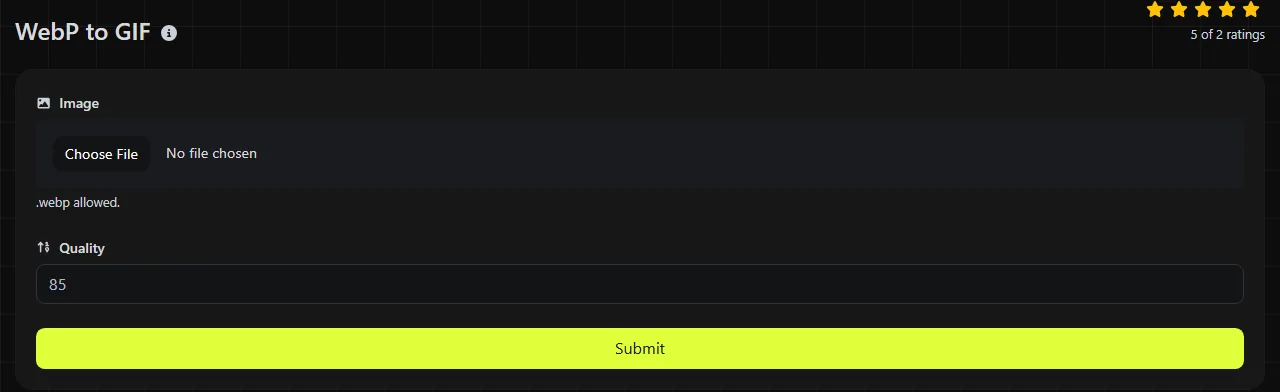
WebP to GIF is a free tool that converts a WebP image into a GIF file entirely in your browser.
How do I convert WebP to GIF?
Choose your WebP file, run the conversion, and save the resulting GIF to your device.
- Select the WebP image you want to convert.
- Start the WebP-to-GIF conversion and wait for your browser to decode the WebP and generate the GIF.
- Download the generated GIF, then open it to check its colors, transparency, and animation.
The WebP-to-GIF conversion takes place entirely in your browser. Your source image is never uploaded to a server, which is useful when the file contains unpublished artwork, internal screenshots, or other material you do not want to send to a third-party conversion service.
Keep the original WebP until you have checked the GIF. Conversion can change color detail and transparency because GIF has stricter technical limits than WebP.
What changes when WebP becomes GIF?
The image is re-encoded using GIF's indexed color palette, LZW compression, and more limited transparency.
| Property | WebP | GIF |
|---|---|---|
| Color | Supports full-color photographic images | Limited to a palette of up to 256 colors per frame |
| Compression | Supports lossy and lossless compression | Uses lossless LZW compression after colors have been reduced to an indexed palette |
| Transparency | Supports alpha transparency with partially transparent pixels | Uses binary transparency limited to one designated palette index per frame |
| Animation | Can contain multiple animated frames | Can contain multiple frames with timing and looping information |
| Typical size | Usually compact for web images and animation | Often larger, particularly for photographs, gradients, and long animations |
| Support | Supported by current major browsers, but some older applications cannot open it | Widely recognized by browsers, presentation software, messaging services, and older applications |
GIF's compression is lossless only in relation to the indexed pixels it stores. Reducing a full-color WebP to 256 colors can discard visible color information before GIF compression begins. Smooth skies, shadows, and gradients may therefore show banding or dithering.
Both formats can store animation, but animation handling varies among conversion software. Check the downloaded file to confirm that all frames, delays, and looping behavior are present rather than assuming they have been retained exactly.
When does converting WebP to GIF make sense?
Conversion makes sense when the receiving website, application, or publishing system accepts GIF but rejects WebP.
- An older content management system requires a GIF upload.
- A presentation or document workflow cannot display WebP reliably.
- A simple animated graphic needs to work in software built around GIF support.
- A small icon or diagram uses few colors and does not need partial transparency.
GIF is usually a poor choice for photographs, detailed game artwork, or images with soft transparent shadows. Keeping the WebP will normally preserve more color detail at a smaller file size. PNG may be preferable for a still image that needs full color and alpha transparency.
Converting a lossy WebP to GIF does not restore detail removed by the original WebP compression. The GIF encoding may be lossless, but it cannot recreate texture, sharp edges, or color information that is no longer in the source.
Likely file size and visual changes
A converted GIF will often be larger than its WebP source, although there is no fixed ratio. The result depends on the image dimensions, number of frames, movement between frames, color variation, and the source WebP's compression settings.
A flat logo with six colors may remain reasonably small because repeated areas compress well. A photographic image with thousands of color variations must be reduced to a palette and may use dithering, which creates patterns that are harder for GIF compression to reduce. Animated footage with changing backgrounds can grow particularly quickly because many pixels differ from one frame to the next.
If the GIF is too large, reduce its pixel dimensions, frame count, or animation length using a suitable image editor. Reducing the number of colors can also help, but it may make gradients and skin tones visibly rougher.
Worked examples and awkward source files
These examples show the GIF output trade-offs to expect rather than an exact byte size, which cannot be known without processing the specific WebP image.
- Flat interface icon A 64 × 64 WebP with solid colors is a suitable GIF candidate. Its limited palette works well with GIF, although any soft semi-transparent edge must become fully transparent or fully opaque.
- Product photograph A 1,600 × 900 lossy WebP will usually produce a larger GIF with fewer colors. Converting it does not improve the photograph, so JPEG or the original WebP is generally a better delivery format.
- Animated loading graphic An animated WebP can, in principle, be represented as an animated GIF. Inspect the output for frame timing, looping, and transparency because those details may not transfer exactly.
- Long or high-resolution animation Processing can require considerable browser memory because frames must be decoded and re-encoded. Very large files may be constrained by the device and browser.
- Invalid file Renaming another file with a .webp extension does not make it WebP. A zero-byte, corrupt, or incorrectly labeled file does not contain valid WebP data and cannot produce a valid GIF.
If you need a legacy bitmap rather than an animated image, WebP to BMP is a separate option. For a website favicon, WebP to ICO targets the icon format and its expected square sizes more directly.
Frequently asked questions
Can I convert a still WebP to GIF?
Yes. The result is a single-frame GIF rather than an animation.
Will the GIF keep the color profile from my WebP?
Do not rely on it. GIF has limited color management capabilities, and applications may display palette colors without applying the same profile handling used for the source. Check brand colors on the target platform if precise reproduction matters.
Does converting the file remove malicious content?
No. Converting WebP to GIF is not a malware scan or a guarantee that a file is safe. Although this tool processes the image locally and never uploads it, files from unknown sources should still be handled with an up-to-date browser and security software.
Should I use GIF or APNG for transparent animation?
APNG is usually the better technical choice when you need full-color animation and partial alpha transparency. GIF remains useful when a service specifically asks for it or when compatibility with older software matters more than color depth and file size.
What should I check before sharing the converted GIF?
Open the downloaded file in the application where it will be used. Confirm its dimensions, palette, transparent edges, frame order, and looping behavior, then compare its file size with any upload limit set by that platform.
Similar Tools
Easily convert WebP image files to PNG format with our WebP to PNG converter tool for high-quality images.
Easily convert WebP image files to BMP format with our WebP to BMP converter tool for high-quality images.
Easily convert WebP image files to JPG format with our WebP to JPG converter tool for versatile image usage.
Popular Tools
Create your own custom signature and download it easily with our signature generator tool for personalized e-signatures.
Calculate the size of any text in Bytes (B), Kilobytes (KB), or Megabytes (MB) using our text size calculator tool.
Use the reverse IP lookup tool to find the domain or host associated with any IP address quickly and easily.
Use our ping tool to check the status and response time of any website, server, or port quickly and efficiently.
Generate your free WhatsApp link instantly with our WhatsApp Link Generator. Add a custom message and start chats in one click. No login or coding required.
Digily Link's IP lookup tool provides detailed information about any IP address. Use this free online service to get comprehensive IP data.