QR code reader
Upload a QR code image and easily extract the embedded data with our QR code reader tool for quick information retrieval.
QR code reader is a free tool that extracts the data stored in a QR code image.
Is my QR code image uploaded?
No. All processing takes place in your browser, and the input image is never uploaded to a server. This applies to screenshots, downloaded images, and photos selected from your device.
Local processing is useful when a code contains private information such as Wi-Fi credentials, contact details, or an internal web address. The decoded content still appears on your screen, so consider who can see your device and avoid copying sensitive results into shared documents or messaging channels.
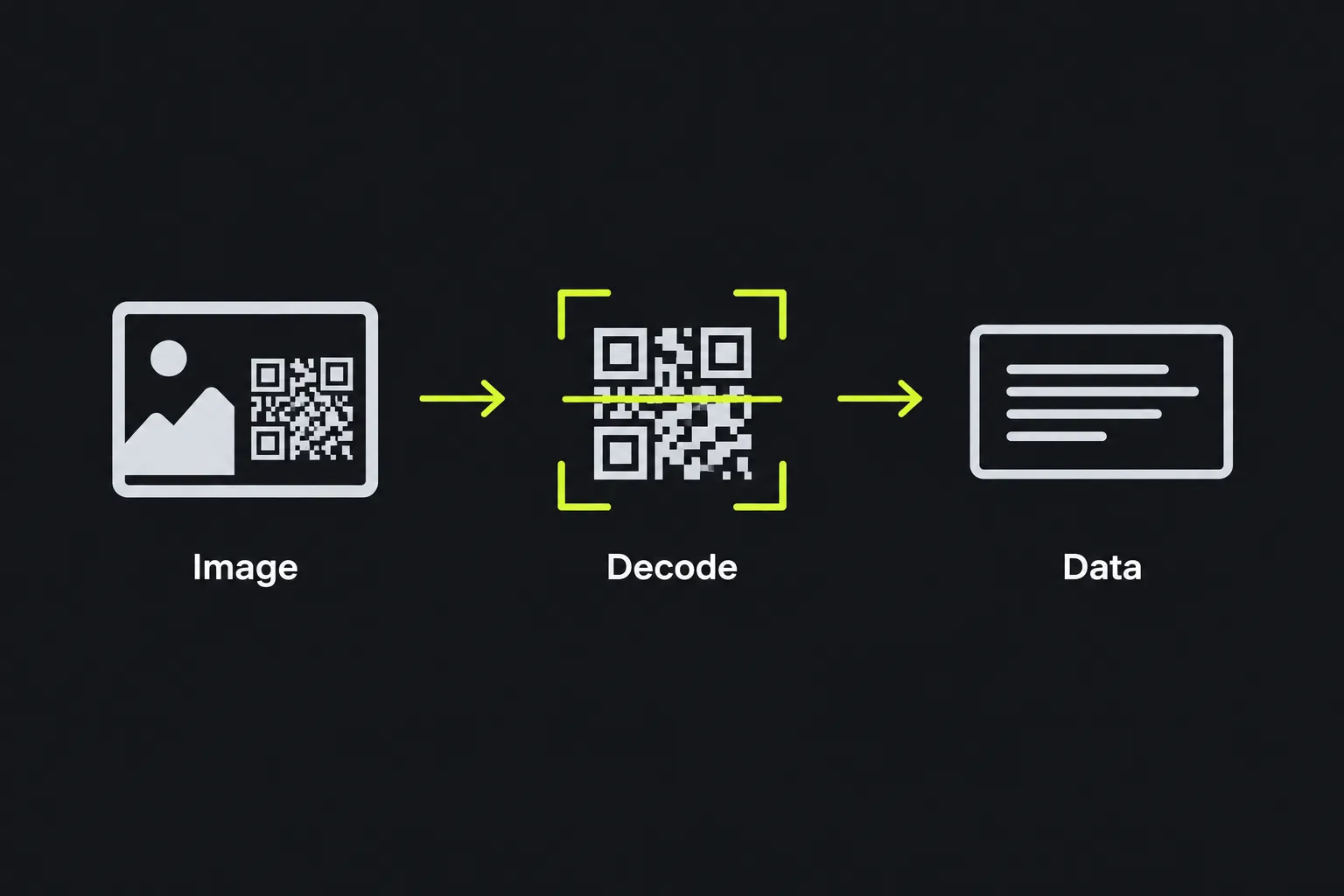
How do I read a QR code from a screenshot or photo?
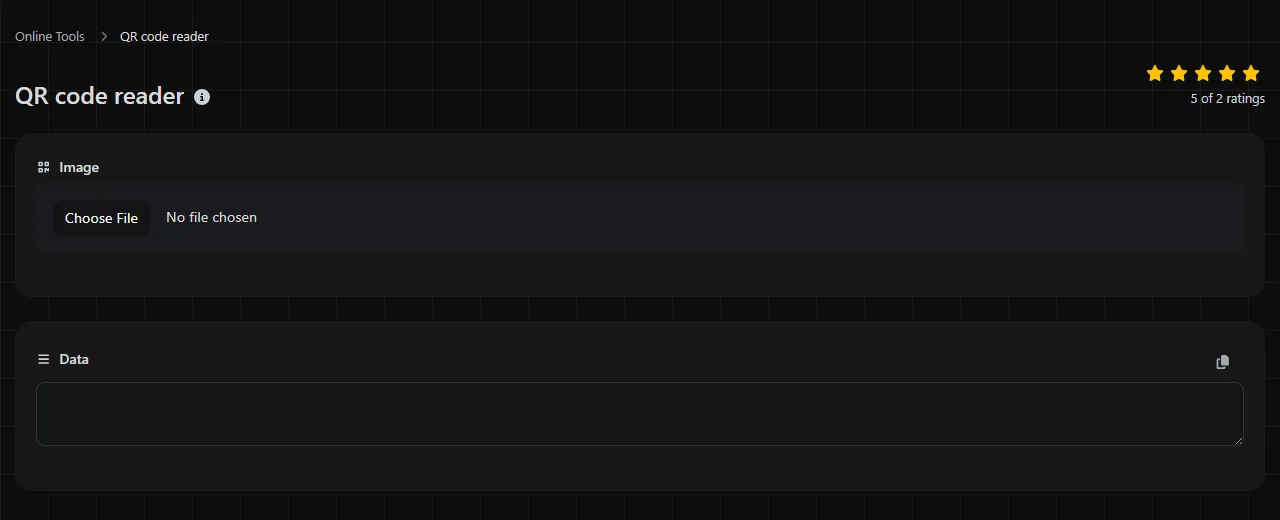
Select the image in the QR code image field, then read the extracted content in the Data result.
- Save the screenshot or photo as an image file. On a phone, it will usually be available through the device's photo or file picker.
- Select that file in the QR code image field.
- Wait for the QR decoding result.
- Check the Data field before opening, copying, or acting on the result.
On a desktop computer, you can take a screenshot of a QR code shown in a document, email, or website, then select the resulting file. On a phone, take a screenshot when the code appears on the same device, then select that screenshot from your photos. For a printed code, take a straight, well-lit photo with the entire square in view.
If you crop an image, leave some plain space around all four sides of the QR code. This border is called the quiet zone, and it helps a decoder distinguish the symbol from nearby text and graphics.
What information can a QR code contain?
A QR code can contain text, a web address, or a formatted instruction that another application may recognize. The reader extracts the stored data. What happens next depends on the content and the application used to interpret it.
- Web addresses such as https://www.gov.uk/.
- Wi-Fi details, commonly stored in a string containing the network name, security type, and password.
- Contact cards in formats such as vCard or MeCard, with names, phone numbers, and email addresses.
- Communication actions using schemes such as mailto:, tel:, or sms:.
- Locations expressed as coordinates, sometimes using a geo: address.
- Product identifiers, including a GTIN or other stock number stored as text or in a recognized GS1 format.
- Plain text such as an event reference, collection code, serial number, or short set of instructions.
Spaces, punctuation, and line breaks are part of the payload, not decoration. Numbers remain text unless another system chooses to interpret them numerically. Accented letters and non-Latin scripts can be stored as byte data, although poorly specified character encoding can produce garbled text when a generator and reader make different assumptions.
A QR code visible in a photo does not automatically contain the photo's camera details. Information such as capture time, camera model, or GPS metadata may instead be stored in the image file's EXIF fields. Use an Exif reader when you need that information.
Reading the decoded result safely
The Data result shows the content extracted from the symbol. A text payload should remain text, while a URL will usually begin with a scheme such as https://.
For example, a QR code containing https://www.nhs.uk/ should decode to that address. A Wi-Fi code might produce text in the form WIFI:T:WPA;S:GuestNetwork;P:example-password;;. The second result is a formatted instruction, and compatibility depends on whether the receiving device recognizes that convention.
A decoded link can lead anywhere. Read the full address before opening it, especially when the code came from a poster, package, parking meter, or unsolicited message. Shortened links hide the final destination, while lookalike domain names can replace letters with similar characters. Decoding a URL does not prove that the site is legitimate or safe.
Longer payloads create denser QR symbols, especially when they include mixed punctuation or international characters. Dense codes need a clearer image and more pixels than short numeric codes. An empty or apparently blank result is not reliable evidence that the image is harmless, since decoding may have failed or the payload may contain non-visible characters.
Why won't my QR code decode?
A QR code commonly fails to decode because the image is blurry, cropped, damaged, too small, or has poor contrast. The tool cannot reliably recover data when too much of the symbol is missing.
- Retake the photo with the camera parallel to the code instead of at a steep angle.
- Move far enough back to fit the entire square and its quiet zone in the frame.
- Avoid glare on laminated labels and bright reflections on phone screens.
- Use the original screenshot instead of an image repeatedly compressed by messaging applications.
- Remove visual clutter by cropping around the code, but do not cut through its outer edges or quiet zone.
- Try a higher-resolution source when the individual black and white modules have merged into gray blocks.
QR error correction can reconstruct a limited amount of missing information, but it is not guaranteed to work. A folded label, heavy overprinting, or damage across the position markers may still make the symbol unreadable. Decorative codes with low contrast, rounded modules, or a large central logo also leave less margin for poor photography.
Frequently asked questions
Does the reader work without an internet connection?
The QR code image is decoded entirely in your browser and is never uploaded to a server. However, this does not guarantee that the QR code reader page can load without an internet connection.
Can a QR code be password-protected?
No. The QR format does not include built-in password protection. A creator can place encrypted text inside a code, but the decoded result will remain unreadable until compatible software decrypts it with the correct key or password.
Is a QR code the same as a product barcode?
A QR code is a two-dimensional barcode and can also be used as a product barcode, including in GS1 applications. However, retail products commonly use linear formats such as EAN-13. If the image contains vertical bars instead of a square grid, use a Barcode reader.
Can scanning a code reveal my identity?
Reading the image locally does not send it to a server. Opening a decoded web address is a separate action, and the destination site may receive ordinary connection information or a unique tracking identifier contained in the URL. Check the result first, and remove personal or campaign-specific parameters before sharing it with someone else.
Similar Tools
Upload a barcode image and easily extract the embedded data with our barcode reader tool for quick information retrieval.
Popular Tools
Create your own custom signature and download it easily with our signature generator tool for personalized e-signatures.
Calculate the size of any text in Bytes (B), Kilobytes (KB), or Megabytes (MB) using our text size calculator tool.
Use the reverse IP lookup tool to find the domain or host associated with any IP address quickly and easily.
Use our ping tool to check the status and response time of any website, server, or port quickly and efficiently.
Generate your free WhatsApp link instantly with our WhatsApp Link Generator. Add a custom message and start chats in one click. No login or coding required.
Digily Link's IP lookup tool provides detailed information about any IP address. Use this free online service to get comprehensive IP data.