PNG to GIF
Easily convert PNG image files to GIF format with our PNG to GIF converter tool for animated images.
PNG to GIF is a free tool that converts PNG image files to GIF files entirely in your browser.
How do I convert a PNG to GIF?
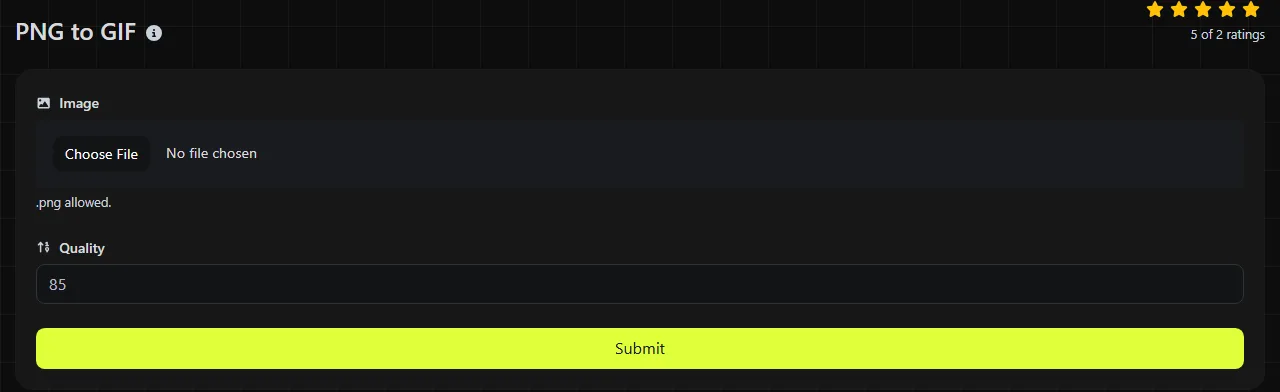
Choose the PNG file you want to convert, then run the conversion to create a GIF version. The entire process takes place in your browser, and the image is never uploaded to a server.
- Select the PNG image you want to encode as a GIF.
- Convert it to GIF and save the resulting file.
Check the converted GIF before using it. GIF supports fewer colors and a simpler form of transparency than PNG, so soft shadows, gradients, and translucent edges may look different.
What changes when a PNG is converted to GIF?
The image is reduced to a palette of no more than 256 colors, and any partial transparency must be replaced with fully transparent or fully opaque pixels. PNG and GIF both use lossless compression, but palette reduction during conversion can discard color information.
| Property | PNG | GIF |
|---|---|---|
| Colors | Can store full-color images and indexed-color images | Limited to 256 colors per frame |
| Transparency | Supports full alpha transparency, including translucent pixels | Supports one transparent palette entry, with no partial transparency |
| Animation | The current PNG specification supports static images and animation | Can contain a sequence of animated frames |
| Compression | Lossless DEFLATE compression | Lossless LZW compression after the image has been reduced to a palette |
| Browser support | Widely supported by modern browsers and image software | Widely supported by browsers, messaging services, and many older platforms |
A single static PNG does not contain additional animation frames. Converting it to GIF therefore cannot create meaningful motion on its own. Animation requires multiple frames or an existing animated source.
When is converting PNG to GIF a good idea?
Conversion makes sense when a website, publishing system, or older application specifically requires a GIF file. It is best suited to small graphics with flat colors, hard edges, and little or no anti-aliased transparency.
- A simple logo using 12 solid colors is likely to remain visually close to the PNG.
- A small diagram with a white background and black labels usually fits within GIF's palette.
- A transparent icon with a soft drop shadow will lose the shadow's partial transparency and may develop a hard or speckled edge.
- A photograph containing thousands of shades will require color quantization, which may produce visible bands or dithering.
Converting a lossy or already degraded image to a lossless GIF does not restore missing detail. GIF compression can preserve the converted pixels exactly, but it cannot recover colors or detail discarded before conversion.
File size and image quality
The resulting GIF file size depends mainly on the image dimensions, number of colors, and visual complexity. A simple flat-color PNG may produce a GIF of a similar size or a smaller size if the original PNG used full color. An efficiently compressed indexed PNG may remain smaller than the equivalent GIF.
Photographs are a poor fit for GIF. Reducing a photograph to 256 colors can cause banding in skies and skin tones, while dithering may increase visual noise and file size. JPG is generally better suited to photographs, while WebP supports full color, transparency, and modern web compression. If web page performance is your reason for converting, PNG to WebP is usually the more relevant comparison.
There is no reliable fixed ratio between PNG input and GIF output sizes. Compare the saved PNG and GIF files, and inspect the GIF at its intended display size instead of assuming that conversion will make it smaller.
Why does the converted GIF look different?
The GIF usually looks different because its palette and transparency model cannot represent everything stored in the PNG. The converter must map the PNG's colors to a limited set. Some converters use dithering to imitate unavailable shades.
- Color banding can appear where a PNG contains smooth gradients.
- Grainy patterns can result from dithering in photographs or shaded artwork.
- Jagged edges can appear when translucent anti-aliasing becomes binary transparency.
- Halos may become visible around an image prepared for a different background color.
Increasing the GIF's file size cannot remove the 256-color limit. If color accuracy, soft transparency, or photographic detail matters, keep the PNG or choose WebP instead.
Frequently asked questions
Can I convert an animated PNG to an animated GIF?
Do not assume that APNG animation will be preserved unless a converter explicitly states that it reads every APNG frame. Animation is included in the current PNG specification, and a decoder that does not support PNG animation may process only the default image. Depending on the file, that default image may be the first animation frame or a separate image.
Will an animated GIF play in an email?
Many email clients display animated GIFs, but playback varies by application and version. Put the essential message in the first frame because some recipients may see only that frame, and provide meaningful alternative text when adding the image to an email.
Can I convert the GIF back to PNG without losing anything?
You can place the GIF pixels into a new PNG file, but the original PNG colors and partial transparency will not return. Information discarded during palette reduction cannot be reconstructed by converting the file back.
Should I use GIF for a website favicon?
GIF is not usually the first choice for a favicon, even though some browsers can display it. PNG works for modern browser icons, while ICO can contain several favicon sizes for broader compatibility. Use PNG to ICO when a site or older desktop system specifically requires an ICO file.
Is it safe to convert a private image?
The conversion takes place entirely in your browser, so the input image is never uploaded to a server. You should still check the saved GIF before sharing it, especially if the visible image contains names, addresses, or other private information.
Similar Tools
Convert PNG image files to JPG format easily with our PNG to JPG converter tool for versatile image usage.
Convert PNG image files to WebP format easily with our PNG to WebP converter tool for efficient image compression.
Convert PNG image files to BMP format easily with our PNG to BMP converter tool for high-quality image outputs.
Popular Tools
Create your own custom signature and download it easily with our signature generator tool for personalized e-signatures.
Calculate the size of any text in Bytes (B), Kilobytes (KB), or Megabytes (MB) using our text size calculator tool.
Use the reverse IP lookup tool to find the domain or host associated with any IP address quickly and easily.
Use our ping tool to check the status and response time of any website, server, or port quickly and efficiently.
Generate your free WhatsApp link instantly with our WhatsApp Link Generator. Add a custom message and start chats in one click. No login or coding required.
Digily Link's IP lookup tool provides detailed information about any IP address. Use this free online service to get comprehensive IP data.