ICO to JPG
Easily convert ICO image files to JPG format with our ICO to JPG converter tool for versatile image usage.

ICO to JPG is a free tool that converts a Windows icon file into a standard JPEG image entirely in your browser.
How do I convert an ICO file to JPG?
Select the ICO file, convert it, and save the resulting JPG image.
- Choose the .ico file from your device.
- Convert it to JPG on the page.
- Save the JPG, then check its dimensions, background, and image quality before using it.
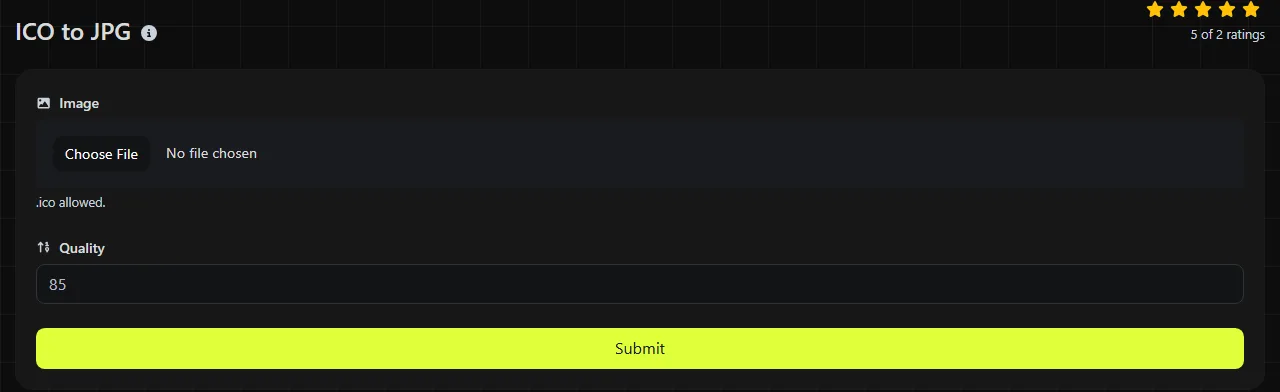
Everything happens entirely in your browser. Your ICO file is never uploaded to a server, which matters when the icon belongs to an unreleased application, an internal website, or another confidential project.
An ICO file can contain multiple images in different sizes, such as 16 × 16, 32 × 32 and 256 × 256 pixels. Check the finished JPG carefully because it contains one image, not the ICO file's complete set of icon sizes.
What changes when I convert ICO to JPG?
The conversion replaces an icon container with a single, opaque image that uses lossy JPEG compression.
| Property | ICO | JPG |
|---|---|---|
| Purpose | Application icons, Windows shortcuts, and website favicons | Photographs and widely shareable raster images |
| Images per file | Can hold multiple sizes and color depths | Contains one image |
| Transparency | Supports transparent pixels through an alpha channel or icon mask | Does not support transparency |
| Animation | Standard ICO files do not support animation | Does not support animation |
| Compression | May contain bitmap data or PNG-compressed images | Uses lossy JPEG compression |
| Support | Recognized mainly by Windows and browsers that handle favicons | Supported by browsers, document editors, image software, and most online platforms |
Transparent areas must become opaque during conversion because JPEG has no alpha channel. The background color depends on how the converter handles transparent pixels, so inspect pale edges, shadows, and rounded corners after conversion.
When does converting an icon to JPG make sense?
Converting to JPG makes sense when another website, document, or application requires a conventional image instead of an ICO container.
- Adding an application icon to a Word document or PDF when transparency is unnecessary.
- Uploading an icon to a content management system that accepts JPG but rejects ICO.
- Creating a preview image for an app listing, support article, or internal catalog.
- Opening the artwork in software with limited ICO support.
JPG is usually a poor choice when the icon has transparent edges, flat blocks of color, sharp one-pixel lines, or small text. JPEG compression can introduce ringing and blurred edges around this type of artwork. Use ICO to PNG instead when you need to retain transparency and crisp detail.
Converting an image contained in an ICO file to JPG also cannot create missing detail. Enlarging a 16 × 16 icon does not produce a clean, high-resolution image, and saving previously degraded artwork in another format does not restore its original quality. Converting the JPG to a lossless format later would preserve the existing pixels, including any JPEG artifacts.
How large will the JPG file be?
The JPG will often be small, but there is no reliable size ratio between an ICO input and its JPG output.
A JPEG is commonly smaller than an uncompressed bitmap image with the same dimensions. However, flat-color icons can compress more efficiently as PNG, while a JPG may need extra data to represent hard edges without obvious artifacts. Quality settings also affect the result, with stronger JPEG compression generally producing a smaller file and more visible damage.
Comparing the total file sizes can be misleading. An ICO might bundle multiple resolutions, while the JPG represents only one raster image. For example, a source containing 16 × 16, 32 × 32 and 256 × 256 versions may be larger simply because it stores more than one rendition.
Why does an ICO conversion sometimes look wrong?
An ICO conversion can look wrong when the source has multiple internal images, transparency, very small dimensions, or damaged icon data.
- Colored or dark background: transparent pixels have been flattened because JPG cannot store them.
- Fuzzy edges: JPEG compression is poorly suited to sharp icon boundaries and tiny lettering.
- Pixelation: a low-resolution icon has been displayed larger than its native dimensions.
- Unexpected artwork: the ICO contains multiple sizes with designs that are not identical.
- File cannot be decoded: it may be empty, incomplete, malformed, or simply renamed with an .ico extension.
Frequently asked questions
Are JPG and JPEG the same format?
Yes. .jpg and .jpeg are filename extensions for the same JPEG image format. The shorter extension became common on systems that historically limited extensions to three characters.
Can I just rename an ICO file to JPG?
No. Renaming the extension changes the filename, but it does not decode the ICO data or encode a JPEG image. Software that checks the actual file contents will still recognize it as an ICO file and may reject it.
Can I use the converted JPG as a Windows application icon?
Not directly in places that require a proper ICO resource. Windows icon files can provide multiple resolutions so the system can choose an appropriate version for menus, shortcuts, and larger displays. Keep the original ICO for that purpose.
Why does a tiny icon look blocky in the JPG?
A small icon contains very few pixels, so enlarging it exposes the square pixel grid. JPEG encoding cannot reconstruct detail that was never present. If possible, start with the largest image available in the original icon set.
Final checks
Open the saved JPG at its intended display size and inspect transparent edges, small lettering, and areas of solid color. Keep the original ICO until you have confirmed that the JPG works on the target platform, especially if the source contains multiple favicon or application icon sizes.
Similar Tools
Easily convert ICO image files to PNG format with our ICO to PNG converter tool for high-quality images.
Easily convert ICO image files to WebP format with our ICO to WebP converter tool for efficient image compression.
Easily convert ICO image files to GIF format with our ICO to GIF converter tool for creating animated images.
Popular Tools
Create your own custom signature and download it easily with our signature generator tool for personalized e-signatures.
Calculate the size of any text in Bytes (B), Kilobytes (KB), or Megabytes (MB) using our text size calculator tool.
Use the reverse IP lookup tool to find the domain or host associated with any IP address quickly and easily.
Use our ping tool to check the status and response time of any website, server, or port quickly and efficiently.
Generate your free WhatsApp link instantly with our WhatsApp Link Generator. Add a custom message and start chats in one click. No login or coding required.
Digily Link's IP lookup tool provides detailed information about any IP address. Use this free online service to get comprehensive IP data.