ICO to PNG
Easily convert ICO image files to PNG format with our ICO to PNG converter tool for high-quality images.
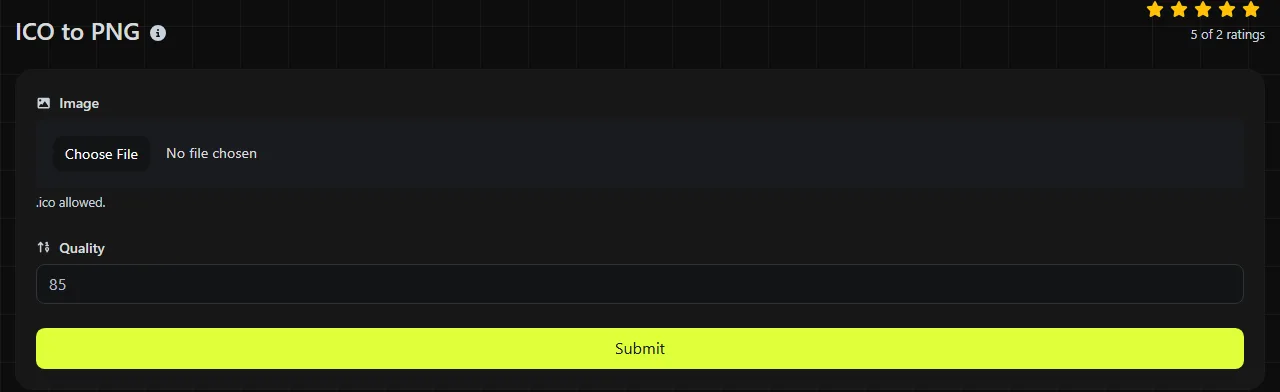
ICO to PNG is a free tool that converts an ICO icon file to a PNG image.
How do I convert an ICO file to PNG?
The conversion happens entirely in your browser, and the ICO file is never uploaded to a server.
The final check is important because an ICO file can contain several versions of the same icon. For example, one file might contain 16 × 16, 32 × 32, 48 × 48 and 256 × 256 pixel images for different display contexts. A standard PNG does not preserve that collection as a set of selectable icon sizes.
What changes when ICO is converted to PNG?
The icon becomes a standard PNG image instead of an ICO container designed primarily for favicons and Windows icons. This affects how multiple sizes, transparency and compression are represented.
- Transparency: ICO supports transparency through alpha channels or, in older icons, a simple transparency mask. PNG supports full alpha transparency, but conversion cannot create smooth, semi-transparent edges when the ICO contains only on-or-off transparency.
- Animation: ICO is not an animation format. A standard PNG is also static. APNG exists as an animated extension, but this tool is not stated to create APNG files.
- Compression: ICO is a container whose entries may use BMP-style image data or PNG compression. PNG uses lossless DEFLATE compression, so saving does not introduce JPEG-style compression artifacts.
- Multiple resolutions: ICO can bundle several pixel sizes and color depths. A conventional PNG represents a single image canvas, so it cannot serve as the same kind of multi-resolution icon package.
- Compatibility: PNG is widely supported by browsers, image editors, content management systems and office applications. ICO has more limited uses, particularly for website favicons, Windows shortcuts and application resources.
As a simple example, a 32 × 32 ICO containing one image becomes a static PNG representation that can retain transparent pixels. If site-icon.ico contains four resolutions, an individual conventional PNG cannot represent the complete four-size set. The available product information does not specify how this tool handles multi-entry ICO files.
When does converting ICO to PNG make sense?
Conversion makes sense when an application accepts PNG but does not support ICO, or when you need to edit and inspect an icon as a regular image. PNG is usually more convenient for an image on a web page, a document, a presentation, a design file or an upload to a content management system.
It is also useful when you want to extract a visible icon for reference. A PNG can be opened directly in most browsers and image editors, while ICO support varies outside its traditional uses.
Conversion is a poor choice when the destination specifically expects an ICO file. A Windows shortcut or older favicon setup may depend on the ICO container and its range of sizes. Keep the original ICO alongside the PNG if you might need the icon in those contexts.
Conversion also cannot recover lost quality. Converting an ICO entry that was previously damaged by lossy compression to lossless PNG does not restore missing detail or remove existing blockiness. In an ICO-to-PNG conversion, PNG prevents further lossy degradation, but it cannot reconstruct pixels discarded before the ICO was created.
What to expect for file size
The PNG may be smaller or larger than the ICO, so there is no reliable fixed reduction. An ICO containing several resolutions can be larger than a PNG containing only one of them. Conversely, a tiny ICO with a compact internal image may produce a PNG of similar size or, depending on the image content and encoding, a larger one.
PNG compression works particularly well with flat colors, repeated areas, sharp edges and transparent regions with uniform or normalized stored sample values, all of which are common in icons. Highly detailed icon artwork tends to compress less efficiently. File size also increases with pixel dimensions, so a 256 × 256 output will normally require more storage than a 32 × 32 version of the same design.
Do not compare file size alone when replacing a favicon. One ICO might contain all the sizes a browser or operating system needs, while several separate PNG files may be required to cover the same uses.
Frequently asked questions
Can I use a PNG file as a website favicon?
Yes, modern browsers can use PNG favicons when the page references the file with the appropriate icon link. ICO can still be useful as a compatibility fallback and can package several favicon sizes into one file.
Can I just rename an ICO file to .png instead of converting it?
No. Renaming the extension does not change the file structure, and software may reject the file or identify it as ICO data. A real conversion writes the image in PNG format with the correct PNG signature and encoding.
Why can't I use the PNG as a Windows shortcut icon?
Some Windows icon selectors and application resources expect ICO rather than PNG. If that is your destination, convert the artwork back to a properly sized ICO instead of simply changing the filename extension.
Will color profiles and other metadata be preserved?
Do not assume that ICO metadata will appear in the PNG. ICO files are designed around icon images and size entries rather than the photographic metadata commonly associated with formats such as JPEG. If color matching is sensitive, inspect the PNG in the application where it will be used.
What happens if the ICO file is damaged?
A truncated file, invalid icon directory or corrupt embedded image may not decode correctly. Re-export the ICO from its original application or try another known-good copy before converting it. Changing the filename extension will not repair an invalid ICO directory or corrupt embedded image data.
Final checks
- Confirm that the PNG has the pixel dimensions required by the destination.
- View it against both light and dark backgrounds to spot unwanted opaque edges inherited from ICO masks or alpha data.
- Keep the original ICO if you still need its bundled favicon sizes or Windows compatibility.
- Open the converted PNG before deleting the source ICO or replacing any existing icon asset.
Similar Tools
Easily convert ICO image files to GIF format with our ICO to GIF converter tool for creating animated images.
Easily convert ICO image files to WebP format with our ICO to WebP converter tool for efficient image compression.
Easily convert ICO image files to JPG format with our ICO to JPG converter tool for versatile image usage.
Popular Tools
Create your own custom signature and download it easily with our signature generator tool for personalized e-signatures.
Calculate the size of any text in Bytes (B), Kilobytes (KB), or Megabytes (MB) using our text size calculator tool.
Use the reverse IP lookup tool to find the domain or host associated with any IP address quickly and easily.
Use our ping tool to check the status and response time of any website, server, or port quickly and efficiently.
Generate your free WhatsApp link instantly with our WhatsApp Link Generator. Add a custom message and start chats in one click. No login or coding required.
Digily Link's IP lookup tool provides detailed information about any IP address. Use this free online service to get comprehensive IP data.