ICO to BMP
Easily convert ICO image files to BMP format with our ICO to BMP converter tool for high-quality images.
ICO to BMP is a free tool that converts a Windows icon file into a BMP bitmap image.
How do I convert an ICO file to BMP?
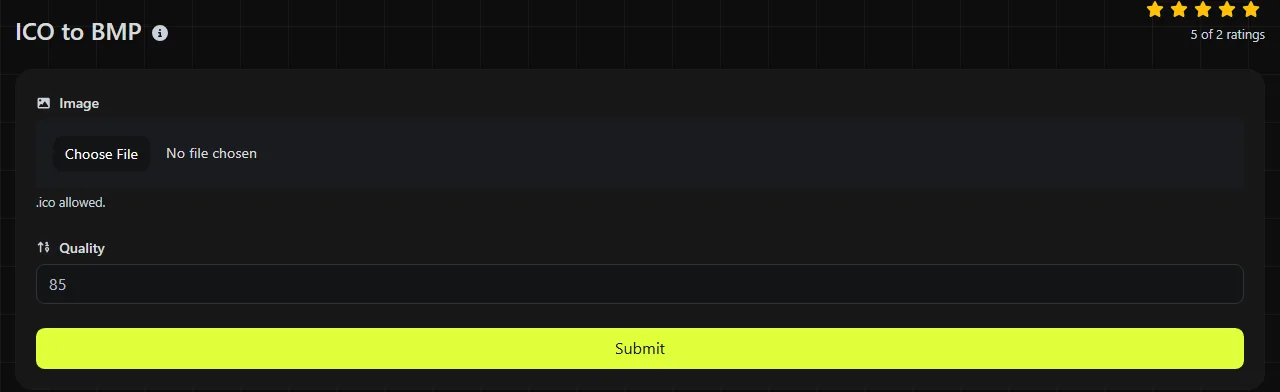
Choose the ICO file, start the conversion, and then save the resulting BMP file. The ICO-to-BMP conversion happens entirely in your browser, and the input ICO file is never uploaded to a server.
- Select the .ico file you want to convert.
- Start the conversion and wait for your browser to create the BMP image.
- Save the .bmp output, then open it to check its dimensions and background.
That final check matters because an ICO file can contain several versions of the same icon, commonly at 16 × 16, 32 × 32, 48 × 48, or 256 × 256 pixels. A BMP file normally represents one raster image rather than a collection of icon sizes. If the source contains several sizes, inspect the output to confirm that it is suitable for your intended use.
What changes when ICO is converted to BMP?
Conversion changes the file format from ICO to BMP, and transparency handling may be less reliable. Converting ICO to BMP does not add detail to the underlying pixels.
| Characteristic | ICO | BMP |
|---|---|---|
| Primary purpose | Windows icons and website favicons | General-purpose bitmap storage, especially in older Windows software |
| Image sizes | Can store several sizes and color depths in one file | Normally stores one image at one fixed size |
| Transparency | Supports transparent icon areas through masks or alpha transparency | Alpha data is possible in some BMP variants, but support varies among applications |
| Animation | Standard ICO files are not animated | BMP does not support animation |
| Compression | May contain bitmap data or compressed PNG image data | Usually uncompressed, though some BMP variants support run-length encoding |
| Typical file size | Depends on the encodings and embedded images | Depends on the ICO source and BMP encoding |
| Support | Widely recognized by Windows and browsers for icons | Widely opened by desktop image software, but less conventional for websites |
Converting a small icon to BMP does not turn it into a detailed illustration. For example, a 32 × 32 ICO converted at the same dimensions still contains only 1,024 pixels. Enlarging that BMP later may produce blurry or blocky edges.
When does converting ICO to BMP make sense?
Conversion makes sense when older software, a Windows-based workflow, or a bitmap-processing system specifically requires BMP input. It can also help when you need to inspect an icon as a straightforward pixel grid rather than as a container with several embedded images.
- Importing an icon into legacy software that accepts BMP but not ICO.
- Examining individual pixels or color values in a bitmap editor.
- Providing a fixed-size image to a device or application with a documented BMP requirement.
- Extracting a usable still image from an ICO container for an offline Windows workflow.
It is usually a poor choice for a website. BMP files may use more bandwidth when the ICO, PNG, or WebP alternative uses effective compression, and BMP is not the conventional format for a browser favicon. If you need a transparent web image rather than a Windows bitmap, ICO to PNG is generally the more suitable option. ICO to WebP may be useful for ordinary web content where a small transfer size matters.
ICO-to-BMP conversion cannot restore detail that is missing from the icon. If an ICO contains only a small or heavily compressed image, the BMP does not recreate lost quality, and transparency or color representation may change during conversion.
Expected BMP file sizes
A BMP may be larger than its ICO source when the ICO image uses effective compression and the BMP pixel data is stored without compression. For a 32-bit bitmap, the pixel data alone is roughly width × height × 4 bytes, with additional space used by headers. Row padding can add space at relevant lower color depths or row widths, but not to this 32-bit calculation.
- A 16 × 16 image needs roughly 1 KB of 32-bit pixel data.
- A 32 × 32 image needs roughly 4 KB of 32-bit pixel data.
- A 256 × 256 image needs roughly 256 KB of 32-bit pixel data.
These ICO-to-BMP figures are estimates rather than promised output sizes. The actual file depends on the output dimensions, color depth, BMP encoding, and header structure. An ICO containing a PNG-compressed 256 × 256 icon may therefore produce a BMP many times larger than the source, even though its visible dimensions have not changed.
What can go wrong with an ICO file?
Problems usually come from the source file's internal structure, limited resolution, or transparency rather than from the filename itself. Because an ICO supplied for BMP conversion can contain different image data, two files with the same extension may produce quite different results.
- Several embedded sizes: the resulting bitmap may not have the dimensions you expected, so check its pixel width and height.
- Transparent edges: software with limited BMP alpha support may display transparent pixels as black, white, or another solid color.
- Very small source artwork: a 16 × 16 icon remains low resolution after conversion.
- Damaged or incomplete files: a file ending in .ico is not necessarily a valid ICO container.
- Renamed extensions: changing image.jpg to image.ico does not convert its internal format.
ICO filenames may contain spaces, punctuation, accented letters, or non-Latin characters because those characters are part of the filename, not the image encoding. Compatibility can still depend on the operating system and the application used to save or open the file.
Frequently asked questions
Can I use a BMP file as a website favicon?
In practice, use ICO or PNG instead. These are the conventional, more broadly interoperable favicon formats, while BMP support depends on the browser and content management system implementation. WordPress and similar platforms may also process an uploaded site icon into their own required sizes.
Why does a BMP sometimes appear upside down in technical software?
Many BMP variants store pixel rows from bottom to top. Standard image viewers account for this automatically, but a basic parser must read the file header and handle the row order correctly. This is an implementation detail of BMP storage, not a rotation applied to the image.
Will converting an icon remove its color limit?
The BMP format can represent more colors than an older indexed-color icon, but conversion cannot invent intermediate shades that were never present. The output may use a higher color depth while the visible artwork retains the original palette and banding.
Can I convert an animated cursor file this way?
No. Windows animated cursors normally use the ANI format, while static cursors use CUR and icons use ICO. Renaming an ANI or CUR file with an .ico extension does not make it a valid ICO image. Check the actual file type before converting, then verify the BMP's dimensions, colors, and background before using it.
Similar Tools
Easily convert ICO image files to GIF format with our ICO to GIF converter tool for creating animated images.
Easily convert ICO image files to PNG format with our ICO to PNG converter tool for high-quality images.
Easily convert ICO image files to JPG format with our ICO to JPG converter tool for versatile image usage.
Popular Tools
Create your own custom signature and download it easily with our signature generator tool for personalized e-signatures.
Calculate the size of any text in Bytes (B), Kilobytes (KB), or Megabytes (MB) using our text size calculator tool.
Use the reverse IP lookup tool to find the domain or host associated with any IP address quickly and easily.
Use our ping tool to check the status and response time of any website, server, or port quickly and efficiently.
Generate your free WhatsApp link instantly with our WhatsApp Link Generator. Add a custom message and start chats in one click. No login or coding required.
Digily Link's IP lookup tool provides detailed information about any IP address. Use this free online service to get comprehensive IP data.