MD5 generator
MD5 generator is a free tool that converts any string input into a 32-character MD5 hash.
What is MD5, and is it still secure?
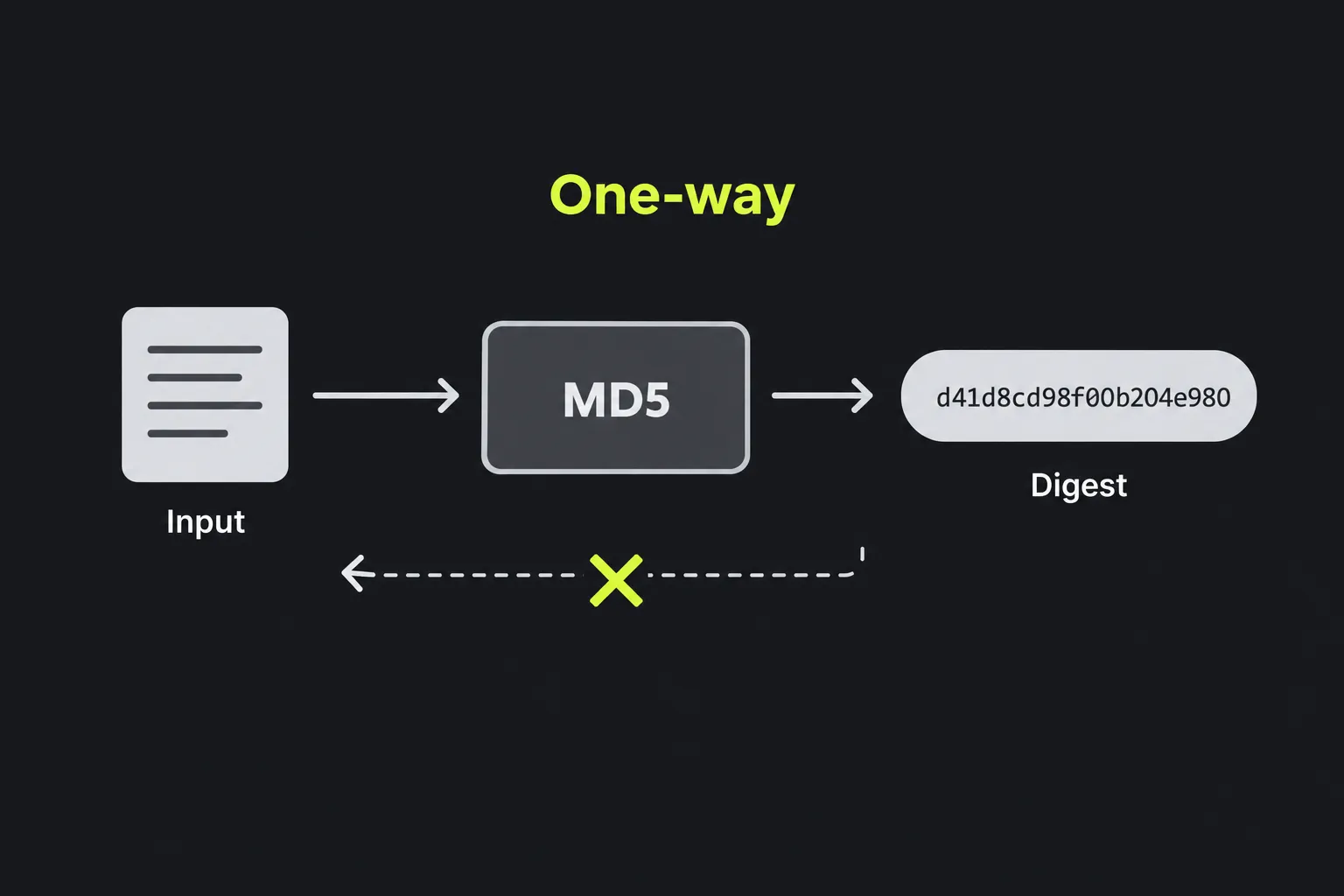
MD5 is a 128-bit hash function that is now cryptographically broken and deprecated for security-sensitive work. It is deterministic, so identical input produces the same result, and one-way, meaning the original data cannot normally be calculated directly from the fingerprint.
Ronald Rivest designed MD5 in 1991 as a successor to MD4. Its 128-bit digest is normally displayed as 32 hexadecimal characters using the digits 0 to 9 and letters a to f. This compact output and MD5's speed led to widespread use in software downloads, databases and older authentication systems.
Researchers demonstrated practical MD5 collisions in 2004, and later work made it possible to create deliberately different documents with the same digest. MD5 must not be used for digital signatures or certificates, and is unsuitable for integrity checks where an attacker could exploit collisions. Its speed makes it unsuitable for password storage. MD2 generator and MD4 generator cover related historical algorithms, but neither is a suitable security replacement.
How do I generate an MD5 hash?
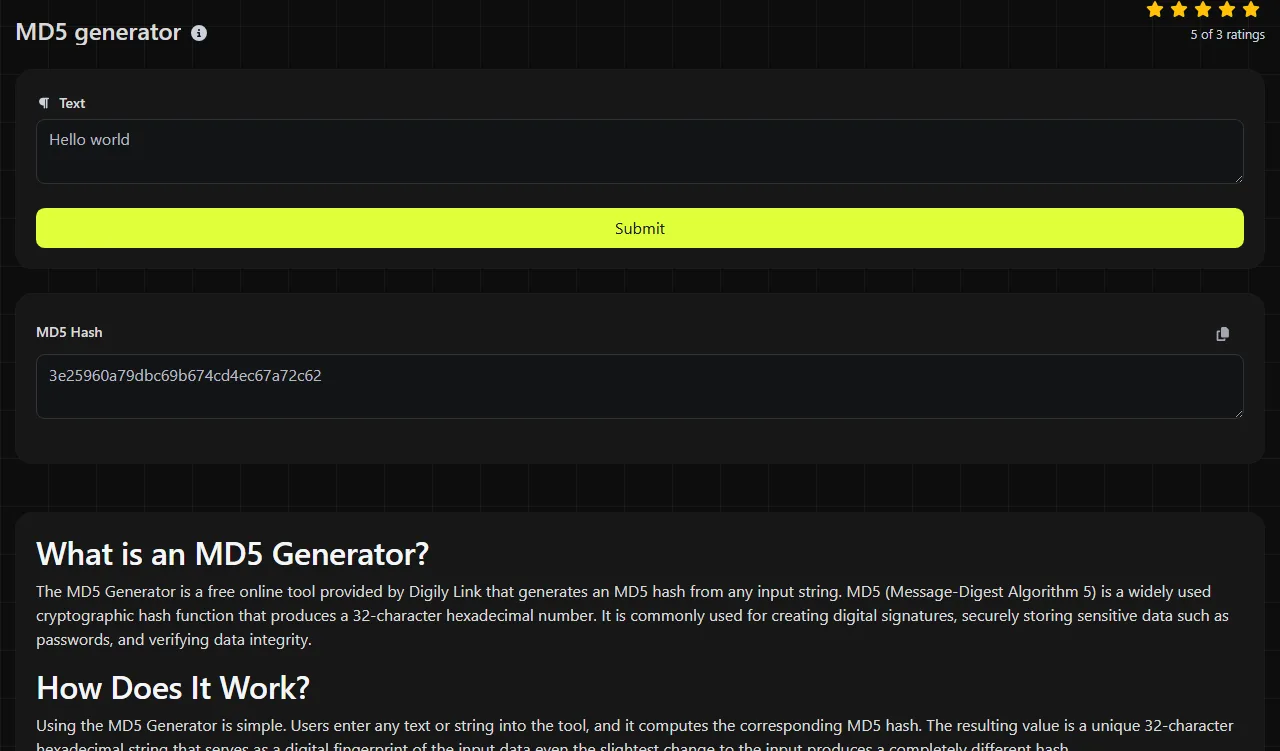
Enter or paste the exact string, run the generator and copy the value from MD5 Hash. The PHP md5 function performs the calculation on the server.
- Check the exact string entered in this MD5 generator for unintended spaces, line breaks or changed letter case.
- Generate the digest and confirm that the result contains 32 hexadecimal characters.
- Compare or store all 32 characters returned in MD5 Hash rather than a shortened section of it.
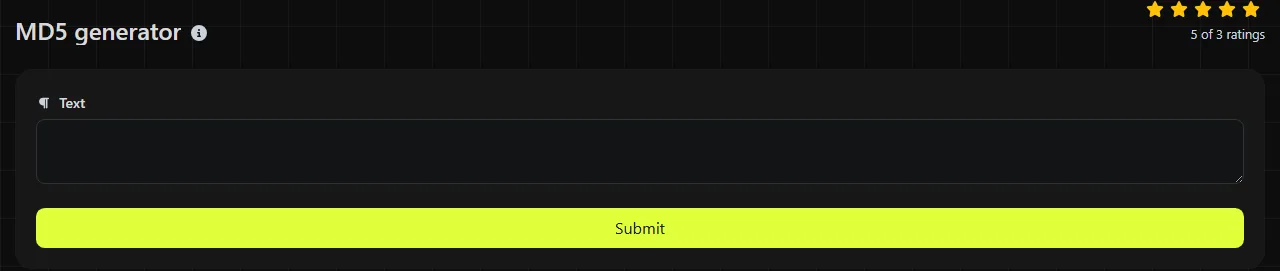
The input travels to the server over HTTPS and is not stored. Even so, do not submit passwords, private keys, recovery codes or other secrets. MD5 is unsuitable for protecting them, and server-side processing means the input leaves your device.
Can an MD5 hash be decrypted or reversed?
No, an MD5 hash cannot be decrypted because hashing is not encryption and there is no decryption key. The digest does not contain a reversible copy of the input.
However, that does not make an MD5 hash private. An attacker can hash likely inputs and compare the results against the target digest. Common passwords, short numbers and dictionary words are often found through guessing or precomputed hash databases. A collision is different from reversal. It finds two distinct inputs with the same digest, without starting from a specified input, rather than recovering the original input.
When is MD5 still appropriate?
Use MD5 only when compatibility or a non-adversarial checksum specifically requires it. It can still identify accidental changes, group duplicate content and match identifiers in older systems, provided nobody is relying on collision resistance.
- Checksums can reveal accidental corruption during an internal file transfer, but they cannot prove that a file is authentic.
- Deduplication can use MD5 as an initial content fingerprint. Compare file sizes or actual content before deleting data on the strength of a matching digest.
- Legacy compatibility may require MD5 when an existing database, protocol or supplier publishes only MD5 values.
For new security checks, use a current cryptographic hash such as SHA-256 or SHA-512. For passwords, use a purpose-built password hashing scheme such as Argon2id, bcrypt or scrypt. These are deliberately expensive to guess repeatedly, unlike MD5.
Input details
MD5 hashes bytes, so every character in the supplied representation matters. The text hello produces a 32-character hexadecimal digest, while Hello produces a different one because the capital letter changes the input bytes. Adding one trailing space also changes the result.
- invoice-1042 and invoice-1043 produce unrelated-looking 32-character results.
- The MD5 generator treats numbers entered in its string field as text. 0012 is different from 12.
- Punctuation, tabs and line breaks entered in the MD5 generator form part of its string input. A copied paragraph may contain an invisible final newline.
- Accented and non-Latin characters depend on character encoding. Systems comparing hashes should agree on an encoding, commonly UTF-8.
- MD5 itself defines a digest for empty input and can process long byte sequences. The tool accepts string input; the page does not state that it accepts files or unlimited input.
Frequently asked questions
Does uppercase hexadecimal change an MD5 digest?
No. Uppercase and lowercase hexadecimal can represent the same 128-bit value, so A and a in the displayed digest have the same numeric meaning. A case-sensitive database comparison may still treat the two text strings as different, so normalise the format before comparing them.
Will adding a salt make MD5 safe for passwords?
No. A unique salt blocks simple reuse of precomputed tables, but MD5 remains far too quick for password storage. Use a password hashing function that records its salt and cost settings as part of the stored value.
Can two different files have the same MD5 hash?
Yes. Such a match is called a collision, and practical methods exist for constructing MD5 collisions deliberately. Accidental collisions are unlikely in a small collection, but systems handling hostile or high-value data should use a collision-resistant alternative.
Why do Windows and Linux produce different hashes for the same text?
The files may use different line endings, character encodings or byte-order marks even when the visible text looks identical. When comparing output from this MD5 generator with another MD5 result, use the same character encoding and line-ending convention for the string input.
Can I convert an MD5 hash into a SHA-256 hash?
You can hash the 32-character MD5 text with SHA-256, but that does not produce the SHA-256 digest of the original input. To migrate correctly, obtain the original data and hash it again with SHA-256.
Final checks
Before relying on a result, confirm the exact input bytes, compare all 32 characters and decide whether the task concerns accidental corruption or protection against tampering. If authenticity, passwords or signatures are involved, MD5 is the wrong choice.
Similar Tools
Generate MD2 hashes from any string input using our MD2 generator tool for data integrity verification.
Create MD4 hashes from any string input with our MD4 generator tool for secure data hashing.
Popular Tools
Create your own custom signature and download it easily with our signature generator tool for personalized e-signatures.
Calculate the size of any text in Bytes (B), Kilobytes (KB), or Megabytes (MB) using our text size calculator tool.
Use the reverse IP lookup tool to find the domain or host associated with any IP address quickly and easily.
Use our ping tool to check the status and response time of any website, server, or port quickly and efficiently.
Digily Link's IP lookup tool provides detailed information about any IP address. Use this free online service to get comprehensive IP data.
Generate your free WhatsApp link instantly with our WhatsApp Link Generator. Add a custom message and start chats in one click. No login or coding required.