Gravatar checker
Gravatar checker is a free tool that retrieves the globally recognised avatar associated with an email address from gravatar.com and shows the available fallback image styles.
What does a Gravatar checker inspect?
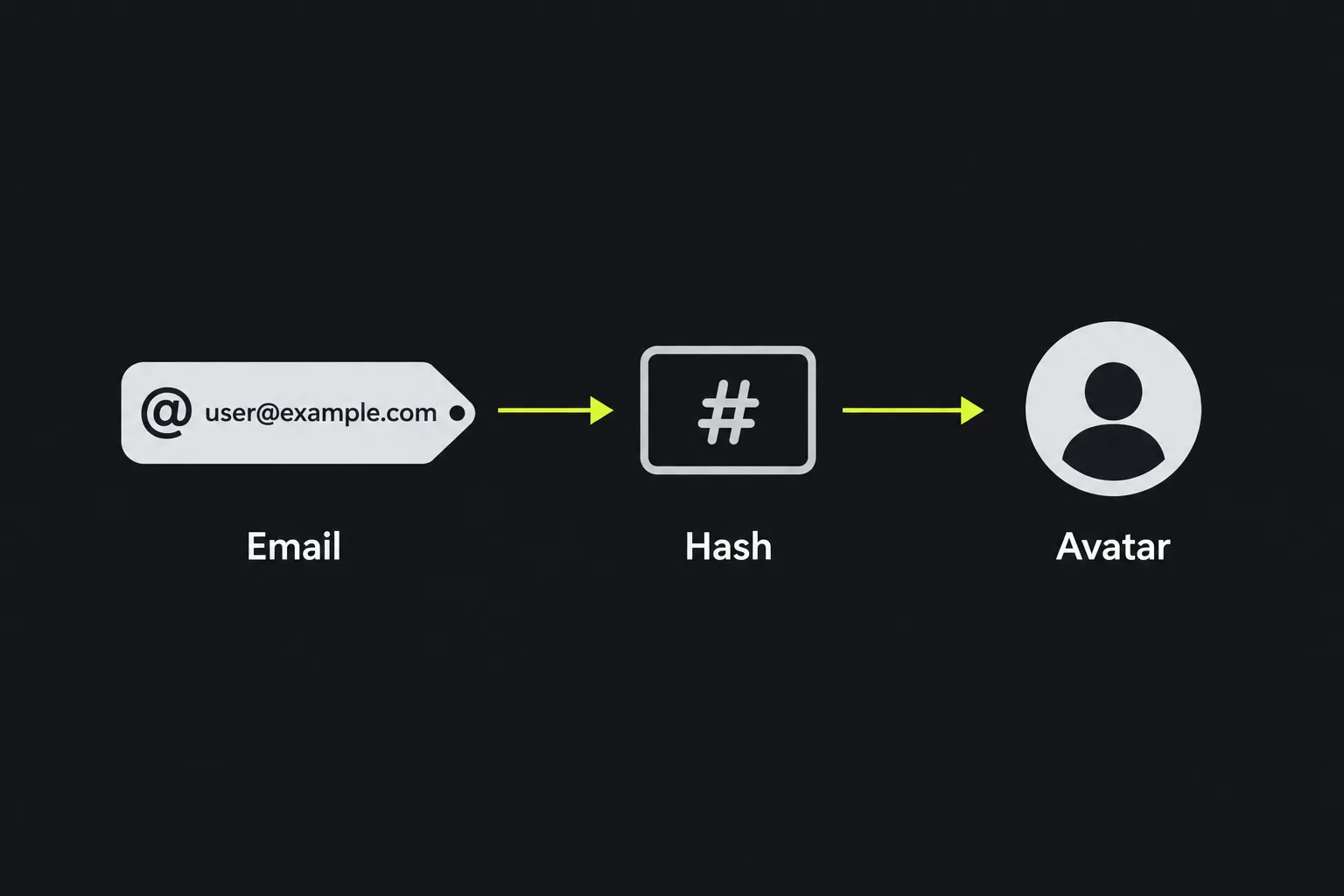
A Gravatar checker looks up the image that Gravatar can return for an email address. Gravatar identifies an address through a normalised cryptographic hash rather than placing the email address directly in the public image URL.
Websites and services with Gravatar integration use that URL to display a profile image beside comments, author details or account activity. WordPress sites are a common example. A missing, outdated or unexpected image can therefore affect how a person or organisation appears across several unrelated sites.
This check concerns profile presentation. Having a Gravatar does not directly improve a page's position in search results. It can still matter during a site audit because author images, comment avatars and public profile details may be visible to visitors and could appear on pages that search engines index.
How do I use the Gravatar checker?
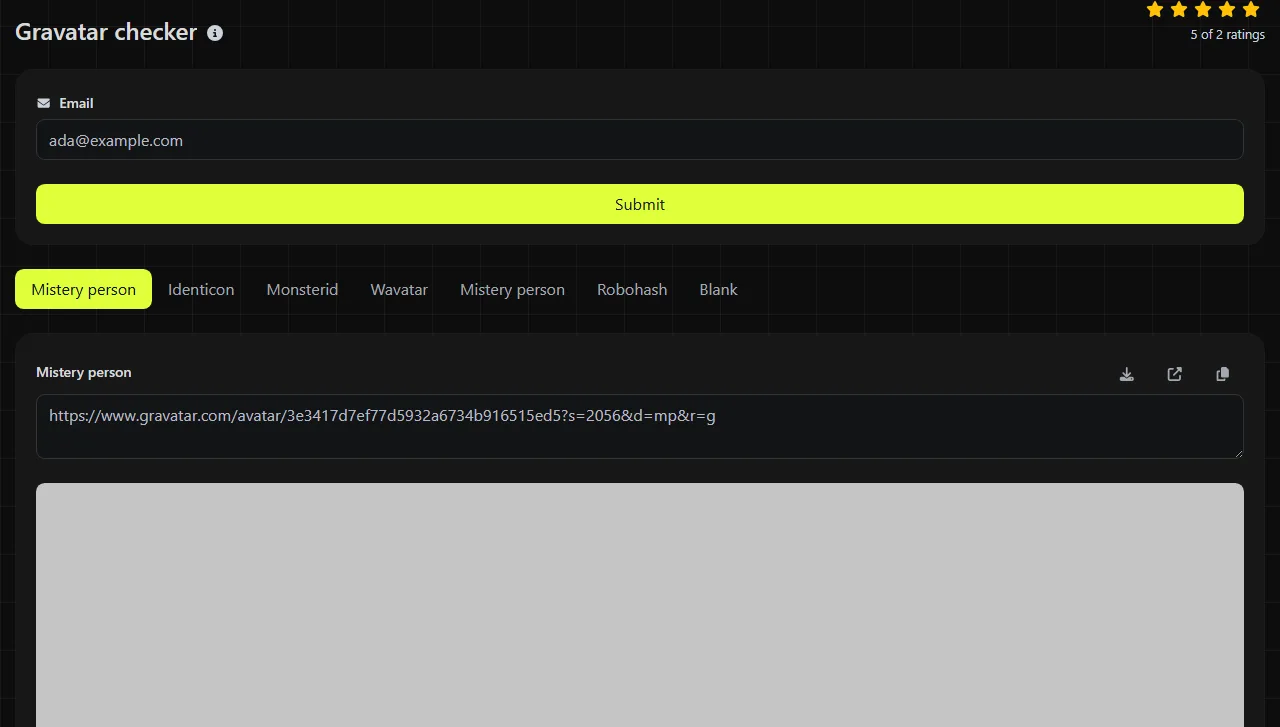
Enter the email address whose Gravatar you want to inspect, then open the result. Use the same address that the relevant website has associated with the author, commenter or account.
- Check the spelling of the full address, including the domain after the @ symbol.
- Submit the address and review every returned image panel.
- Compare the result with the avatar shown on the website or profile you are auditing.
- If the image is wrong, confirm which email address that site is using before changing anything at Gravatar.

For example, checking jane.smith@example.org produces image results rather than exposing a readable email in a standard Gravatar image URL. The underlying hash is a fixed-length hexadecimal value, but it is not proof that an address exists or that its owner controls it.
The work is done on the server. Your input travels to the server over HTTPS and is not stored. The server performs the retrieval from gravatar.com, so this is not an appropriate place to enter an address that you are not permitted to process.
How should I read the Gravatar results?
Read the results as possible Gravatar images and fallback treatments for the submitted address. A fallback is the image Gravatar can supply when there is no usable custom avatar for a request.
| Result | What it represents | When it is useful |
|---|---|---|
| Mistery person | A generic person silhouette used when no individual image is available. | Suitable for a restrained, neutral account placeholder. |
| Monsterid | A generated cartoon monster based on the email hash. | Helps distinguish contributors visually without requiring uploaded photographs. |
| Identicon | A generated geometric pattern derived from the hash. | Useful where a neutral and repeatable visual identifier is preferred. |
| Wavatar | A generated illustrated face. | Fits informal communities, forums and comment sections. |
| Mistery person | A second result carrying the same label in this checker. | Compare the displayed image directly. The repeated label alone does not establish that it is a different account state. |
| Robohash | A generated robot-style image based on the address hash. | Useful for visually separating accounts in technical or informal interfaces. |
| Blank | A blank fallback rather than a visible character or pattern. | Useful when the surrounding website supplies its own placeholder or intentionally leaves the space empty. |
If several panels show the same uploaded photograph, that can be normal. In the Gravatar protocol, fallback choices may only become visible when no suitable custom avatar is returned. This tool does not by itself prove ownership of the email address, confirm that the mailbox works or provide access to the Gravatar account.
Common problems and practical fixes
- The expected photograph does not appear. Confirm that the website and the Gravatar account use the same email address. An alias, old work address or different mailbox will normally produce a different hash and therefore a different lookup.
- A generic image appears instead. Sign in to Gravatar separately and check that the address is attached to the account and has the intended image assigned. Also check any image rating or site policy that might prevent an avatar from being served.
- The website still shows an old avatar. Page caches, content delivery networks and browser caches can retain profile images. Clear only cached Gravatar images where possible, then allow time for external services to request the image again.
- The blank result looks broken. A blank fallback is intentionally unobtrusive and may appear as an empty area against the page background. Inspect the image request before treating it as a failed load.
- Different capitalisation gives unexpected results elsewhere. Standard Gravatar implementations trim surrounding whitespace and convert the address to lower case before hashing. A custom integration that skips normalisation can request a different URL.
Rare standards-valid email addresses can contain spaces in quoted local parts, while addresses with missing @ symbols or malformed domains are invalid input for a Gravatar lookup. Plus-addresses such as name+news@example.org are distinct input strings and can produce a different identifier from name@example.org, even when both reach the same inbox. Accented or non-Latin addresses depend on consistent internationalised email handling across the account and the requesting service, so test the exact form stored by that service.
How often should I check a Gravatar?
Re-check a Gravatar after changing the assigned image, changing an account email address or finding an inconsistent avatar during a site audit.
For maintained author pages or active comment communities, include the check in periodic profile reviews. Re-check sooner after a domain migration, staff email change or update to a WordPress user account. If the issue concerns how an author page appears in search and social previews, use a Meta tags checker separately because Gravatar results do not inspect page titles, descriptions or sharing metadata.
Frequently asked questions
Can I check an email address without a Gravatar account?
Yes, a lookup can still return a fallback image when the address has no usable custom avatar. The result should not be treated as confirmation that the person has registered with Gravatar, because fallback images are designed to work without an uploaded profile picture.
Can two email addresses show the same avatar?
Yes. One person may assign the same photograph to several addresses, and generic fallback designs can also look similar. Generated styles are based on hashes, but visual similarity is not reliable evidence that two addresses belong to the same person.
Is an email hash anonymous?
No. A hash hides the address from casual reading, but someone who already suspects a particular address can hash it and compare the result. Treat public Gravatar URLs as pseudonymous identifiers rather than as a way to make an email address secret.
Why does my avatar appear on one website but not another?
Sites may use different email addresses for the same person, cache images or disable external avatars altogether. If no suitable custom avatar is returned, requested fallback styles can differ, while content ratings or site policies can also prevent an avatar from being served. Compare the account email and the site's avatar settings before assuming the Gravatar image is faulty.
Will deleting a Gravatar remove cached copies everywhere?
No. Removing or replacing an image at Gravatar does not guarantee immediate removal from browser caches, website caches, archives or previously saved pages. For a sensitive image, update the source account and contact the operator of any site that continues to publish a separate copy.
Popular Tools
Create your own custom signature and download it easily with our signature generator tool for personalized e-signatures.
Calculate the size of any text in Bytes (B), Kilobytes (KB), or Megabytes (MB) using our text size calculator tool.
Use the reverse IP lookup tool to find the domain or host associated with any IP address quickly and easily.
Use our ping tool to check the status and response time of any website, server, or port quickly and efficiently.
Digily Link's IP lookup tool provides detailed information about any IP address. Use this free online service to get comprehensive IP data.
Generate your free WhatsApp link instantly with our WhatsApp Link Generator. Add a custom message and start chats in one click. No login or coding required.