Bcrypt generator
Create bcrypt password hashes from any string input with our bcrypt generator tool for secure password storage.
Bcrypt generator is a free tool that creates a bcrypt password hash from any string input for secure password storage.
What is bcrypt, and is it still safe?
Bcrypt is a password-hashing algorithm that remains acceptable for password storage when configured with an appropriate cost, although newer systems often favor Argon2id. Niels Provos and David Mazières designed bcrypt in 1999, using the Blowfish cipher's key-scheduling process to make each password guess deliberately expensive.
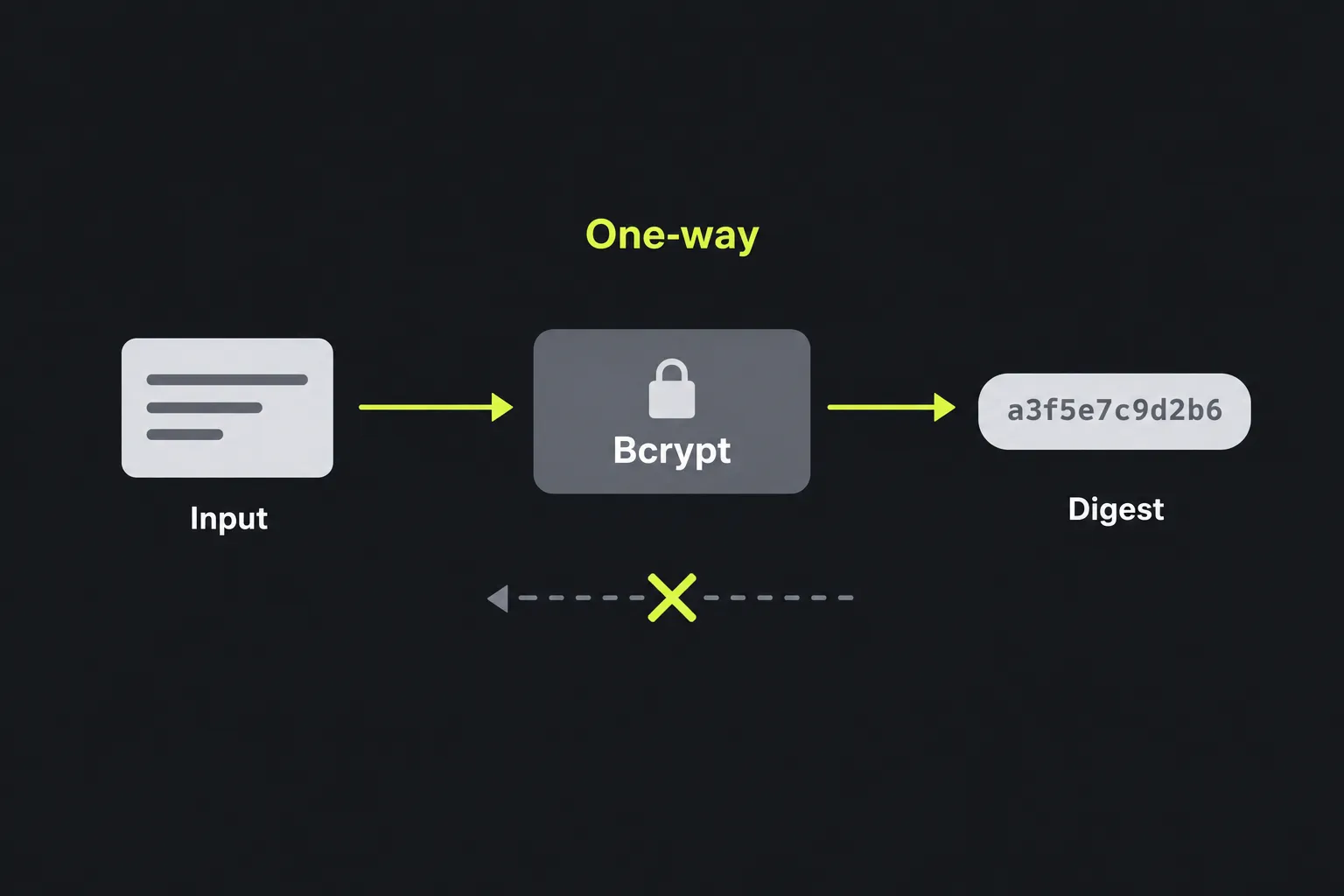
Hashing is a one-way process, so an application checks a password by hashing a candidate with the stored parameters instead of recovering the original. Unlike general-purpose algorithms such as SHA-3, bcrypt produces a self-contained, fixed-length encoded record that includes its version, cost, salt, and checksum.
A standard bcrypt record is 60 ASCII characters long. Its checksum represents 184 bits and appears as 31 characters in bcrypt's own Base64-style encoding. Bcrypt is not considered cryptographically broken, but it has an age-related limitation: traditional implementations process no more than 72 input bytes. Argon2id also provides memory-hard protection that bcrypt does not.
How do I use the Bcrypt generator?
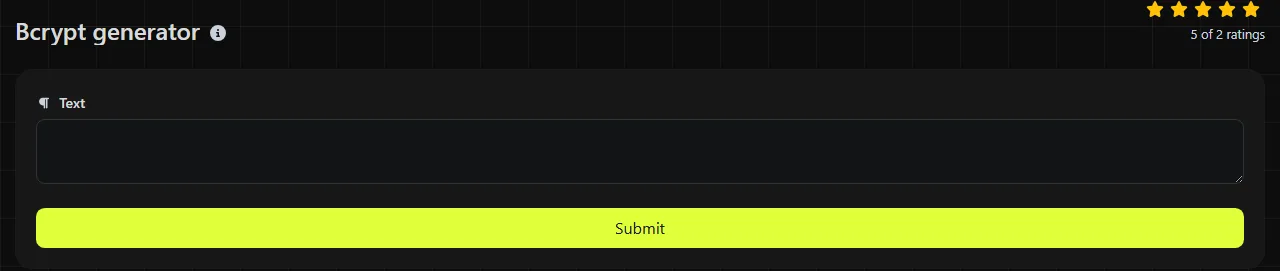
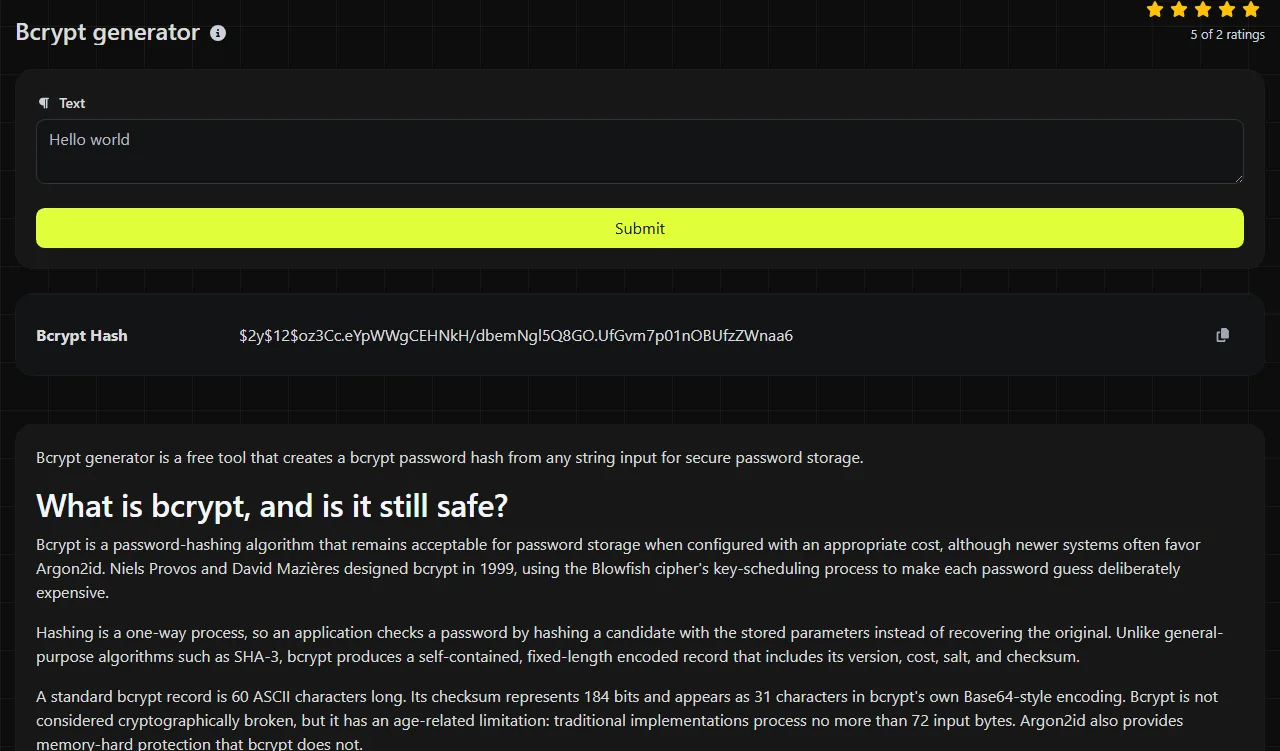
Enter the string you want to hash, run the generator, and copy the value shown in the Bcrypt Hash result field. Store the complete result instead of extracting only the final checksum.
- Use the exact password or test string, including its capitalization, spaces, and punctuation.
- Generate the bcrypt result.
- Copy all 60 characters, including the opening version marker and cost.
- Save the result in your database's password-hash column.
- During sign-in, use your platform's bcrypt verification function instead of generating a hash and comparing the text directly.
Bcrypt normally uses a new random salt for every hash. As a result, hashing the same input twice can produce two different records, both of which verify against that input. This is expected behavior and prevents identical passwords from having identical stored values.
The work is performed on the server. Your input is sent to the server over HTTPS and is not stored. Before entering a real production password into any third-party online service, consider whether doing so complies with your organization's security policy.
Can a bcrypt hash be decrypted or reversed?
No. A bcrypt hash cannot be decrypted because it is not encrypted data and does not contain a decryption key. The practical way to attack it is to guess possible passwords and verify each guess against the stored hash.
Bcrypt slows that guessing process through its configurable cost. It cannot make a short, common, or previously leaked password safe, and a determined attacker may still find weak inputs. The salt prevents attackers from reusing a single precomputed table across many accounts, but the salt is not secret and is included in the stored record.
Reading a bcrypt result
A bcrypt result usually follows the modular crypt format. A representative structure is $2y$12$[22-character salt][31-character checksum]. This illustrates the format and is not the hash of a specified password.
| Part | Typical length | Purpose |
|---|---|---|
| Version marker | 4 characters | Identifies a bcrypt variant, such as $2y$ or $2b$. |
| Cost | 3 characters | Records the two-digit cost followed by a separator. |
| Salt | 22 characters | Encodes a 128-bit random salt. |
| Checksum | 31 characters | Encodes the 184-bit bcrypt checksum. |
Keep all these parts together. Changing a character, trimming the value, or storing it in a column that is too short will normally cause verification to fail. The version marker may differ between compatible libraries, so applications should use established password APIs instead of parsing and rebuilding the record themselves.
When should I use bcrypt?
Use bcrypt for password hashing in systems that already support it, especially when compatibility with an existing database or framework matters. It is deliberately slow and salted, which makes it unsuitable as a general file checksum or deduplication identifier.
- Suitable uses include application passwords, migration testing, checking database field sizes, and reproducing a bcrypt-compatible development environment.
- Use Argon2id instead for a new password system when the platform supports it and its memory settings can be managed properly.
- Use SHA-3 instead for file integrity, content fingerprints, or deduplication. The SHA-3/384 generator and SHA-3/512 generator produce general-purpose digests, not password records.
- Do not use bcrypt for digital signatures, message authentication, encryption, or storing data that must be recovered later.
Spaces, punctuation, and numbers are processed as input data rather than ignored. Accented and non-Latin characters are encoded as bytes before bcrypt operates, so both systems must produce the same bytes, including by using consistent character encoding and Unicode normalization. The 72-byte boundary is especially relevant here because a Unicode character can occupy more than one byte. Empty input can technically be hashed, but an empty password provides no meaningful resistance to guessing.
Frequently asked questions
How much database space does a bcrypt hash require?
Allow at least 60 ASCII characters for a conventional bcrypt record. A slightly wider field can help with future password-algorithm migrations, while a binary column is unnecessary for the standard encoded form.
Can I migrate existing SHA password hashes to bcrypt?
You cannot convert an existing SHA digest into the bcrypt hash of the original password without knowing that password. A common migration method verifies the old hash the next time the user signs in, then hashes the supplied password with bcrypt or Argon2id and replaces the old record.
Before saving a result, make sure the full 60-character value was copied, the database field does not truncate it, and the receiving application supports the version marker in the record.
Popular Tools
Create your own custom signature and download it easily with our signature generator tool for personalized e-signatures.
Calculate the size of any text in Bytes (B), Kilobytes (KB), or Megabytes (MB) using our text size calculator tool.
Use the reverse IP lookup tool to find the domain or host associated with any IP address quickly and easily.
Use our ping tool to check the status and response time of any website, server, or port quickly and efficiently.
Generate your free WhatsApp link instantly with our WhatsApp Link Generator. Add a custom message and start chats in one click. No login or coding required.
Digily Link's IP lookup tool provides detailed information about any IP address. Use this free online service to get comprehensive IP data.