HTML minifier

HTML minifier is a free tool that removes unnecessary characters from HTML and returns a more compact version with before-and-after character counts.
What does HTML minification do?
HTML minification reduces the size of an HTML document by removing formatting that is not needed for delivery to a browser. Typical targets include indentation, line breaks and redundant whitespace between elements. The intended result is equivalent markup containing fewer characters.
Minification is commonly applied during a production build or immediately before deploying static HTML. It can reduce the amount of data transferred, although HTTP compression such as Brotli or gzip usually provides an additional and often larger reduction. These operations complement each other because minification changes the source while compression changes how that source is transmitted.
Keep the readable, unminified HTML source in version control. Minified HTML is harder to review, compare and debug, particularly when an error refers to a line and column in a document that has become one long line.
How do I use the HTML minifier?
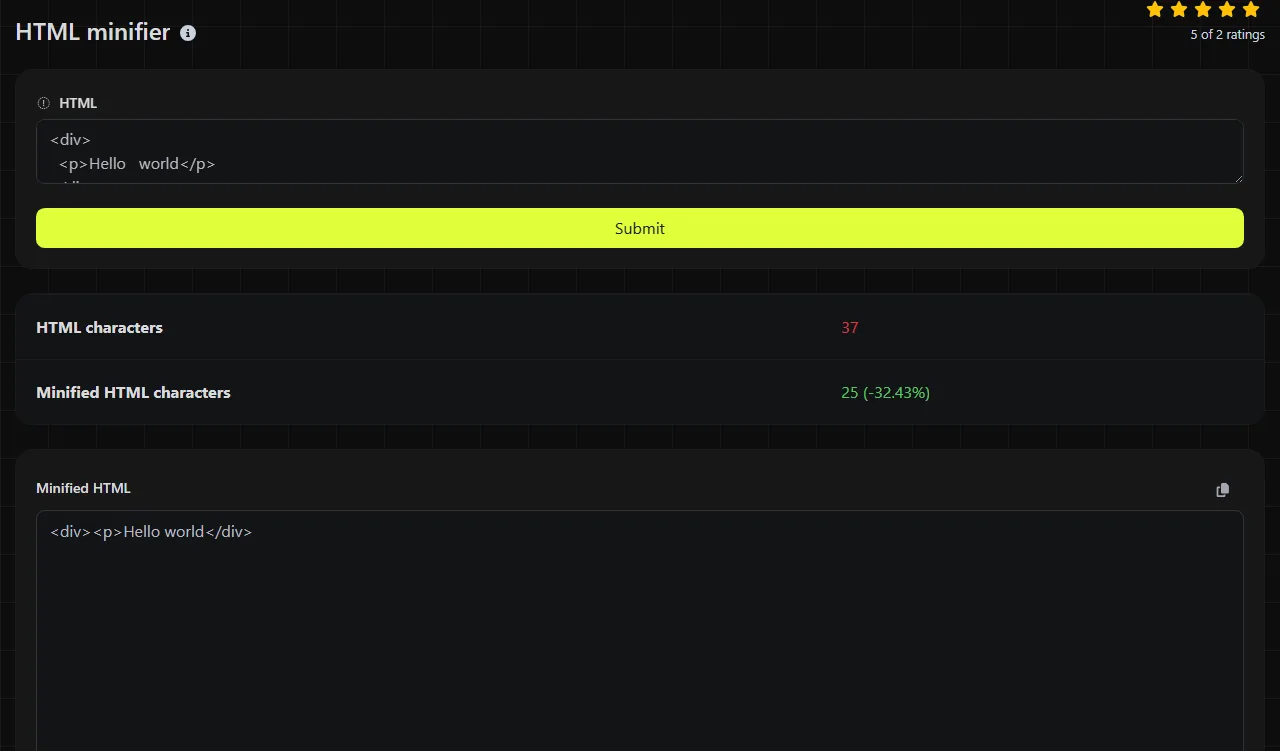
Enter the source document in the HTML field and run the tool. It returns the compact source in Minified HTML, along with HTML characters and Minified HTML characters.
- Use the complete HTML document or a self-contained fragment.
- Run the minification and inspect the returned markup.
- Compare the two character counts to confirm that the operation made a useful reduction.
- Test the minified HTML document and its rendered output in a browser before replacing a production file.
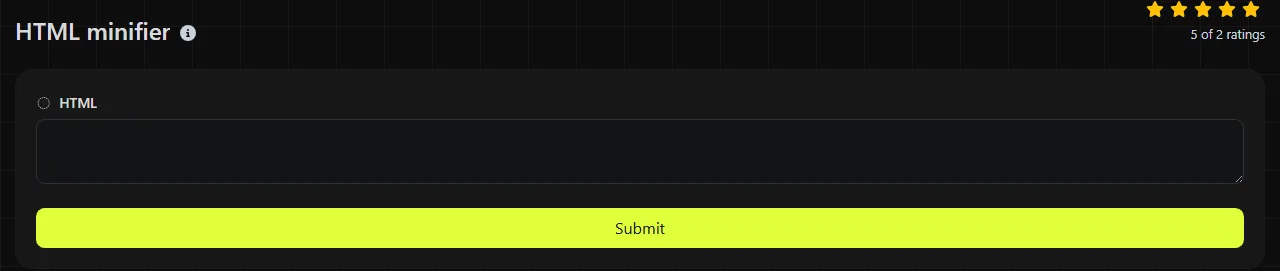
The work is done on the server. Your input travels to the server over HTTPS and is not stored. Avoid submitting confidential source if your organisation requires code processing to remain entirely on a local machine.
Reading the minified output
The result shows the minified markup and the character count before and after processing. A lower value in Minified HTML characters indicates that characters were removed, but it is not the same measurement as the downloaded file size.
The counts use multibyte-aware string length handling. Accented letters and non-Latin scripts are therefore treated as characters rather than simply being counted as individual bytes. A visible symbol made from several Unicode code points may still contribute more than one character to the count.
No validation report is listed among the returned fields, so this tool should not be treated as an HTML validator. It may return compact output without drawing attention to malformed nesting, duplicate IDs, missing required end tags or an unquoted attribute value containing spaces. A trailing comma is not an HTML syntax error, although one inside embedded JSON or JavaScript may still cause that embedded content to fail.
Worked examples and awkward input
A straightforward minification target is indentation around ordinary block elements.
Input, where \n represents a line break <main>\n <p>Ready</p>\n</main>
Compact form <main><p>Ready</p></main>
Whitespace inside text needs more care. For example, the space between two inline elements can be visible in the rendered page.
Input <span>Account</span> <span>settings</span>
Unsafe compact form <span>Account</span><span>settings</span>
The second form may render as "Accountsettings". Always check inline content rather than assuming that every gap between tags is expendable.
- Spaces and line breaks inside <pre>, <textarea> and similar whitespace-sensitive content can be meaningful.
- Numbers and punctuation in text or attribute values are document content, not formatting to discard.
- Accented and non-Latin characters are valid HTML text when the document uses the correct character encoding.
- Template expressions, server-side directives and conditional comments may have rules that a general HTML minifier does not understand.
- An empty HTML input has nothing useful to reduce. For a very long HTML document, use a repeatable HTML build process rather than relying on manual copying.
When is minifying HTML worth doing?
Minifying HTML is worth doing when a readable source file must be prepared for production delivery and the output will be served repeatedly. Static landing pages, documentation builds and server-rendered templates can all include minification as a pre-deployment step.
It is usually not worth minifying HTML that is already minified because another pass may produce little or no reduction. Prettifying JSON or HTML that only a machine will read is also unnecessary unless a person needs to debug it. For third-party HTML, browser developer tools or a formatter are generally more useful because minification makes unfamiliar markup harder to inspect.
Do not use HTML minification to repair invalid or malformed markup. If markup behaves differently across browsers, validate and test the readable source first. When a page is generated from Markdown, Markdown to HTML can produce the markup before the final production minification step.
Frequently asked questions
Can I minify HTML containing inline CSS or JavaScript?
Inline CSS and JavaScript follow their own grammars, so an HTML pass should not be assumed to optimise their contents. Use CSS minifier or JS minifier for those sections where appropriate, then test the assembled document because embedded closing-tag sequences can affect HTML parsing.
Will minified HTML improve search rankings?
Minification does not by itself make content more relevant to a search engine. It may reduce transfer size, but caching, compression, images, scripts and server response time also affect page delivery. Preserve headings, metadata, structured data and visible content when preparing the production file.
Can I minify Twig, Blade or other HTML templates?
Template syntax is not ordinary HTML and may depend on whitespace or delimiters that a general minifier does not recognise. A safer route is to minify rendered output, or use a template-aware build integration and cover representative pages with tests.
Why does the character count differ from the file size?
Characters and bytes are different measurements under Unicode encodings such as UTF-8. Many ASCII characters occupy one byte, while other characters can occupy several. Files may also contain a byte-order mark or use line endings that affect byte size.
Does minification remove HTML comments safely?
Comments are often removable, but some contain build directives, server-side include instructions or compatibility markup. Do not assume that every comment is disposable. Check the returned source and rendered page if comments have operational meaning in your project.
Final checks
Compare the rendered page before and after minification, with particular attention to inline spacing, preformatted text, forms and embedded scripts. Retain the readable original, validate the markup separately, and deploy the minified copy only after the page behaves as expected.
Similar Tools
Optimize your CSS files by removing unnecessary characters using our CSS minifier tool for faster website loading.
Minify your JavaScript files by removing unnecessary characters with our JS minifier tool for improved web performance.
Popular Tools
Create your own custom signature and download it easily with our signature generator tool for personalized e-signatures.
Calculate the size of any text in Bytes (B), Kilobytes (KB), or Megabytes (MB) using our text size calculator tool.
Use the reverse IP lookup tool to find the domain or host associated with any IP address quickly and easily.
Use our ping tool to check the status and response time of any website, server, or port quickly and efficiently.
Digily Link's IP lookup tool provides detailed information about any IP address. Use this free online service to get comprehensive IP data.
Generate your free WhatsApp link instantly with our WhatsApp Link Generator. Add a custom message and start chats in one click. No login or coding required.