Cursive text generator
Cursive text generator is a free tool that converts ordinary text into copyable cursive-style text.
How do I use the cursive text generator?
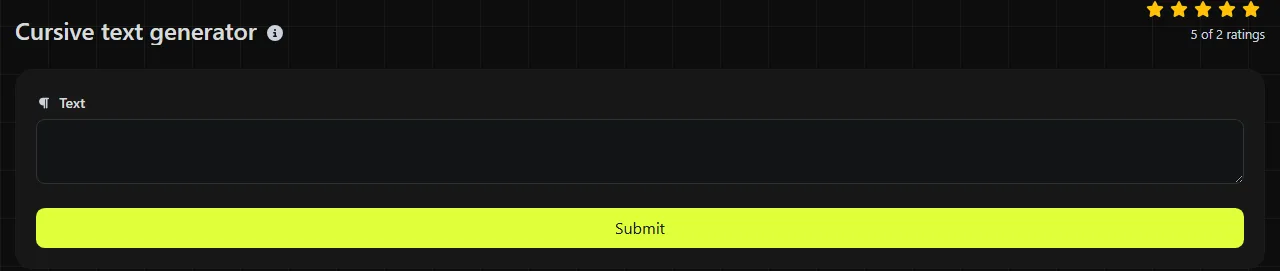
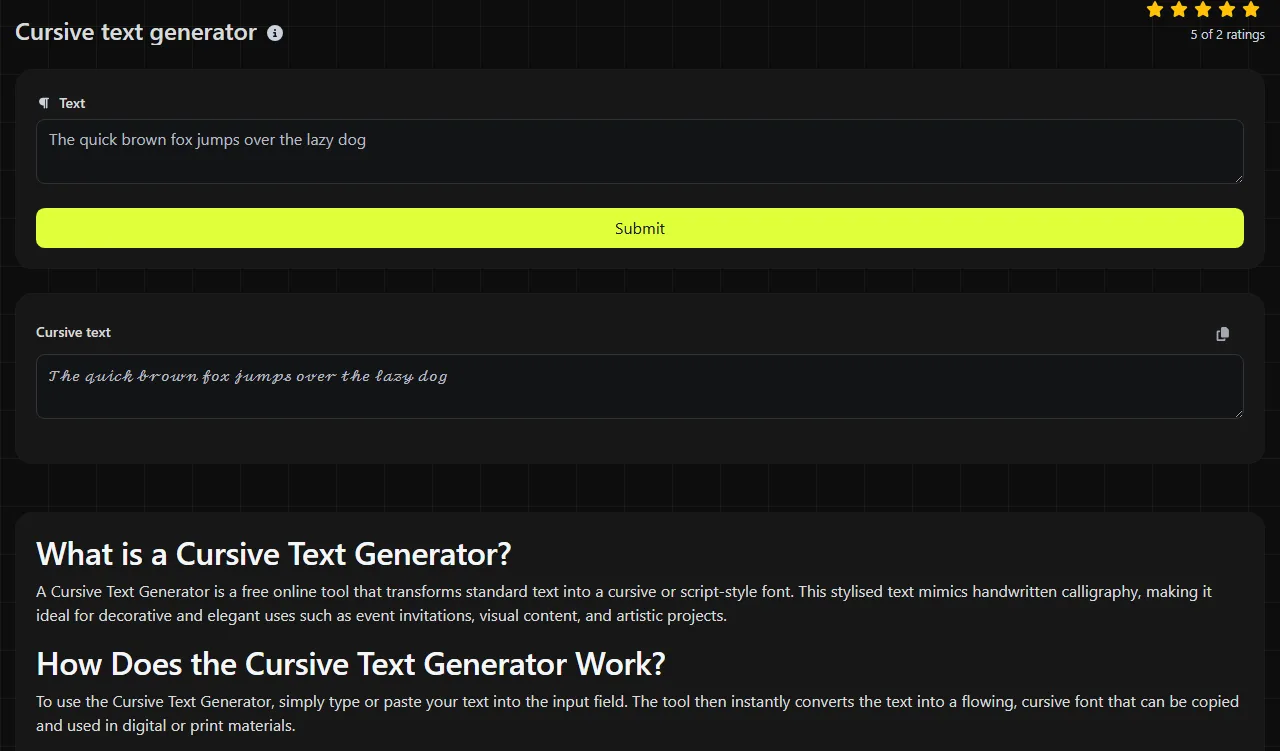
Enter your text, run the conversion and copy the result from the Cursive text field.
- Type or paste the wording you want to style.
- Generate the cursive version.
- Copy the result and paste it into the intended profile field, message or document.
A practical habit is to keep names, dates and contact details in ordinary text, then use cursive only for a short heading or phrase. This makes errors easier to spot and leaves the useful information readable.
What are Mathematical Script and Mathematical Bold Script characters?
Unicode encodes Mathematical Script and Mathematical Bold Script as distinct characters in the Mathematical Alphanumeric Symbols block. Their glyph shapes can vary by font.
They are not fonts applied to ordinary letters. The receiving platform and device still need a font that provides glyphs for those characters.
This distinction affects accessibility and search. Screen readers may announce the characters individually or incorrectly, while search engines and platform searches may not treat them as equivalent to ordinary letters. Mathematical script text is therefore better suited to decoration than to text people need to find, understand or copy accurately.
Where can I use cursive text?
You can use cursive text in places that accept the required characters, including some Instagram captions and bios, TikTok profiles, Discord nicknames, WhatsApp messages and short headings in Notion.
It can suit a display name, a brief invitation heading or a decorative label. It is a poor choice for an email address, URL, hashtag, voucher code or instructions that somebody must enter exactly.
Do not convert names inside a spreadsheet export, CRM contact list or mail-merge data source. Decorative characters can interfere with sorting, duplicate detection and personalisation rules. Apply styling to a finished heading after the mail merge instead of altering the underlying recipient data.
Platforms can also impose character limits or reject particular Unicode ranges. A phrase that fits in ordinary text may be counted differently after conversion, so use the destination platform's own character counter before saving it.
Frequently asked questions
Will cursive text work in Microsoft Word and Google Docs?
It can be pasted into Microsoft Word and Google Docs because it is text rather than an embedded image. Its appearance depends on the available font, and changing the document font may not alter these special characters in the same way as ordinary letters.
Why does my cursive text appear as boxes?
Boxes or empty rectangles usually mean that the selected font lacks glyphs for the characters. Check whether a font with glyph coverage for the relevant characters is available, but there is no guarantee that every recipient's device will display the same result.
Can I put cursive text in an email subject line?
Many email systems accept Unicode subject lines, but support and rendering vary between mail clients. Decorative characters may also make the subject less accessible or harder to search later, so ordinary text is safer for booking references, deadlines and account notices.
Is private text stored by the generator?
The conversion takes place on the server, and your input travels there over HTTPS. The input is not stored, but you should still avoid entering passwords, recovery codes or confidential personal information into any text styling utility.
Can mathematical script characters be converted back to normal letters?
NFKC maps Mathematical Alphanumeric Symbols to their compatibility equivalents. Unrelated decorative symbols may have no compatibility mapping, so retain a plain-text copy when the wording will be reused.
Final checks
Keep essential information in ordinary text and use cursive for short decorative wording.
Popular Tools
Create your own custom signature and download it easily with our signature generator tool for personalized e-signatures.
Calculate the size of any text in Bytes (B), Kilobytes (KB), or Megabytes (MB) using our text size calculator tool.
Use the reverse IP lookup tool to find the domain or host associated with any IP address quickly and easily.
Use our ping tool to check the status and response time of any website, server, or port quickly and efficiently.
Digily Link's IP lookup tool provides detailed information about any IP address. Use this free online service to get comprehensive IP data.
Generate your free WhatsApp link instantly with our WhatsApp Link Generator. Add a custom message and start chats in one click. No login or coding required.