Character counter
Use our character counter tool to count the number of characters and words in any text for precise content management.

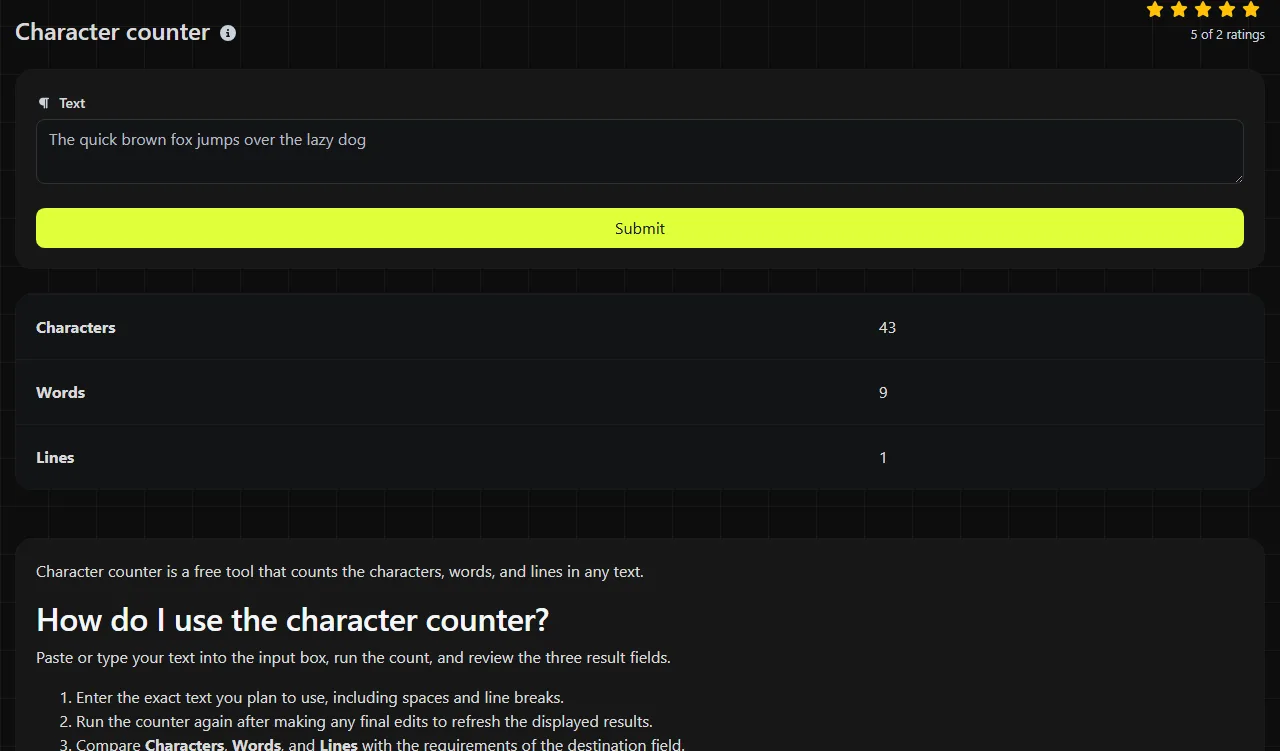
Character counter is a free tool that counts the characters, words, and lines in any text.
How do I use the character counter?
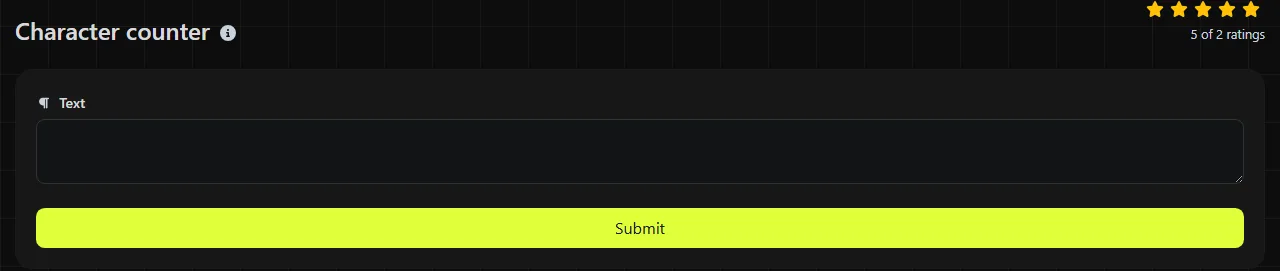
Paste or type your text into the input box, run the count, and review the three result fields.
- Enter the exact text you plan to use, including spaces and line breaks.
- Run the counter again after making any final edits to refresh the displayed results.
- Compare Characters, Words, and Lines with the requirements of the destination field.
Count the final version, not an earlier draft. Removing a sentence can also remove a line break or leave a double space, so all three totals may change.
What does the character count include?
The Characters result uses PHP's mb_strlen function to measure the length of the text you provide. Letters, spaces, punctuation marks, numbers, and line-break characters all contribute to the text length.
This measures character length rather than bytes. With the tool's configured multibyte encoding, mb_strlen counts decoded characters instead of user-perceived characters, which are usually represented by extended grapheme clusters. In Unicode text, a grapheme cluster may contain several Unicode code points. An emoji made from several joined code points, a flag, or a letter with a combining accent may add more than one to the total. The tool does not apply the special counting rules used by individual social networks or messaging services.
The Words result uses PHP's str_word_count function. Hyphenated terms and apostrophes can affect how a word is recognized, while numbers by themselves are not treated the same way as ordinary alphabetic words. Accented text and scripts such as Arabic, Chinese, or Hindi may also produce a total that differs from a word processor because str_word_count does not provide full Unicode word segmentation.
The Lines result is one plus the number of line-feed characters in the text. Empty text therefore reports one line. A trailing line feed adds an empty final line. LF and CRLF newline sequences each add one line, while a lone carriage return does not. This is useful for pasted lists, addresses, poetry, subtitles, and data copied from a spreadsheet column.
When does counting characters save time?
It helps whenever spaces, punctuation, and line breaks count toward a field or platform limit. Common examples include:
- Checking a post before placing it in the X composer, while keeping in mind that X may apply its own weighting to links and some characters.
- Preparing LinkedIn profile fields, ad copy, or form responses with stated length limits.
- Reviewing page titles and meta descriptions before entering them in WordPress, Shopify, or another content management system.
- Checking names, address lines, and personalized sentences before a mail merge from Microsoft Excel.
- Counting rows in a plain-text list exported from Google Sheets, using the line total as a quick check.
- Drafting SMS text, where the final number of message parts depends on character encoding as well as length.
When working with a strict platform limit, leave a small margin instead of using every available character. Added mentions, tracking parameters, smart punctuation, or pasted line breaks can change what the receiving platform accepts.
Examples and tricky input
For the input Hello, Sam!, the character total is 11 because the comma, space, and exclamation point are included. The word total is 2.
For Room 12, the character total is 7, including the space. Do not assume the word total will treat 12 as an ordinary word because str_word_count is designed primarily around alphabetic words.
An empty string contains no characters or words. For very long content, paste only the exact field value because spaces and line breaks outside it would increase the character total.
For non-Latin text, emoji-heavy copy, or text containing combined Unicode symbols, use the result as a general length check and confirm the final value on the destination platform. There is no universal definition of a user-visible character across all systems. If you also need to correct capitalization before publishing, the Case converter may help as a separate step.
Frequently asked questions
Does an emoji always count as one character?
No. A simple emoji may be represented by one code point, while family emoji, skin-tone variants, and flags can contain several code points joined together. They may look like a single symbol on screen but add more than one to a programmatic character count.
Why is the word count different from Microsoft Word or Google Docs?
Different applications use different rules for apostrophes, hyphens, numbers, and multilingual text. Microsoft Word and Google Docs use their own counting rules, while this tool uses PHP's str_word_count function. For a formal submission that specifies a counting method, use the application named in the instructions.
Is my text processed in the browser?
No. The input is sent to the server over HTTPS, where the count is performed, and it is not stored.
Can this tell me how many SMS messages will be sent?
No. SMS segmentation depends on whether the message can use the GSM 7-bit default alphabet (GSM-7) or must use UCS-2. Characters from the GSM-7 extension table consume two septets, and concatenated messages have different per-part allowances. Use a dedicated SMS segment calculator or the preview provided by your messaging provider before sending a campaign.
Can I use the line count to validate a CSV file?
The line total can provide a quick sanity check, but it does not parse CSV rules. Quoted fields may legally contain line breaks, so one record does not always equal one physical line. Open the file in a spreadsheet or CSV-aware editor before relying on the count for an import.
Popular Tools
Create your own custom signature and download it easily with our signature generator tool for personalized e-signatures.
Calculate the size of any text in Bytes (B), Kilobytes (KB), or Megabytes (MB) using our text size calculator tool.
Use the reverse IP lookup tool to find the domain or host associated with any IP address quickly and easily.
Use our ping tool to check the status and response time of any website, server, or port quickly and efficiently.
Generate your free WhatsApp link instantly with our WhatsApp Link Generator. Add a custom message and start chats in one click. No login or coding required.
Digily Link's IP lookup tool provides detailed information about any IP address. Use this free online service to get comprehensive IP data.