Case converter
Convert your text to any case, such as lowercase, UPPERCASE, or camelCase, using our versatile case converter tool.
Case converter is a free tool that converts text to lowercase, UPPERCASE, Sentence case, camelCase, PascalCase, and several separator-based naming formats.
How do I use the case converter?
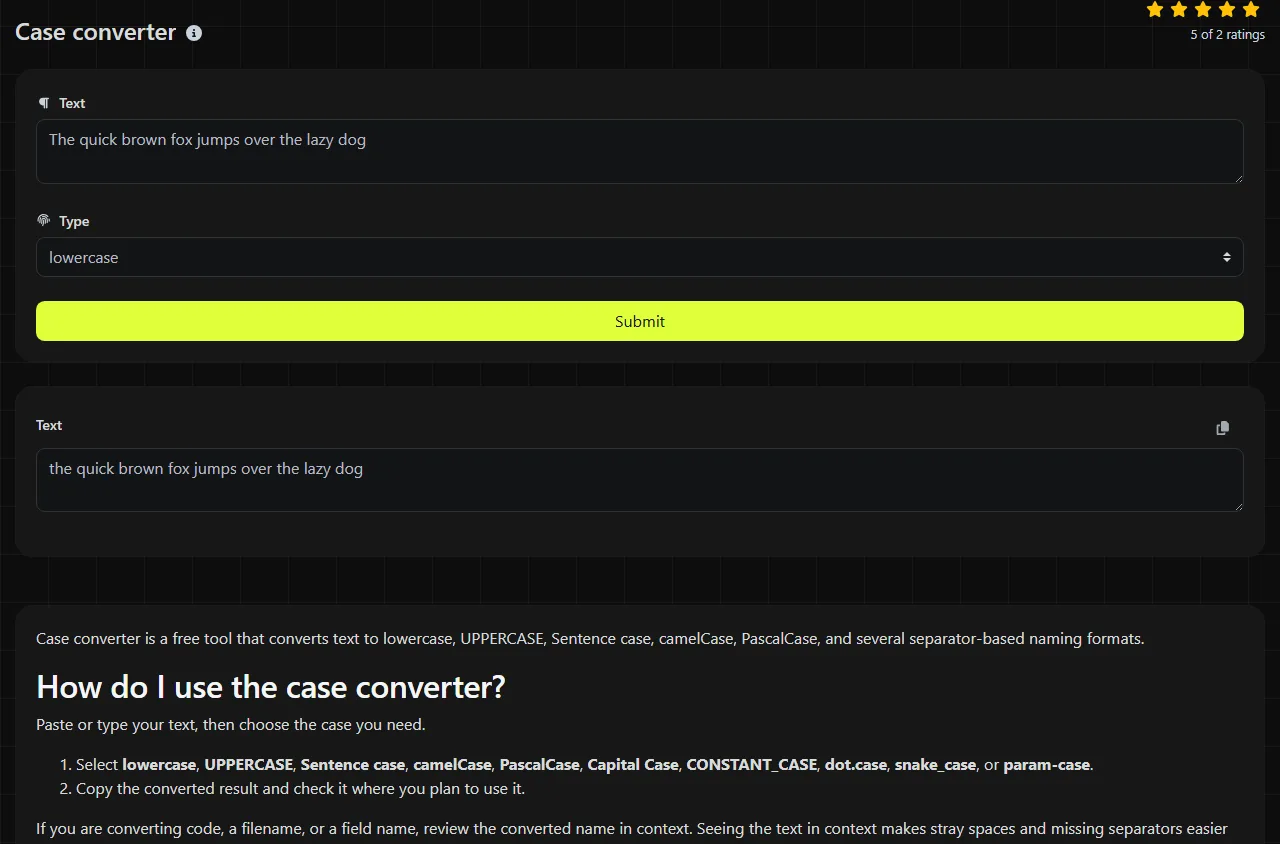
Paste or type your text, then choose the case you need.
- Select lowercase, UPPERCASE, Sentence case, camelCase, PascalCase, Capital Case, CONSTANT_CASE, dot.case, snake_case, or param-case.
- Copy the converted result and check it where you plan to use it.
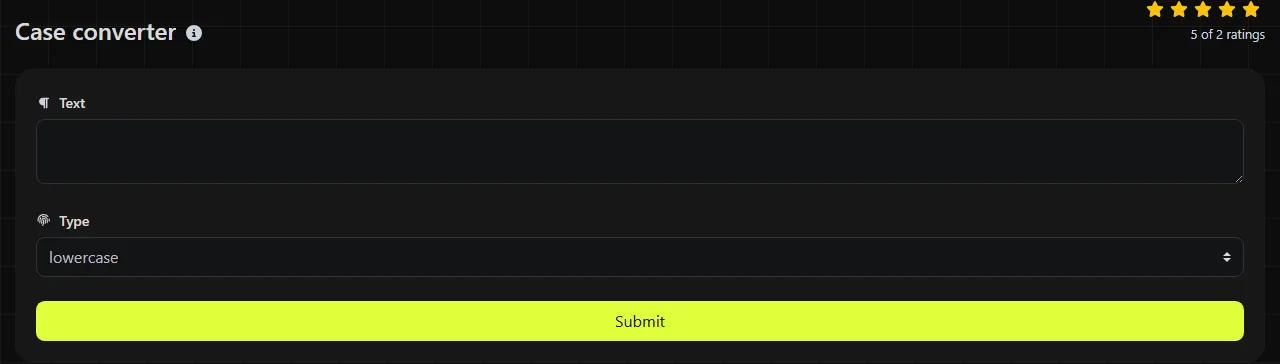
If you are converting code, a filename, or a field name, review the converted name in context. Seeing the text in context makes stray spaces and missing separators easier to spot.
Which text case should I choose?
Choose the case required by the system, style guide, or programming language where you will use the text.
- lowercase is useful for normalizing search terms, tags, and text that must use lowercase letters.
- UPPERCASE works well for short labels, reference codes, and headings when the relevant style allows capital letters.
- Sentence case is appropriate for standard headings and interface labels where only the first word, proper nouns, acronyms, and similar terms need initial capital letters.
- Capital Case capitalizes words and is commonly used for titles or named fields.
- camelCase is common for JavaScript variables and JSON object member names.
- PascalCase is widely used for class, type, and component names in languages such as C# and TypeScript.
- snake_case is common in Python, SQL column names, and data exports.
- CONSTANT_CASE is a familiar convention for constants and environment variable names.
- param-case uses hyphens, making it suitable for many URL slugs, command options, and CSS class names.
- dot.case can be used for configuration keys and hierarchical labels when the receiving system accepts periods.
Case conversion examples
Using the input quarterly sales report gives these straightforward examples:
- lowercase produces quarterly sales report.
- UPPERCASE produces QUARTERLY SALES REPORT.
- Sentence case produces Quarterly sales report.
- camelCase produces quarterlySalesReport.
- PascalCase produces QuarterlySalesReport.
- Capital Case produces Quarterly Sales Report.
- CONSTANT_CASE produces QUARTERLY_SALES_REPORT.
- dot.case produces quarterly.sales.report.
- snake_case produces quarterly_sales_report.
- param-case produces quarterly-sales-report.
When does case conversion save time?
Case conversion saves time when you need to reformat the same labels for another platform, file, or naming convention.
- Clean up column headings copied from Microsoft Excel or Google Sheets before importing a CSV file into a database.
- Turn a content title into a candidate hyphenated slug for WordPress, while checking punctuation, accented characters, and other unsupported characters separately.
- Convert API field names to camelCase for JavaScript or snake_case for Python.
- Standardize headings before preparing mail merge data in Microsoft Word, Mailchimp, or another system that relies on consistent field names.
- Create readable environment variable names for a deployment configuration using CONSTANT_CASE.
- Normalize copied headings before adding them to Jira tickets, GitHub issues, or internal documentation.
Changing letter case does not usually reduce the number of ordinary Latin characters. If the destination has a character limit, such as a social media post or form field, use a Character counter after conversion instead of assuming the text now fits.
What happens to spaces, punctuation, and unusual characters?
Spaces and punctuation need a final visual check, especially when you convert text to a programming or URL-style format.
Numbers do not have uppercase or lowercase forms, so case conversion does not change the digits themselves. Separator-based formats typically replace word boundaries with underscores, hyphens, or periods, but punctuation within actual text can produce results that are unsuitable for code or URLs.
Accented letters and non-Latin scripts are more complicated because uppercase and lowercase mappings depend on Unicode and, in some cases, language-specific rules.
How is my text handled?
Your input is sent to the server over HTTPS, processed there, and not stored.
Because the conversion does not happen entirely in your browser, avoid entering passwords, private keys, unpublished personal data, or other sensitive material. HTTPS protects the connection while the data is in transit, but case conversion is unnecessary for secrets and may make them invalid.
Frequently asked questions
Does changing case alter a password or reference number?
Yes, it can change any value that contains letters. Passwords, API keys, product references, and database identifiers may be case-sensitive, so do not convert them unless the receiving system explicitly requires it.
Will camelCase always create a valid programming identifier?
No. An identifier can still be invalid if it begins with a number, contains unsupported characters, or matches a reserved word in the language. Check the result with your editor, compiler, or linter before using it in code.
Can I use CONSTANT_CASE for environment variables?
It matches the usual visual convention, but each shell, hosting platform, and configuration format can impose additional rules. A leading digit, punctuation mark, or non-ASCII character may still be rejected.
Can I convert an entire spreadsheet column automatically?
For a one-time list, copying the cells into a text utility may be convenient. For a recurring spreadsheet process, Excel functions such as LOWER, UPPER, and PROPER, or a Power Query transformation, are easier to repeat and audit.
Does case conversion translate the text?
No. It changes capitalization and, for naming formats, word separators. It does not translate words, correct spelling, or rewrite grammar.
Final checks
Paste the result where you plan to use it and check for leading spaces, punctuation, acronyms, accented letters, and any naming restrictions. For code and imported data, validate one sample before converting the rest of the list.
Popular Tools
Create your own custom signature and download it easily with our signature generator tool for personalized e-signatures.
Calculate the size of any text in Bytes (B), Kilobytes (KB), or Megabytes (MB) using our text size calculator tool.
Use the reverse IP lookup tool to find the domain or host associated with any IP address quickly and easily.
Use our ping tool to check the status and response time of any website, server, or port quickly and efficiently.
Generate your free WhatsApp link instantly with our WhatsApp Link Generator. Add a custom message and start chats in one click. No login or coding required.
Digily Link's IP lookup tool provides detailed information about any IP address. Use this free online service to get comprehensive IP data.