BBCode to HTML
Convert BBCode snippets to raw HTML code with our BBCode to HTML converter tool for seamless forum content integration.
BBCode to HTML is a free tool that converts BBCode snippets into raw HTML for use outside forum editors.
What problem does BBCode conversion solve?
BBCode conversion turns forum-style markup into HTML that browsers, content management systems, and web templates can interpret. BBCode uses square-bracket tags such as [b], [i], and [url] instead of HTML elements.
This is useful when migrating posts from a forum, debugging content returned by a third-party API, or preparing an old knowledge base for a platform that accepts HTML but not BBCode. It can also help before deployment when imported text needs to be checked separately from the surrounding application code.
BBCode is not a formally standardized language. Forum packages and plugins can define their own tags, attributes, and nesting rules. As a result, a conversion that works for common formatting may need adjustments when the source contains platform-specific constructs such as spoiler boxes, attachment references, or custom media tags.
How do I convert BBCode to HTML?
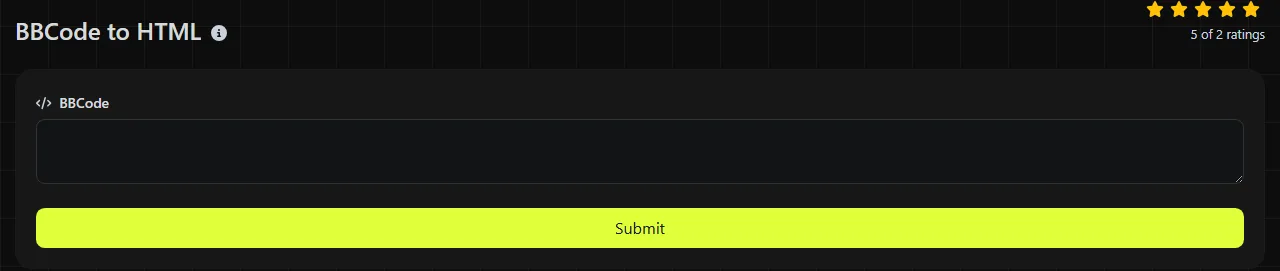
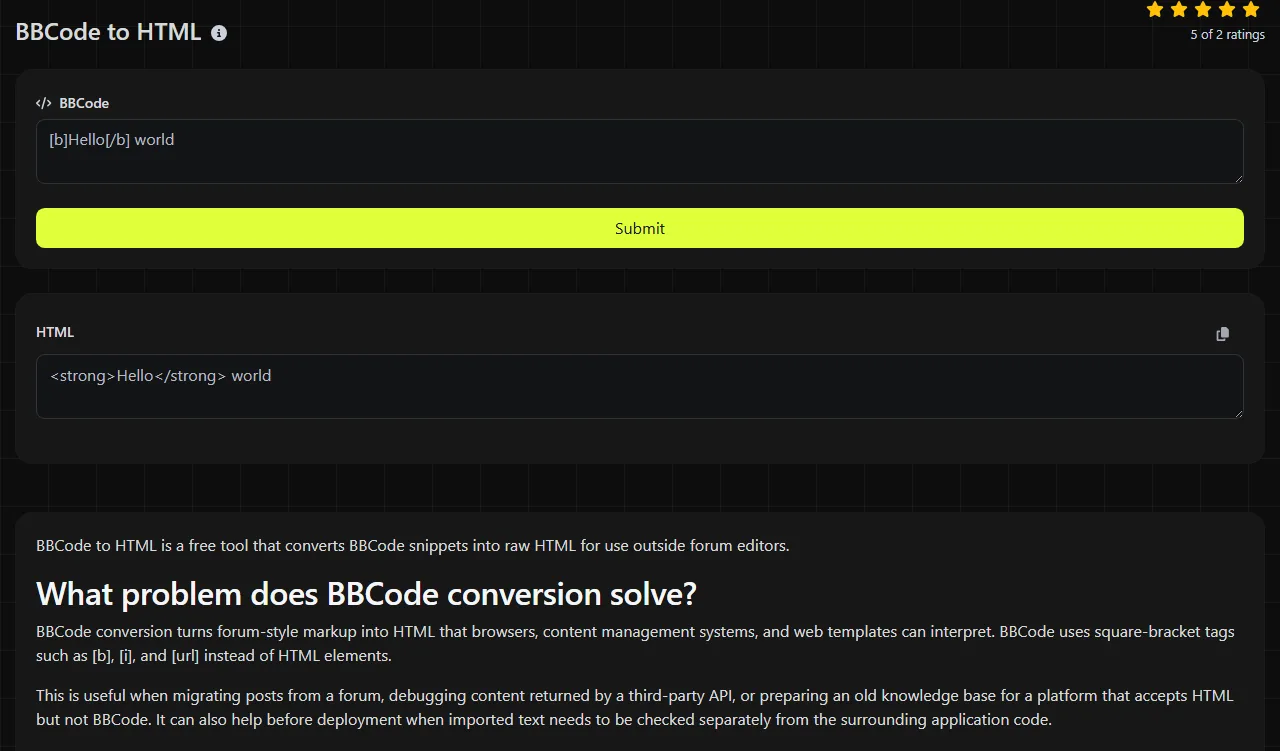
Enter or paste the source markup into the BBCode field, then read the converted code in the HTML field. Copy that HTML to the destination only after checking that the elements and links match the intended content.
- Copy the complete BBCode snippet, including its opening and closing tags.
- Paste it into the BBCode field without replacing the square brackets.
- Review the raw result in the HTML field.
- Compare the links, images, lists, and nested formatting with the original post.
- Sanitize untrusted output before rendering it on a public page.
The conversion runs on the server. Your input is sent to the server over HTTPS and is not stored.
How should I read the returned HTML?
Read the result as source code, not as a visual preview. The returned HTML should contain elements that represent the structure and formatting expressed by the source BBCode.
Here is a simple conceptual example:
BBCode input: [b]Release note[/b]
HTML output: a bold or strong HTML element containing the text "Release note".
Another common pattern is:
BBCode input: [url=https://example.org/docs]Read the docs[/url]
HTML output: an anchor element whose destination is https://example.org/docs and whose visible text is "Read the docs".
The exact element names can vary between converters because BBCode dialects are not standardized. For example, bold text may be represented by either a b element, which draws attention without conveying additional importance, or a strong element, which indicates strong importance. Check the actual value in the HTML field instead of assuming a specific mapping.
This tool is a converter, not a replacement for an HTML validator or security sanitizer. Treat unexpected literal BBCode, missing content, or oddly nested elements as signs that the source contains malformed or unsupported syntax. Common source problems include an unclosed tag, a closing tag in the wrong order, a malformed attribute, and forum-specific tags with no general HTML equivalent.
Tricky input and dialect differences
Spaces, punctuation, numbers, accented letters, and non-Latin writing are ordinary text unless they appear inside tag syntax or attributes. They should remain content instead of becoming separate markup. URLs require more care: characters that are part of the URL, such as spaces, may need percent-encoding, while characters with special meaning in the surrounding HTML attribute syntax, such as ampersands and quotation marks, may need HTML escaping.
- Incorrect nesting: [b][i]Text[/b][/i] closes the tags in the wrong order. Properly nested markup closes the inner tag first.
- Missing closing tags: [quote]Text has no closing counterpart when the final tag is omitted.
- Custom tags: [spoiler], [video] and attachment tags can have different meanings across forum software.
- Existing HTML: HTML mixed into BBCode may be escaped, retained, or treated as text depending on the parser. Inspect it carefully instead of relying on a universal rule.
- Very long input: large migrations are usually easier to process in batches so failed records can be identified and corrected.
Empty input has no formatting structure to convert. If the source is plain text without any BBCode tags, conversion may add little value, although downstream HTML handling may still need to escape characters such as <, > and &.
When is conversion not worth doing?
Conversion is not worthwhile when the content will only be read by a system that already understands its original BBCode dialect. Changing formats adds another transformation step and can cause custom forum behavior to be lost.
It is also unnecessary when a machine stores BBCode unchanged for later rendering by the same forum engine. Similarly, prettifying or manually rearranging generated HTML offers little benefit when only a machine will read it, unless the formatting is needed for version control reviews or debugging.
For bulk migrations, a scripted parser may be a better choice because it can apply the same dialect rules to every record and log failures. Using regular expressions alone is risky with nested markup. Use a parser that understands nesting, attributes, and malformed input, then validate and sanitize the resulting HTML separately. If converted content contains embedded JSON configuration, JSON validator & beautifier can help inspect that data, but it does not validate the surrounding HTML.
Frequently asked questions
Is converted BBCode safe to publish as is?
No. HTML generated from untrusted forum posts should pass through an allow-list HTML sanitizer before it is rendered. This is especially relevant for links, images, embedded media, and any source that may already contain HTML-like text.
Will line breaks be converted into HTML paragraphs?
Line break handling depends on the BBCode parser and the source platform's rules. Some systems treat blank lines as paragraphs, while others insert line break elements or preserve plain whitespace. Compare a multiline sample with the original forum rendering before migrating a large collection.
Does BBCode support Unicode characters?
BBCode can contain Unicode text, including accented characters, emoji, and non-Latin scripts, because those characters are content rather than tag syntax. The destination page must also use an appropriate character encoding, normally UTF-8, or the text may display incorrectly after conversion.
Can I convert BBCode in a CSV or database export?
Convert the field values rather than the entire export file. CSV quoting, delimiters, and database escape sequences belong to the container format and can be damaged if they are passed through a markup converter. Keep an unchanged backup and process a small batch before applying the conversion to every row.
What should I check before importing the HTML?
Check a sample that contains nested formatting, a link, a list, an image reference, and any custom tags used by the source forum. Confirm that the destination accepts those HTML elements and attributes, then run its required sanitization or validation step before the full import.
Popular Tools
Create your own custom signature and download it easily with our signature generator tool for personalized e-signatures.
Calculate the size of any text in Bytes (B), Kilobytes (KB), or Megabytes (MB) using our text size calculator tool.
Use the reverse IP lookup tool to find the domain or host associated with any IP address quickly and easily.
Use our ping tool to check the status and response time of any website, server, or port quickly and efficiently.
Generate your free WhatsApp link instantly with our WhatsApp Link Generator. Add a custom message and start chats in one click. No login or coding required.
Digily Link's IP lookup tool provides detailed information about any IP address. Use this free online service to get comprehensive IP data.