
Drag and drop builder
24 elements, including short and long answers, email, phone, date and time, address, choices and star ratings. Drag to change the order.

Build contact, application, quote and appointment request forms with drag and drop. Add the form to your bio link page, see responses in the dashboard and get notified of new ones.
24 elements, including short and long answers, email, phone, date and time, address, choices and star ratings. Drag to change the order.
Pick minimal, card, plain, rounded or a style that matches your page theme. Set the button and accent colour yourself.
Show the form directly on your bio link page, or put it in a pop-up that opens from a button. You can use the same form on several pages.
Your visitors can send documents or photos. Files are never public, and only you can download them from the dashboard. Available on Starter plans and above.
Incoming responses are collected in the Responses tab of the Forms section. Get notified of new responses by email or Telegram.
A bot trap, a submission rate limit and a signed form reduce fake submissions. Your visitors never see a verification puzzle.
In the dashboard, open the Forms section from the Create menu and drag and drop your elements.
In the page editor, choose the Form widget and set which form to show and how it looks.
See responses in the Responses tab and get notified of new ones.
 Bio linkCreate a bio link, all your links on one page
 Link shortenerShorten long links and measure every click
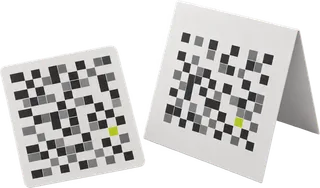 QR codeCreate a free QR code and design it to match your brand
 QR menuCreate a QR menu and publish it on your bio link page
 Appointment schedulerA free appointment scheduler, so your customers can book from your bio link page
 Customer Tracking (CRM)Customer tracking and CRM, all your customers in one list
 QuotesQuote software, your customer approves the price quote from a link
 Digital CatalogueCreate a digital catalogue, your PDF pages turn like a book
 SalesSell your services on your bio link page, paid straight into your Stripe account
 AI websiteWrite a prompt or upload HTML and your site is live
 Link statisticsSee the real traffic behind every link
 Digital business cardCreate a free digital business card and share it with a QR code
Answers are generated by AI and may be wrong. What you write is sent to Anthropic to generate the answer, so do not share personal details. Privacy notice · Talk to a person