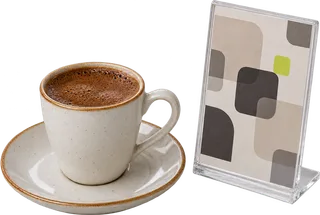
QR menu
Publish your menu with categories, prices and allergens in its own tab on your page. The QR code on the table opens the menu directly.
See the QR menu

Bring your menu, WhatsApp orders, directions and Google reviews together on one page. Your Instagram profile and the QR code on your tables use the same link, so you never need to reprint when the menu changes.
Publish your menu with categories, prices and allergens in its own tab on your page. The QR code on the table opens the menu directly.
See the QR menuAdd your opening and closing times for each day so visitors can see at a glance whether you're open now.
Embed your location on the page so directions are just one tap away.
Take orders and table booking requests directly with a WhatsApp link that has a ready-made message.
Put your Google review link front and centre and nudge happy customers to leave a review.
Add a discount code just for your page and turn Instagram visitors into paying customers.
Some widgets unlock depending on your plan. You can see which plan includes which on the plans page. Compare plans
Sign up with your email or Google account and create your first page straight away.
Start with a ready-made template, drag the widgets above into order and set the colours to match your brand.
Add your link to your profiles, print your QR code and see in your dashboard how many clicks each link gets.
No. Add your menu to your bio link page as a PDF or images, download the page's QR code from your dashboard and place it on your tables. Customers scan it with their phone camera to open the menu.
No. The QR code points to your page address, so when you change the menu file or images, the same code shows the new menu.
Yes. You add one link to both places. In your dashboard you can see how many visits come from each source separately.
The easiest way is a WhatsApp button with a ready-made message. For table bookings you can also use a contact form or the appointment calendar widget.
Create a free account, choose your template and share your link within minutes.
Answers are generated by AI and may be wrong. What you write is sent to Anthropic to generate the answer, so do not share personal details. Privacy notice · Talk to a person