PayPal link generator
Generate PayPal payment links effortlessly with our PayPal link generator tool for quick and secure transactions.
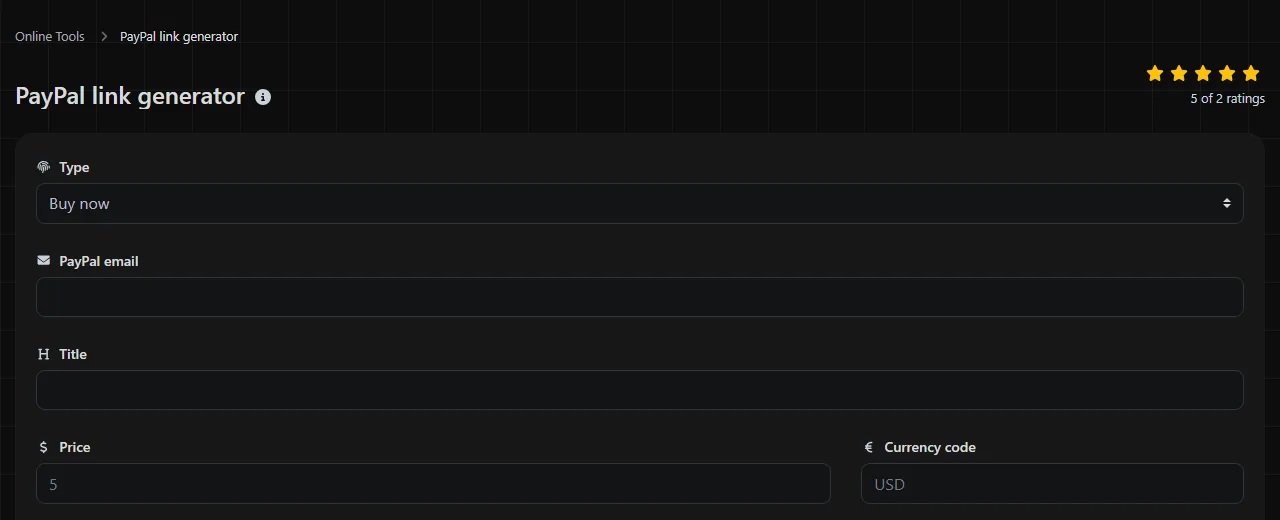
The PayPal link generator is a free tool that creates a PayPal payment link from a payment type, recipient email address, currency, price, and redirect URLs.
What does a PayPal payment link contain?
A PayPal payment link contains an endpoint followed by query parameters that tell PayPal which type of payment to start, which account should receive it, and how checkout should work. In the established PayPal Payments Standard format, the fields correspond to parameters like these.
| Form field | Common parameter | Purpose |
|---|---|---|
| Buy now, Add to cart, or Donation | cmd | Selects the payment flow. Common values include _xclick for Buy now, _cart for cart payments, and _donations for donations. An Add to cart submission uses cmd=_cart together with add=1. |
| PayPal email | business | Identifies the PayPal account that receives the payment. |
| Currency code | currency_code | Sets the payment currency using an ISO 4217 code such as GBP, EUR, or USD. |
| Price | amount | Sets the payment amount. It should contain a number, not a currency symbol. |
| Thank you URL | return | Specifies the page PayPal can send the customer to after the payment flow. |
| Cancel URL | cancel_return | Specifies the page PayPal can send the customer to if they cancel and return to the merchant's site. |
The exact order of PayPal parameters such as business, amount, currency_code, return, and cancel_return does not change their meaning. Their values must be URL-encoded when necessary. For example, the @ sign in the business email address can appear as %40, while characters in a nested return or cancel_return URL are encoded if they are not allowed or could change how the outer PayPal query string is parsed.
Which PayPal payment type should I choose?
Choose Buy now for a single fixed-price purchase, Add to cart when the payment should be added to a PayPal shopping cart, and Donation when the payer is making a contribution instead of buying an item.
- Buy now works for a single service, ticket, download, or other purchase with a stated price.
- Add to cart works for a store flow in which a customer may collect more than one item before paying. A basic link alone does not provide inventory control or a product catalog.
- Donation identifies the transaction as a donation flow. Organizations should still check PayPal's account, eligibility, and regulatory requirements for receiving donations.
The available fields do not include an item name, item number, shipping charge, tax rate, or customer reference. If you need those details, a more complete PayPal integration or another supported checkout format may be a better fit.
How do I create and use a PayPal payment link?
Choose the payment type, enter the receiving PayPal email address, set the currency and price, and then add the pages customers should reach after completing or canceling checkout.
- Select Buy now, Add to cart, or Donation.
- Enter the account address in PayPal email. Check it carefully because this address identifies the intended recipient.
- Enter an ISO currency code in Currency code, such as GBP.
- Enter the amount in Price without a pound sign or thousands separator.
- Use a complete web address, including https://, for Thank you URL and Cancel URL.
- Generate the link, open it in a private browser window, and check the recipient, amount, and currency shown by PayPal.
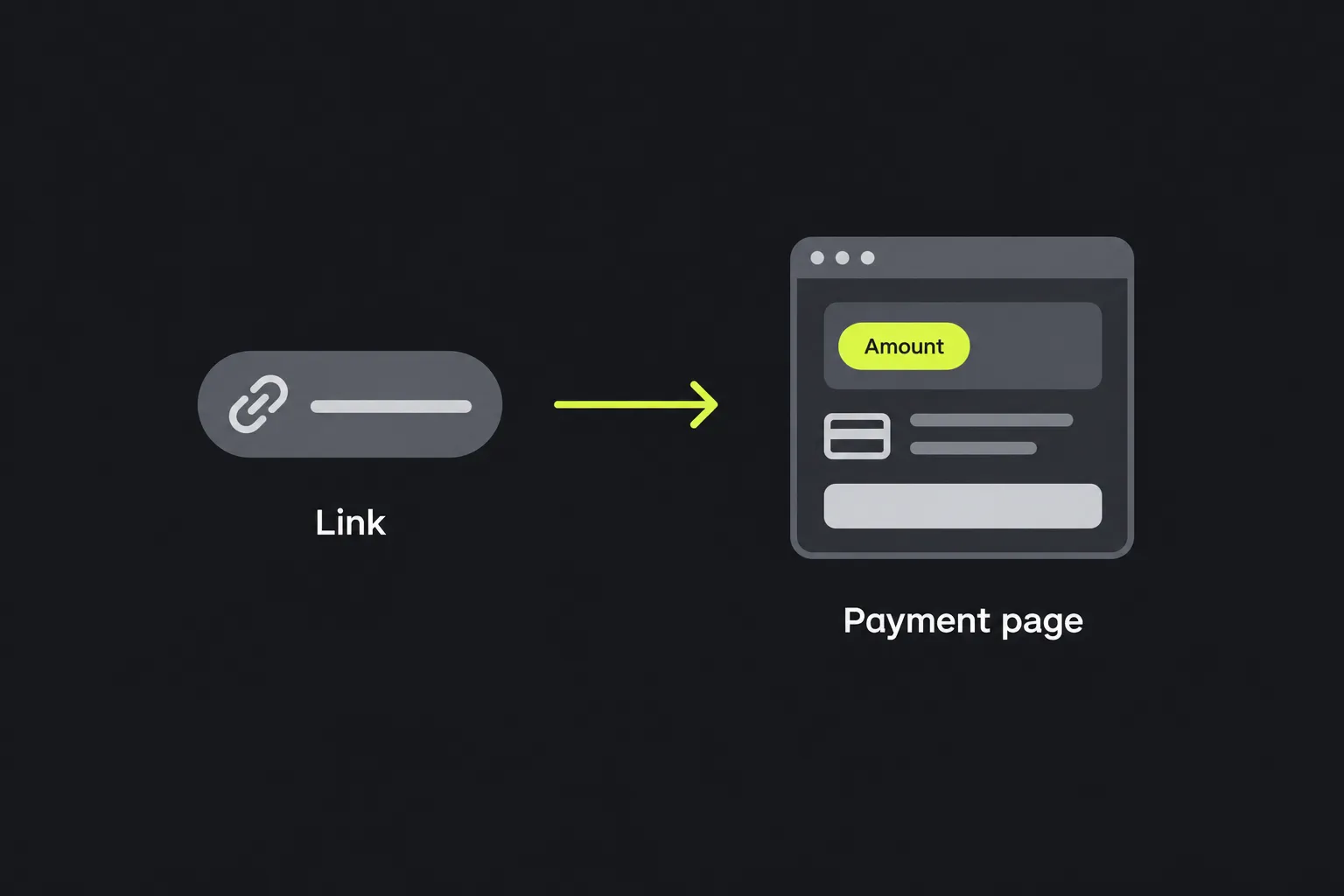
When someone opens the result, the payment details become visible on the PayPal payment page or in the PayPal app if the device opens the link there. A completed transaction should later appear in the recipient's PayPal activity and reporting. The thank-you page only shows where the browser was redirected. It is not reliable proof that PayPal completed the payment.
Naming and formatting conventions
Consistent formatting makes an incorrect PayPal recipient, currency, amount, or redirect URL easier to spot when you keep several payment links in a spreadsheet, content management system, or campaign document.
- Use uppercase ISO currency codes such as GBP, EUR, and USD.
- Write prices as plain numbers. Use 25.00 rather than £25.00, and do not use a comma as a thousands separator.
- For new redirect paths you control, use lowercase letters and hyphens instead of spaces, such as /payment-thanks rather than /Payment Thanks.
- Use the same thank-you and cancellation path pattern across related links. For example, /payment/thanks and /payment/cancel are easier to distinguish than unrelated page names.
- Do not change the capitalization of a recipient email address just to clean it up. Copy the address associated with the PayPal account and verify it.
Spaces are not valid in a currency code. Characters in a redirect URL must be encoded when they are not allowed in the outer PayPal link or could change how its query string is parsed. Accented or non-Latin characters can be represented through URL encoding, but internationalized domain names and application support require care.
Very long redirect URLs produce a longer PayPal link. URL length support and limits vary among browsers, servers, and intermediary services, while messaging services, printed materials, and manual copying create additional practical problems. If a return URL contains its own analytics parameters, preserve and encode the entire nested URL instead of allowing its ampersands to become PayPal parameter separators.
Worked example and common mistakes
For a £25 Buy now payment to payments@example.co.uk, with separate completion and cancellation pages, the input can be entered as plain text.
Payment type: Buy now
PayPal email: payments@example.co.uk
Currency code: GBP
Price: 25.00
Thank you URL: https://www.example.co.uk/payment/thanks
Cancel URL: https://www.example.co.uk/payment/cancel
A corresponding PayPal Payments Standard link can look like this.
https://www.paypal.com/cgi-bin/webscr?cmd=_xclick&business=payments%40example.co.uk¤cy_code=GBP&amount=25.00&return=https%3A%2F%2Fwww.example.co.uk%2Fpayment%2Fthanks&cancel_return=https%3A%2F%2Fwww.example.co.uk%2Fpayment%2Fcancel
The displayed parameter order may vary while still representing the same instructions. Before publishing a link, avoid these common mistakes.
- Entering the wrong PayPal email address or using an address that is not associated with the intended receiving account.
- Putting GBP, £, or a comma in the price instead of providing a plain amount.
- Using a relative redirect path such as /thanks instead of a complete URL.
- Failing to encode a nested URL, especially one that already contains ?, &, or = characters.
What are the limits of a generated PayPal link?
A generated link starts a PayPal payment flow, but it does not replace transaction verification, order management, or a complete checkout integration. The parameters are visible to anyone who receives or clicks the link, including the recipient email, amount, currency, and redirect destinations. Do not add passwords, private customer data, or secret internal identifiers to the PayPal link's exposed parameters.
Someone can also edit exposed PayPal parameters such as amount, currency_code, and business before opening the payment page. The receiving system must therefore use PayPal's transaction records, supported notifications, or API data to confirm the paid amount, currency, recipient, and transaction status. A visit to the thank-you URL is not enough.
Creating individual links from form fields is manageable for a small set of fixed payments. It does not scale well for a large catalog or campaign with many prices, currencies, and references. For bulk work, a spreadsheet can build URLs from columns, while a PayPal API or e-commerce integration can create and track orders programmatically.
Frequently asked questions
Does the customer need a PayPal account?
Not always. Guest card checkout availability depends on factors controlled by PayPal, including the receiving account, country, transaction, and PayPal's own checks. Do not promise guest checkout until it has been confirmed for the intended payment flow.
Can I turn the payment link into a QR code?
Yes, you can encode a standard PayPal URL in a QR code. Longer links create denser codes, so print the code at a readable size and test it from the intended viewing distance. Also print the visible destination nearby for people who cannot scan it.
Can I use this link for PayPal Sandbox testing?
There is no Sandbox field among the listed form options. Sandbox testing requires the correct PayPal testing environment and sandbox accounts, so do not assume that a production payment link will work as a test link.
How should I test a link before publishing it?
Open it in both a desktop browser and on a mobile device, then check the recipient, payment type, amount, and currency on the PayPal page. Test the cancellation route and, where practical, complete a controlled low-value transaction so you can check the return page and PayPal record together.
Popular Tools
Create your own custom signature and download it easily with our signature generator tool for personalized e-signatures.
Calculate the size of any text in Bytes (B), Kilobytes (KB), or Megabytes (MB) using our text size calculator tool.
Use the reverse IP lookup tool to find the domain or host associated with any IP address quickly and easily.
Use our ping tool to check the status and response time of any website, server, or port quickly and efficiently.
Generate your free WhatsApp link instantly with our WhatsApp Link Generator. Add a custom message and start chats in one click. No login or coding required.
Digily Link's IP lookup tool provides detailed information about any IP address. Use this free online service to get comprehensive IP data.