JS minifier
Minify your JavaScript files by removing unnecessary characters with our JS minifier tool for improved web performance.

JS minifier is a free tool that removes unnecessary characters from JavaScript and reports the character count before and after minification.
What problem does JavaScript minification solve?
JavaScript minification reduces the amount of source text a browser has to download. It typically removes formatting such as indentation, line breaks, and spaces where those characters are not required by JavaScript syntax.
A smaller script can reduce transfer size and parsing work, especially when a site delivers several large bundles. HTTP compression such as Brotli or gzip still matters because minification and transfer compression address different parts of the problem. Minification removes source characters, while compression encodes repeated data more compactly during transfer.
Minification is usually performed during a predeployment build. It is also useful for checking an unminified third-party script, comparing bundle sizes, or preparing a standalone file for a site without a build pipeline.
Minification does not prove that the JavaScript works correctly. A script may minify successfully while still containing incorrect API calls, inaccessible variables, or code that fails only at runtime.
How do I use the JS minifier?
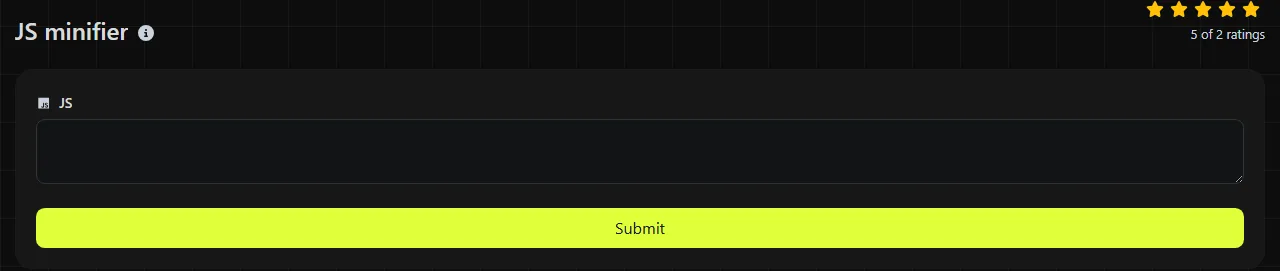
Paste the JavaScript into the JS field and run the tool. Then copy the value returned in Minified JS. Keep the original source file in version control and deploy the compact copy instead of replacing the readable source.
- First, run a syntax check, linter, and automated tests on the source code.
- Paste the complete script into JS, including any module imports or wrapper functions that belong to the file.
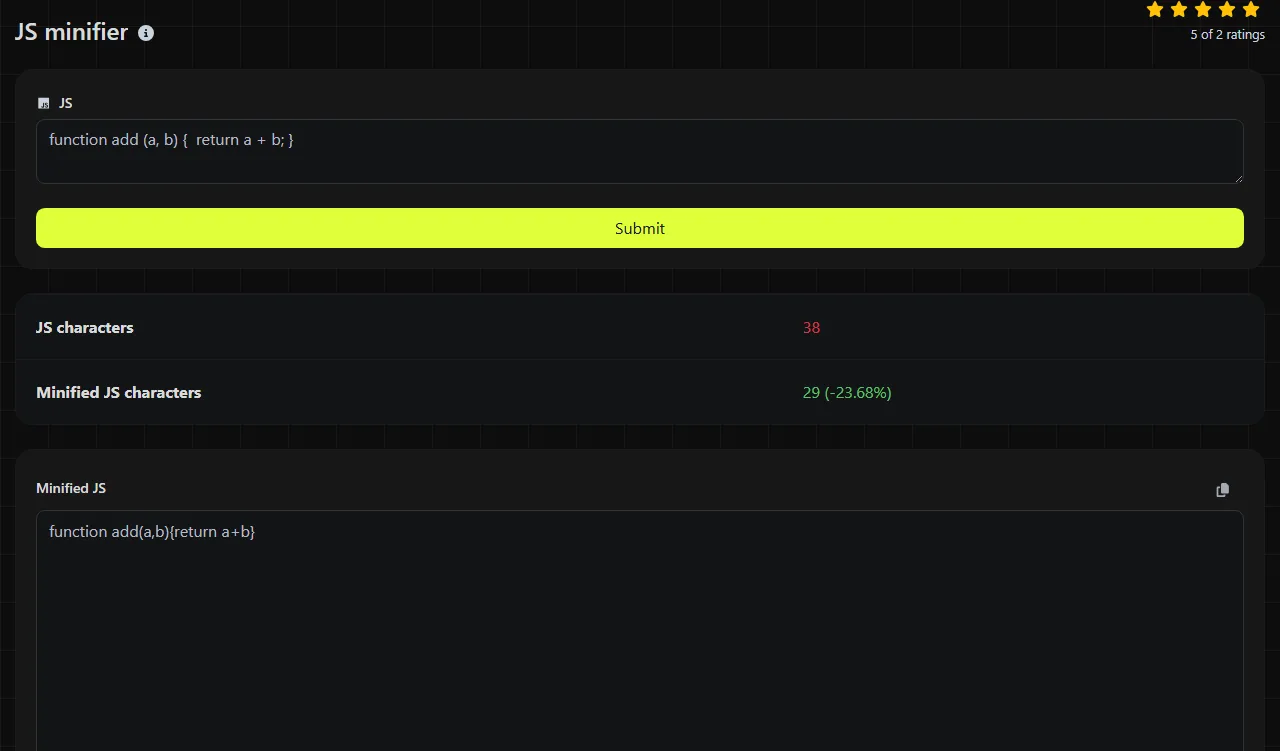
- Review JS characters and Minified JS characters to see the change in character count.
- Test that the minified JavaScript runs correctly in the same browser and deployment context as the production file.
- Use a recognizable filename such as app.min.js if you plan to store the minified and readable versions together.
Processing takes place on the server. Your input is sent to the server over HTTPS and is not stored. The server still has to receive the JavaScript to process it, so do not submit source code that your organization prohibits sending to an external service.
What does the minified result contain?
The result includes the compact JavaScript and two character counts. JS characters is the input length, while Minified JS characters is the length of the returned Minified JS.
The counts are generated using PHP's mb_strlen function, which measures multibyte string length rather than simply reporting the number of bytes. As a result, the character count is not the same as the final network transfer size. UTF-8 characters may take up more than one byte, and gzip or Brotli can reduce the transmitted file even further.
This tool does not return a separate validation or diagnostic field. Do not expect it to identify every missing bracket, malformed regular expression, or unsupported language feature. In particular, JSON-related errors such as unquoted property names or trailing commas are not reliable JavaScript checks because JavaScript object literal syntax differs from JSON syntax. Use JSON validator & beautifier for JSON data.
Small examples and tricky input
A simple spacing change can look like this.
Input
function add(a, b) { return a + b; }
Compact form
function add(a,b){return a+b;}
Formatting around an object can also be removed without changing its property values.
Input
const settings = { theme: "dark", retries: 2 };
Compact form
const settings={theme:"dark",retries:2};
Exact formatting may vary between minifiers, especially around optional semicolons. JavaScript cannot be compacted safely by deleting every space or line break. Safe minification must account for lexical and syntactic context so it can distinguish formatting from characters that affect the program.
- Spaces in strings are data. The space in "Newcastle upon Tyne" must remain.
- Punctuation can be part of the syntax. Removing the space from a + +b may produce a different token sequence.
- Line breaks sometimes affect automatic semicolon insertion, including code after return, break, or continue. A line break immediately after throw is not allowed because its expression must begin on the same line.
- Accented and non-Latin characters may appear in strings and, where JavaScript identifier rules allow, in identifiers. Their byte size can differ from their character count.
- Numbers are source tokens, not character-count instructions. A minifier must preserve their numeric meaning even if it uses a shorter equivalent notation.
When is minifying JavaScript not worth doing?
Minification is usually not worth repeating when a file is already minified. A second pass may save little or nothing while making build output harder to trace and potentially interfering with existing source maps.
There is also little reason to prettify and then minify JavaScript that only a machine will read. Keep human-readable source code for maintenance and generate deployment artifacts from it. For an established application, a build tool such as esbuild, Rollup, or webpack is generally more suitable because it can automate module bundling and source map generation. Minification may be built in or added through configuration or a plugin, while Terser is a dedicated minifier.
Do not treat minification as obfuscation or access control. Function and variable names may remain visible, string literals can still be read, and browser developer tools can reformat compact code. Secrets, private keys, and privileged credentials must never be embedded in client-side JavaScript.
If you are preparing all of a page's static assets, CSS minifier and HTML minifier can perform the corresponding operation on those formats. Keep each format in its own tool because their parsing and whitespace rules are different.
Frequently asked questions
Does the tool generate a source map?
No source map field is returned. If you need production stack traces to map back to the original files, generate the minified script and its matching .map file during the same build process. Deploying a source map from a different build can produce misleading line and column references.
Can minification prevent people from copying my JavaScript?
No. Browsers must receive executable client-side code, so visitors can download and inspect it. Minification makes the source less readable, but it does not provide confidentiality, enforce licensing, or meaningfully protect embedded secrets.
Can I paste code that contains API keys?
You should not paste secret API keys, tokens, or private credentials. The input is sent over HTTPS and is not stored, but processing occurs on the server. Public browser keys that are intentionally distributed to every visitor still need domain, origin, quota, or permission restrictions where the relevant service supports them.
Will a lower character count always make the page load faster?
No. The effect depends on the original file size, caching, connection conditions, server compression, and how much JavaScript the browser has to parse and execute. Check the compressed transfer size and runtime behavior in addition to the character totals.
Should I keep the .js extension after minifying?
Yes. Minified JavaScript normally keeps the .js extension, with .min.js used as a naming convention when both versions are present. Before deployment, confirm that the server sends an appropriate JavaScript content type and that the HTML or module import points to the intended file.
Similar Tools
Minify your HTML files by removing unnecessary characters with our HTML minifier tool for optimized web performance.
Optimize your CSS files by removing unnecessary characters using our CSS minifier tool for faster website loading.
Popular Tools
Create your own custom signature and download it easily with our signature generator tool for personalized e-signatures.
Calculate the size of any text in Bytes (B), Kilobytes (KB), or Megabytes (MB) using our text size calculator tool.
Use the reverse IP lookup tool to find the domain or host associated with any IP address quickly and easily.
Use our ping tool to check the status and response time of any website, server, or port quickly and efficiently.
Generate your free WhatsApp link instantly with our WhatsApp Link Generator. Add a custom message and start chats in one click. No login or coding required.
Digily Link's IP lookup tool provides detailed information about any IP address. Use this free online service to get comprehensive IP data.