CSS minifier
Optimize your CSS files by removing unnecessary characters using our CSS minifier tool for faster website loading.
CSS minifier is a free tool that removes unnecessary characters from CSS and returns the minified stylesheet with before-and-after character counts.
What does CSS minification do?
CSS minification reduces a stylesheet's character count by removing formatting that browsers do not need. This commonly includes indentation, line breaks, comments, and optional spaces around punctuation.
The browser still receives the CSS rules, selectors, and declaration values. The intended visual result should remain unchanged, while the file transferred to the browser is smaller. The practical benefit of minifying a CSS stylesheet depends on the original file, HTTP compression, and browser caching. A well-compressed stylesheet may see only a modest reduction in transferred bytes.
Minification is useful before deployment, when inspecting oversized third-party CSS, or when checking how much development formatting adds to a file. It differs from optimization that removes unused selectors, combines equivalent rules, or rewrites declarations. This tool does not claim to perform those broader operations.
How do I use the CSS minifier?
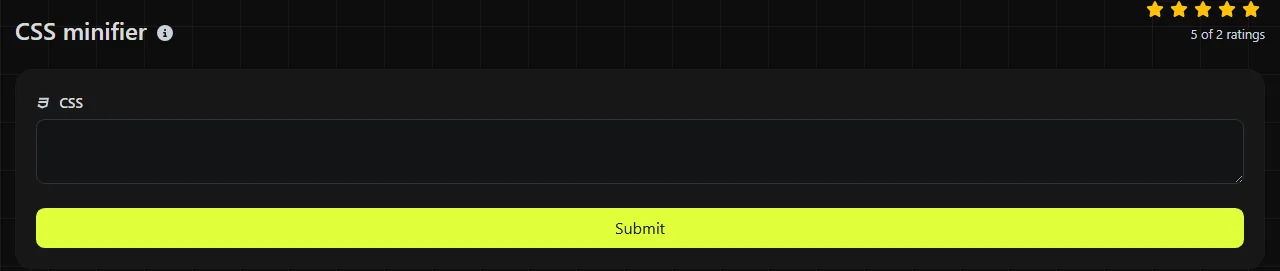
Paste a stylesheet into the CSS field and run the tool. Then copy the Minified CSS result into the appropriate build or deployment workflow. Keep the readable CSS source file instead of permanently replacing it with the minified copy.
- Start with the source CSS used by your site or application.
- Make sure it parses correctly before minifying it.
- Paste it into CSS and run the tool.
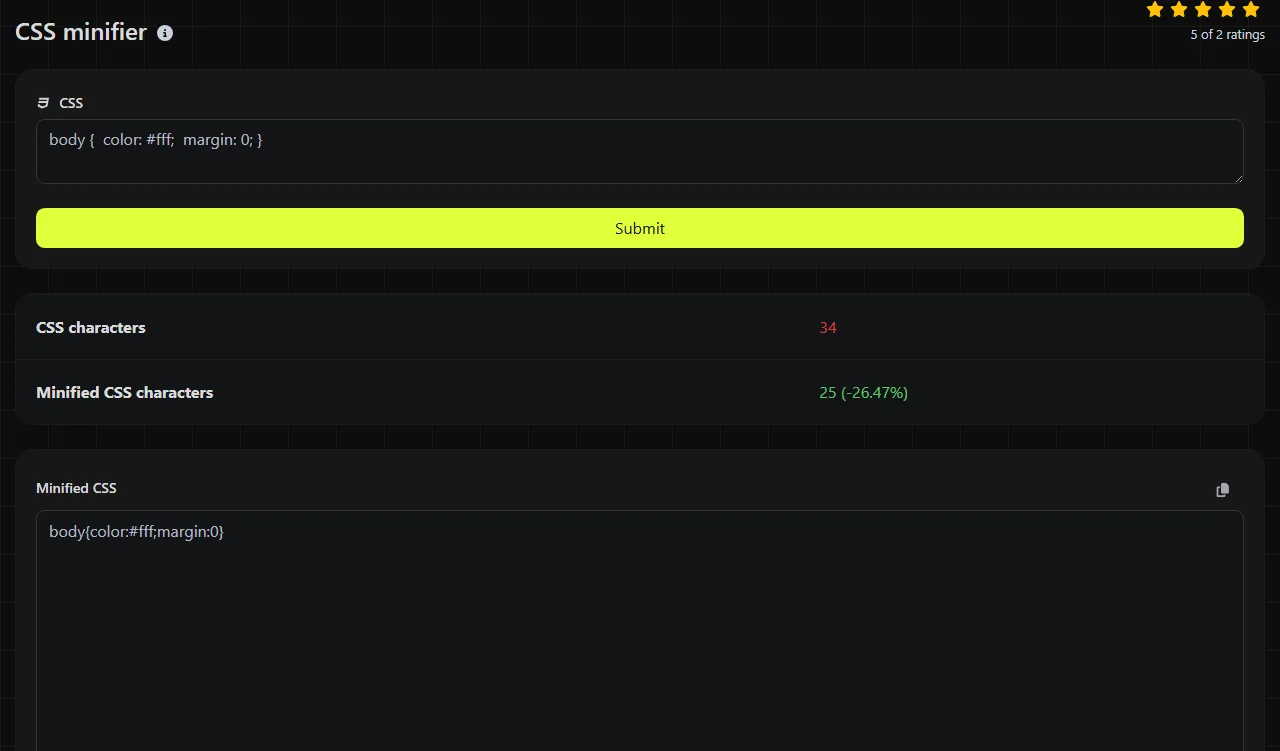
- Compare CSS characters with Minified CSS characters.
- Test the result on a staging page, including responsive states, print styles, and interactive components.
CSS minification takes place on the server. Your submitted CSS travels to the server over HTTPS and is not stored. If the stylesheet contains confidential URLs, internal hostnames, or other sensitive material, consider whether sending it to any server-side utility fits your organization's handling policy.
How should I read the result?
The result contains the transformed CSS and two character counts, allowing you to inspect the output and see the reduction directly. CSS characters is the length of the submitted text, while Minified CSS characters is the length after minification.
The counts are character counts produced with a multibyte-aware length function. Do not treat them as an exact prediction of network transfer size. UTF-8 characters can occupy more than one byte, and Brotli or gzip compression may substantially change the size sent over HTTP.
No separate validation or error field is listed for this tool, so it should not be treated as a CSS validator. Common problems such as unmatched braces, a missing colon, an unterminated string, malformed comments, or invalid nesting need to be checked with browser developer tools, a linter, or a standards-aware validator. Invalid CSS may produce output that still looks compact but does not behave as intended.
Small CSS minification examples
A conventional minified version removes formatting while preserving the rule itself.
CSS
p { color: red; }
Minified CSS
p{color:red}
In this example, the readable input contains 17 characters and the compact form contains 12. Spaces and punctuation inside quoted strings must remain part of the value.
CSS
.notice, .warning { color: #c00; margin: 0 1rem; }
Minified CSS
.notice,.warning{color:#c00;margin:0 1rem}
Blindly deleting every space is unsafe. Whitespace can represent a descendant combinator, and arithmetic operators in functions such as calc() have whitespace requirements. Strings, data URLs, escaped identifiers, and custom property values also require syntax-aware handling.
Accented and non-Latin characters can appear in strings and, subject to CSS identifier rules, in selectors. Numbers, decimal points, percentages, and units are syntax rather than decorative text, so they cannot simply be shortened without understanding the declaration. An empty stylesheet contains no CSS to minify. For very large stylesheets, a build-time minifier is usually easier to repeat and audit than copying text through an online form.
When is CSS minification not worth doing?
Minification is usually not worth repeating when a file is already minified or generated as a compact production asset. A second CSS minification pass may save little or nothing while adding another transformation to the release process.
- Do not prettify and then re-minify CSS that only a browser or build system will read.
- Do not use minification as a substitute for removing unused framework rules or duplicate declarations.
- Do not expect character reduction to reveal render-blocking requests, caching problems, or slow font loading.
- Do not discard the formatted source, especially when debugging specificity, cascade layers, or media queries.
If CSS is bundled automatically, use the minifier in that pipeline so every release follows the same settings. When deploying related assets manually, the HTML minifier and JS minifier can perform the equivalent operation on those file types.
Frequently asked questions
Does minifying CSS change selector specificity?
Correct minification does not change selector specificity because selectors should retain the same components and order. Still, carefully compare complex selectors if the source uses escapes, newer pseudo-classes, or generated syntax that an older minifier may not understand.
Can I minify CSS custom properties?
Custom properties can be included, but their values may preserve tokens and spacing for later substitution with var(). Test declarations containing calculations, fallbacks, or embedded strings in the browsers your project supports instead of assuming every apparent space is optional.
Does the tool create a source map?
No source map result is listed. If production debugging requires mapping compact CSS back to Sass, Less, or another source, generate the minified file and its source map within the compiler or bundler that knows the original file structure.
Will license comments remain in the output?
Do not assume that CSS comments will be retained. If a dependency's license requires a notice to accompany distributed code, keep the notice separately or inspect the generated output before release.
Can minification fix broken CSS?
No. Minification removes unnecessary characters but does not repair an invalid selector, unsupported property, missing asset, or incorrect cascade. Resolve parsing warnings and visual regressions in the source first.
Pre-deployment checks
Save the minified output as a separate production asset, verify that URLs and quoted content are intact, and load it on a staging page with the browser console open. Compare representative pages at narrow and wide viewport sizes, then confirm that your server applies the expected content type, caching policy, and HTTP compression.
Similar Tools
Minify your HTML files by removing unnecessary characters with our HTML minifier tool for optimized web performance.
Minify your JavaScript files by removing unnecessary characters with our JS minifier tool for improved web performance.
Popular Tools
Create your own custom signature and download it easily with our signature generator tool for personalized e-signatures.
Calculate the size of any text in Bytes (B), Kilobytes (KB), or Megabytes (MB) using our text size calculator tool.
Use the reverse IP lookup tool to find the domain or host associated with any IP address quickly and easily.
Use our ping tool to check the status and response time of any website, server, or port quickly and efficiently.
Generate your free WhatsApp link instantly with our WhatsApp Link Generator. Add a custom message and start chats in one click. No login or coding required.
Digily Link's IP lookup tool provides detailed information about any IP address. Use this free online service to get comprehensive IP data.