File MIME type checker
Identify the mime type and last edit date of any file with our file mime type checker tool for accurate file management.
| Name | |
| Size | |
| Type | |
| Last modified date |
File MIME type checker is a free tool that reports a file's MIME type and details, including its name, size, and last modified date.
What does a MIME type checker tell you?
A MIME type checker tells you how a file is identified when exchanged between browsers, servers, email clients, and other software. A MIME type, now formally called a media type, usually contains a top-level type and subtype separated by a slash, such as application/pdf, image/png, or text/plain.
The result is useful for debugging rejected uploads, checking assets before deployment, or examining files provided by a third party. For example, an API may accept image/png but reject a file identified as application/octet-stream, even if its name ends in .png.
A filename extension and a MIME type are related, but they are not equivalent. The extension is part of the name, while the MIME type is metadata assigned or inferred by software. Different operating systems and browsers may identify the same unusual or extensionless file differently.
How do I check a file's MIME type?
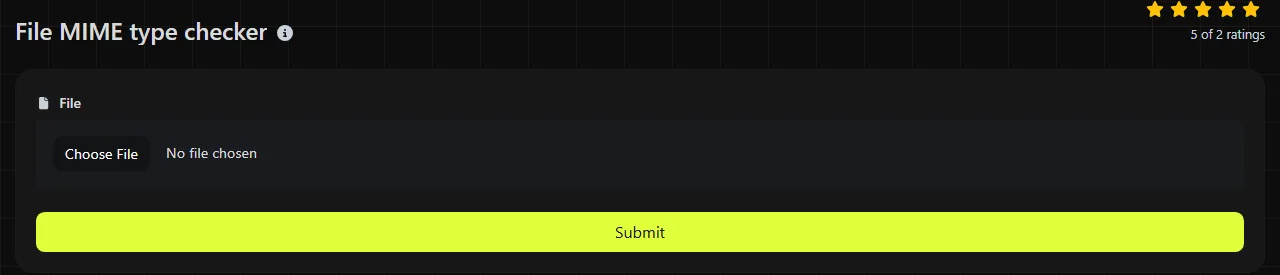
Select the file using the File field, then review the available file details. The page includes fields for Type, Size, Name, and Last modified date.
- Choose the same file that is failing during an upload, API request, or deployment process.
- Compare Type with the media type required by the receiving system.
- Check Name for a missing, duplicated, or misleading extension.
- Use Size to confirm that the file is not empty or unexpectedly large.
- Review Last modified date if you need to distinguish among multiple copies of an asset.
Use a representative sample instead of assuming that every file with the same extension has identical metadata.
How should I read the returned file details?
Read the MIME type as the software-facing classification, then use the other details to confirm that you selected the intended file. A normal type has the form type/subtype. Lowercase values are conventional, although media types are case-insensitive.
- Type may contain a specific value such as application/json, a generic value such as application/octet-stream, or no useful value if the environment cannot identify the file.
- Name preserves clues such as .csv, .jpeg, or .tar.gz, but the extension alone does not verify the contents.
- Size can reveal a zero-byte export, an incomplete download, or the wrong build asset.
- Last modified date helps identify stale local copies, but it is metadata rather than a reliable record of authorship or publication.
The details can reveal inconsistencies rather than syntax errors. Common warning signs include a .json filename paired with text/plain, an image identified only as application/octet-stream, or a file size of zero when content was expected.
Modified dates also require context. Copying, downloading, extracting, or regenerating a file can change its timestamp. If another system provides the date as an epoch value, Unix Timestamp to Date can make it easier to compare with a conventional UK date and time.
Worked file detail examples
Consider a PDF export with known metadata. The example input is a file named invoice-1042.pdf, with a size of 48,120 bytes and a media type of application/pdf. The relevant result would show the same filename and size, with Type shown as application/pdf and the file's recorded modification date under Last modified date.
Now consider an extensionless file named LICENSE. Its name provides no suffix that software can use to infer a format. The type may therefore be blank, generic, or dependent on the environment, even if the file contains readable text. That result does not mean the file is damaged.
Spaces, punctuation, numbers, accented letters, and non-Latin characters in a filename do not change MIME syntax. A file named café-menu-2026.pdf can still have application/pdf as its type. These characters may cause separate path, encoding, or compatibility problems in older systems, but those are filename-handling issues.
When is checking the MIME type not enough?
Checking the MIME type is not enough when the issue involves security, content validation, or the server's actual HTTP response. MIME metadata can be missing, incorrect, or deliberately misleading, so you should not treat it as proof that a file is safe.
For pre-deployment checks, inspect the Content-Type header returned by the web server as well as the local file details. Server configuration, a CDN, or application code can send a different value from the one associated with the source file. A URL parser may help you separate and inspect the asset URL before checking its response headers with browser developer tools or a command-line client.
For security-sensitive uploads, validate the file structure or recognized byte signature on the server, apply size limits, and store uploads outside executable locations. No MIME checker replaces malware scanning or format-specific validation.
There is also no need to repeat the operation for unchanged files when the receiving system has already accepted the exact asset. It does not add much value for a file used only by a controlled local process that ignores MIME metadata. For a production web response, checking the live HTTP header is more relevant than repeatedly inspecting the local copy.
Frequently asked questions
Why does a JPEG file use image/jpeg instead of image/jpg?
image/jpeg is the registered media type for JPEG images. The .jpg extension came from older filename length limits, but it does not create a separate image/jpg media type.
Can a MIME type include a character encoding?
Yes. Some text-based media types can include parameters, such as text/html; charset=utf-8. A local file type value may omit those parameters because identifying the character encoding often requires inspecting the content or using information from the system serving the file.
Does changing a file extension change its contents?
No. Renaming data.csv to data.txt changes the filename but does not convert the bytes. Software may assign different metadata after the rename, which is why it is important to check both the extension and the actual format.
Is application/octet-stream an error?
No. It is a generic type for arbitrary binary data and is often used when no more specific media type is available. Some receiving systems reject it because they require an explicitly permitted type, so compare it with the upload or API specification.
Can I use the checker with confidential files?
It is not certain where processing takes place. Do not assume a particular processing location, and use a non-sensitive sample or an approved local inspection method when the file contains confidential, personal, or regulated information.
Why is the browser's type different from the server's Content-Type?
They come from separate sources. Local file metadata may depend on the browser or operating system, while the HTTP Content-Type comes from the server, application, or CDN configuration. Check the live response when diagnosing browser behavior, downloads, or deployed assets.
Popular Tools
Create your own custom signature and download it easily with our signature generator tool for personalized e-signatures.
Calculate the size of any text in Bytes (B), Kilobytes (KB), or Megabytes (MB) using our text size calculator tool.
Use the reverse IP lookup tool to find the domain or host associated with any IP address quickly and easily.
Use our ping tool to check the status and response time of any website, server, or port quickly and efficiently.
Generate your free WhatsApp link instantly with our WhatsApp Link Generator. Add a custom message and start chats in one click. No login or coding required.
Digily Link's IP lookup tool provides detailed information about any IP address. Use this free online service to get comprehensive IP data.