Unix Timestamp to Date
Convert a Unix timestamp to UTC and your local date with our Unix timestamp to date converter tool for accurate time conversion.
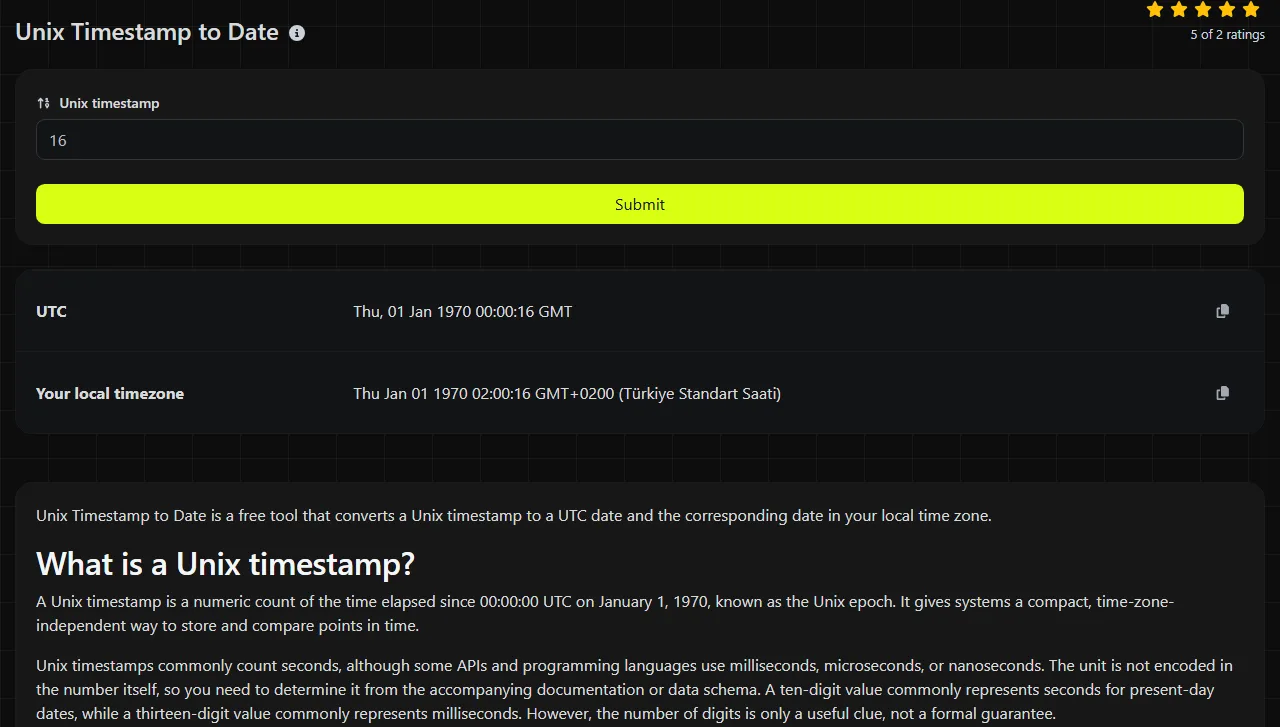
| UTC |
|
|
| Your local timezone |
|
Unix Timestamp to Date is a free tool that converts a Unix timestamp to a UTC date and the corresponding date in your local time zone.
What is a Unix timestamp?
A Unix timestamp is a numeric count of the time elapsed since 00:00:00 UTC on January 1, 1970, known as the Unix epoch. It gives systems a compact, time-zone-independent way to store and compare points in time.
Unix timestamps commonly count seconds, although some APIs and programming languages use milliseconds, microseconds, or nanoseconds. The unit is not encoded in the number itself, so you need to determine it from the accompanying documentation or data schema. A ten-digit value commonly represents seconds for present-day dates, while a thirteen-digit value commonly represents milliseconds. However, the number of digits is only a useful clue, not a formal guarantee.
Developers often need this conversion when reading third-party API responses, inspecting database records, checking log entries, or debugging an expiration calculation. It is also useful before deployment when a configuration file contains activation, cache, or token expiration times as integers instead of readable dates.
How do I convert a Unix timestamp to a date?
Enter the numeric value in Unix timestamp, then review the converted values for UTC and Your local timezone. UTC provides a stable reference, while the local result shows how that same instant appears with your time zone offset.
- Confirm that the source value is intended to be a Unix timestamp.
- Check whether its unit is seconds or a smaller unit, such as milliseconds.
- Use the UTC result when comparing systems, logs, or API data.
- Use the local result when checking what someone would have seen on a clock or calendar.

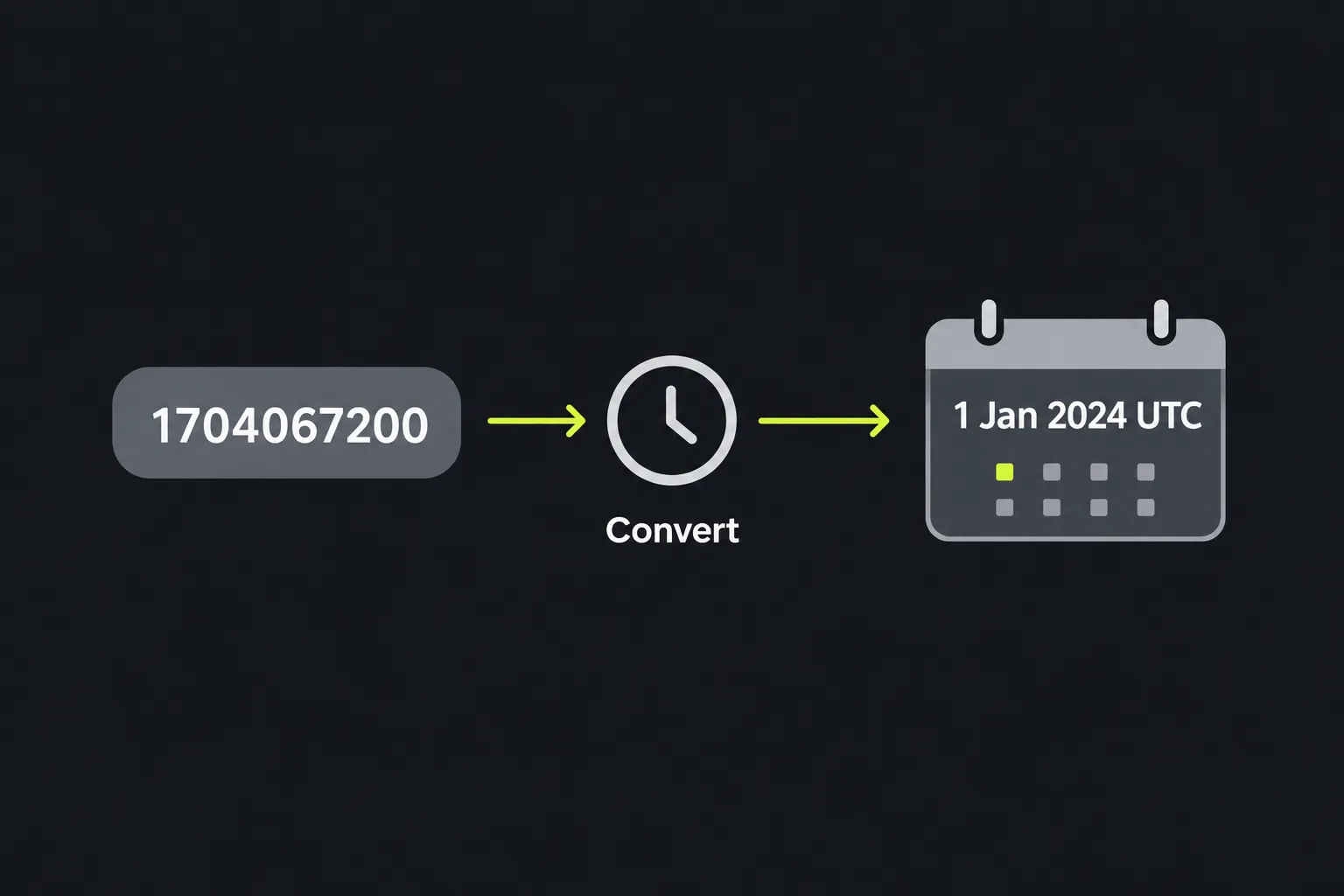
Whenever possible, enter only the integer. Spaces, thousands separators, labels, and copied punctuation are not part of the timestamp format. For example, 1,704,067,200 is formatted for people to read, but 1704067200 is the conventional machine-readable form. Accented letters and non-Latin characters have no meaning in a Unix timestamp.
The tool's exact handling of empty input, decimal values, separators, and extremely long numbers is not specified. Remove any surrounding text and verify the unit before treating a returned date as authoritative.
How should I interpret the UTC and local results?
Treat the UTC value as the time-zone-neutral reference and the local value as the same moment adjusted for your local time zone. They do not represent two different events.
In the UK, local time follows Greenwich Mean Time in winter and British Summer Time in summer. A UTC timestamp can therefore display the same clock time locally in winter but one hour later during summer. Historical and future time zone rules can also affect the local result, especially outside the UK.
If the result is decades away from the date you expected, first check for a seconds-versus-milliseconds mismatch. If it is off by exactly one or several hours, review the time zone assumptions instead of changing the timestamp. A result that is off by one day often occurs when the UTC instant is near midnight and the local offset moves it to the previous or next calendar day.
Invalid input may include letters, embedded labels, an empty value, or a number outside the date range supported by the receiving system. The tool's exact error messages and supported numeric range are not documented, so check an absent or implausible result against the source system rather than guessing.
Timestamp conversion examples
These examples use timestamps measured in whole seconds.
Input 0
UTC output 1 January 1970 at 00:00:00 UTC
Zero marks the Unix epoch. The local display may differ if the applicable local offset is not UTC.
Input 1704067200
UTC output 1 January 2024 at 00:00:00 UTC
In the UK, that instant occurs during GMT, so the local UK clock time is also midnight. The same timestamp displayed in a time zone west of UTC would still fall on 31 December 2023.
Negative timestamps represent times before the Unix epoch. For example, -1 conventionally means one second before the epoch, or 31 December 1969 at 23:59:59 UTC. Support for negative values varies among software environments, databases, and date libraries.
When is timestamp conversion unnecessary?
You do not need to convert a timestamp when only machines will read it and every participating system already agrees on the unit and epoch. Keeping the numeric value avoids introducing formatted dates that might later be parsed using the wrong locale or time zone.
- Do not convert timestamps solely to compare their chronological order. Numeric timestamps that use the same unit can be compared directly.
- Do not replace an API's required numeric timestamp with a formatted date unless its specification allows that format.
- Do not repeatedly convert and reparse timestamps while processing data. Keep the original value and format it only at the presentation layer.
- Do convert a timestamp when debugging an unfamiliar record, checking an expiration time, or reviewing third-party data before importing it.
A readable conversion also does not prove that the source value is correct. A mistyped timestamp can still produce a perfectly valid date, so compare it with the business event, log sequence, or source documentation.
Frequently asked questions
Can I use a 13-digit timestamp?
A present-day 13-digit timestamp usually represents milliseconds rather than seconds. If a converter expects seconds, first divide the millisecond value by 1,000, keeping any remainder only if the destination supports fractional seconds. This tool's handling of millisecond input is not specified, so verify the unit independently.
Do Unix timestamps include leap seconds?
Standard Unix time does not represent leap seconds as separately numbered seconds. Systems typically map time to a continuous count that treats each day as 86,400 Unix seconds, although clock synchronization behavior can vary among platforms. This rarely changes the displayed result for ordinary application dates, but it matters in specialized timing work.
Does the same timestamp show the same date everywhere?
A Unix timestamp represents the same instant everywhere, but the local calendar date and clock time can vary by time zone. A timestamp close to midnight UTC may appear on different dates in London, New York, and Tokyo. Exchange timestamps in UTC and apply local formatting only for display.
Why does my spreadsheet change the timestamp?
Spreadsheets may display long values in scientific notation or apply date formatting designed for their own date serial systems. Import the timestamp column as text or as an integer when precision allows, then use an explicit conversion formula. Before converting it, make sure the spreadsheet has not rounded the final digits.
Is the year 2038 a problem for Unix timestamps?
The year 2038 can be a problem for systems that store Unix seconds as a signed 32-bit integer, whose positive range ends in January 2038. Modern 64-bit storage supports a much wider range, but older databases, embedded devices, and libraries may still enforce the narrower limit. Before deployment, check the storage type and date library used by every system that receives the value.
Similar Tools
Easily convert any specific date to Unix timestamp format with our date to Unix timestamp converter tool.
Popular Tools
Create your own custom signature and download it easily with our signature generator tool for personalized e-signatures.
Calculate the size of any text in Bytes (B), Kilobytes (KB), or Megabytes (MB) using our text size calculator tool.
Use the reverse IP lookup tool to find the domain or host associated with any IP address quickly and easily.
Use our ping tool to check the status and response time of any website, server, or port quickly and efficiently.
Generate your free WhatsApp link instantly with our WhatsApp Link Generator. Add a custom message and start chats in one click. No login or coding required.
Digily Link's IP lookup tool provides detailed information about any IP address. Use this free online service to get comprehensive IP data.