Duplicate lines remover
Remove duplicate lines from any text quickly and easily with our duplicate lines remover tool for clean and organized content.

Duplicate lines remover is a free tool that removes repeated lines from pasted text and reports how many lines remain.
How do I remove duplicate lines?
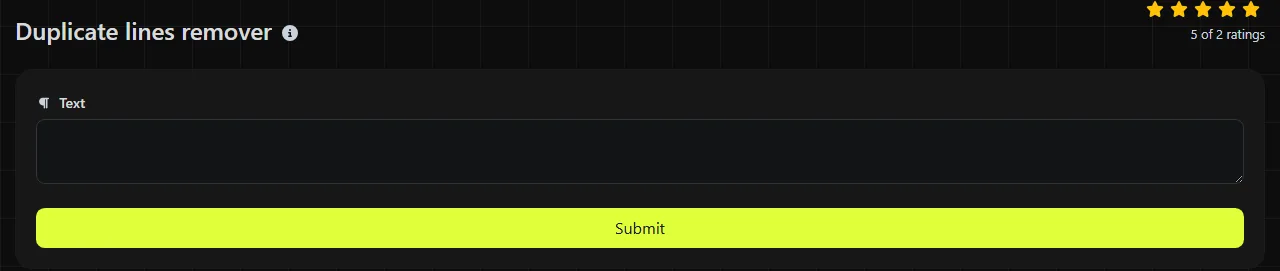
Paste text with one item per line, run the tool, and then copy the cleaned result.
- Arrange the source text so that each email address, URL, product code, or other value appears on its own line.
- Submit the text to remove duplicates.
- Check the reported counts and review the cleaned lines before using them elsewhere.
The tool uses PHP's array_unique operation. When the same line appears more than once, it keeps the first occurrence and removes any later matches.
When can removing duplicate lines save time?
It saves time whenever a list has accumulated repeated entries from exports, copying, or combining multiple sources.
- Excel and Google Sheets exports often contain repeated email addresses, reference numbers, or stock codes after worksheets have been merged.
- Mailchimp import files may need duplicate email rows removed before upload, although removing lines does not validate addresses or reconcile separate contact records.
- Shopify product work can produce repeated SKUs when values are copied from more than one report.
- Google Search Console exports can be combined into a line-by-line URL list and cleaned before further analysis.
- GitHub configuration files, including simple allowlists and ignore lists, may contain identical entries added by different contributors.
A good practice is to keep an untouched copy of the source so you can recover any lines removed as duplicates. If an apparent duplicate remains, inspect it in a plain-text editor that can reveal trailing spaces and other invisible characters.
How does it handle spaces, capital letters, and punctuation?
It compares complete line values, so differences within a line can prevent two entries from matching.
For example, "Manchester", "manchester" and "Manchester " are separate strings because the capitalization or trailing space is different. Numbers and punctuation are also included in the comparison, so "INV-104" does not match "INV104". The operation does not infer that two differently formatted values refer to the same customer, URL, or product.
Accented and non-Latin text can be stored as line strings, but visually identical Unicode text may use different underlying character sequences. Such lines can remain separate unless the text is normalized first. If blank lines reach array_unique as repeated empty values, only the first empty value is kept.
For very large files, a spreadsheet command or script may be more practical than pasting the file into a browser tool to deduplicate the complete set of lines.
How do I read the results?
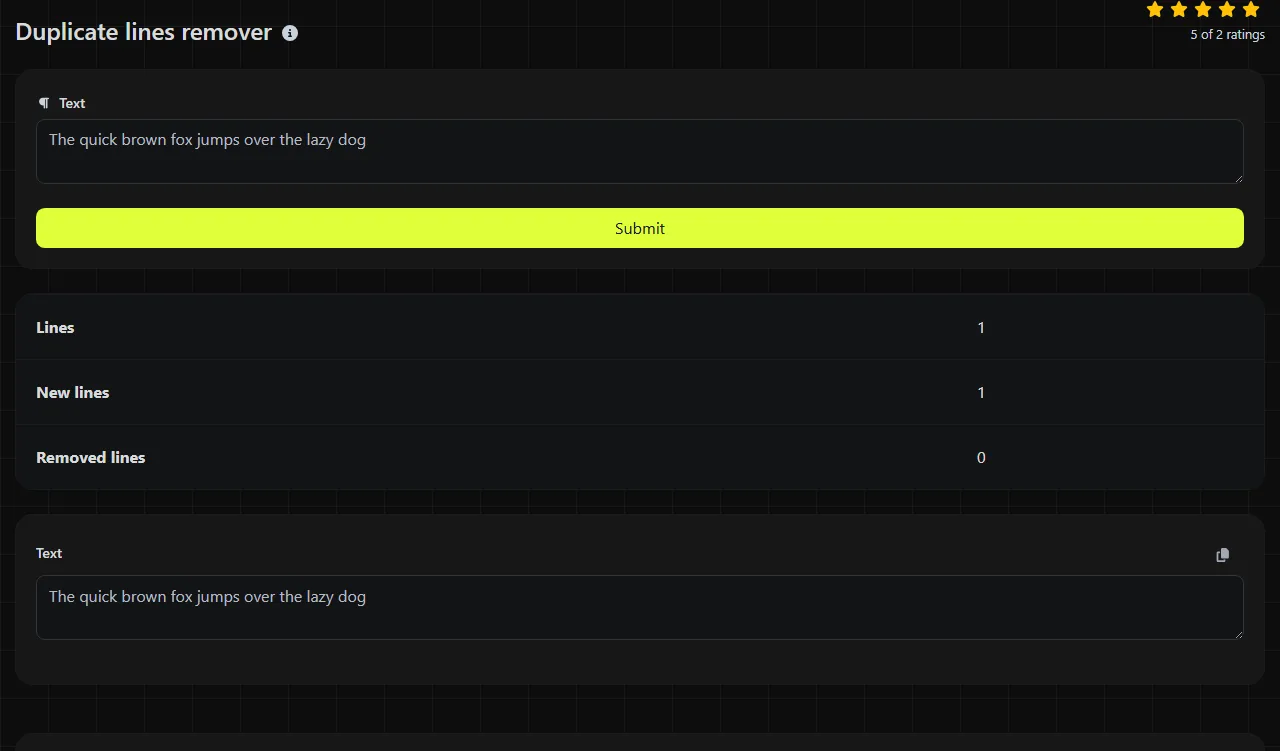
The result fields show the original line count, the remaining line count, and the number removed.
- Lines is the number of lines in the submitted list.
- New lines is the number of lines remaining after duplicate values are removed.
- Removed lines shows how many repeated values were discarded.
Compare the removed count with what you expected. An unexpectedly low number often means that lines differ in spaces, capitalization, or punctuation. An unexpectedly high number may indicate that repeated rows carried meaning in the original data, such as separate transactions with identical descriptions.
Examples of duplicate line removal
For the input lines "pear", "apple" and "pear", the resulting lines are "pear" and "apple". The second occurrence of "pear" is removed, while the order of the first occurrences is preserved.
For "London", "london" and "London " with a trailing space, all three values are distinct in a direct string comparison. Standardizing capitalization and removing surrounding whitespace first would be a separate operation.
If values are separated by commas instead of line breaks, use Text separator first to place each value on its own line. Duplicate removal works on lines, not on individual words or comma-separated fields within a line.
Frequently asked questions
Can I remove duplicates from a CSV file?
You can paste CSV content, but the operation compares entire rows as lines. It will not deduplicate one column while preserving different data in neighboring columns. To match by column, use Excel's Remove Duplicates command, Google Sheets, or a CSV-aware script.
Why aren't numbered list items treated as duplicates?
Leading numbers are part of each line, so "1. Bristol" and "2. Bristol" are different values. Remove the numbering before deduplicating if the place name is the value you want to compare.
Is it safe to paste confidential information?
The processing takes place on the server. Your input travels to the server over HTTPS and is not stored, but it does leave your device during processing. Do not submit confidential or regulated data if your organization's policy prohibits sending it to an external service.
Can I use it to clean JSON or program code?
Blindly removing repeated lines can damage JSON, source code, and other structured formats where repeated text may be intentional. Use a parser, formatter, or language-specific tool when structure and line position affect meaning.
Final checks
Review the cleaned list before importing it, especially when duplicate lines may represent separate orders, payments, or events. Keep the original file until the destination system has accepted the revised data and you have reviewed the lines the tool kept and removed.
Popular Tools
Create your own custom signature and download it easily with our signature generator tool for personalized e-signatures.
Calculate the size of any text in Bytes (B), Kilobytes (KB), or Megabytes (MB) using our text size calculator tool.
Use the reverse IP lookup tool to find the domain or host associated with any IP address quickly and easily.
Use our ping tool to check the status and response time of any website, server, or port quickly and efficiently.
Generate your free WhatsApp link instantly with our WhatsApp Link Generator. Add a custom message and start chats in one click. No login or coding required.
Digily Link's IP lookup tool provides detailed information about any IP address. Use this free online service to get comprehensive IP data.