Markdown to HTML
Transform markdown snippets into raw HTML code using our markdown to HTML converter tool for efficient content management.
Markdown to HTML is a free tool that converts Markdown snippets into raw HTML code for use on websites, in content management systems, and in development workflows.
What does Markdown to HTML convert?
It converts Markdown formatting into the corresponding HTML elements. A heading becomes a heading element, a link becomes an anchor element, and a bulleted list becomes an unordered list containing list items.
Markdown is a plain-text markup format commonly used for README files, technical documentation, issue descriptions, and static site content. Converting it to HTML is useful when the destination expects HTML instead of Markdown, such as a website template, an email system, or a content management system field.
Markdown has several dialects. CommonMark, GitHub Flavored Markdown, and application-specific parsers can handle tables, task lists, line breaks, and embedded HTML differently. The tool's source information does not specify a particular dialect, so check any syntax beyond ordinary headings, paragraphs, links, and lists before deploying the result.
How do I convert Markdown to HTML?
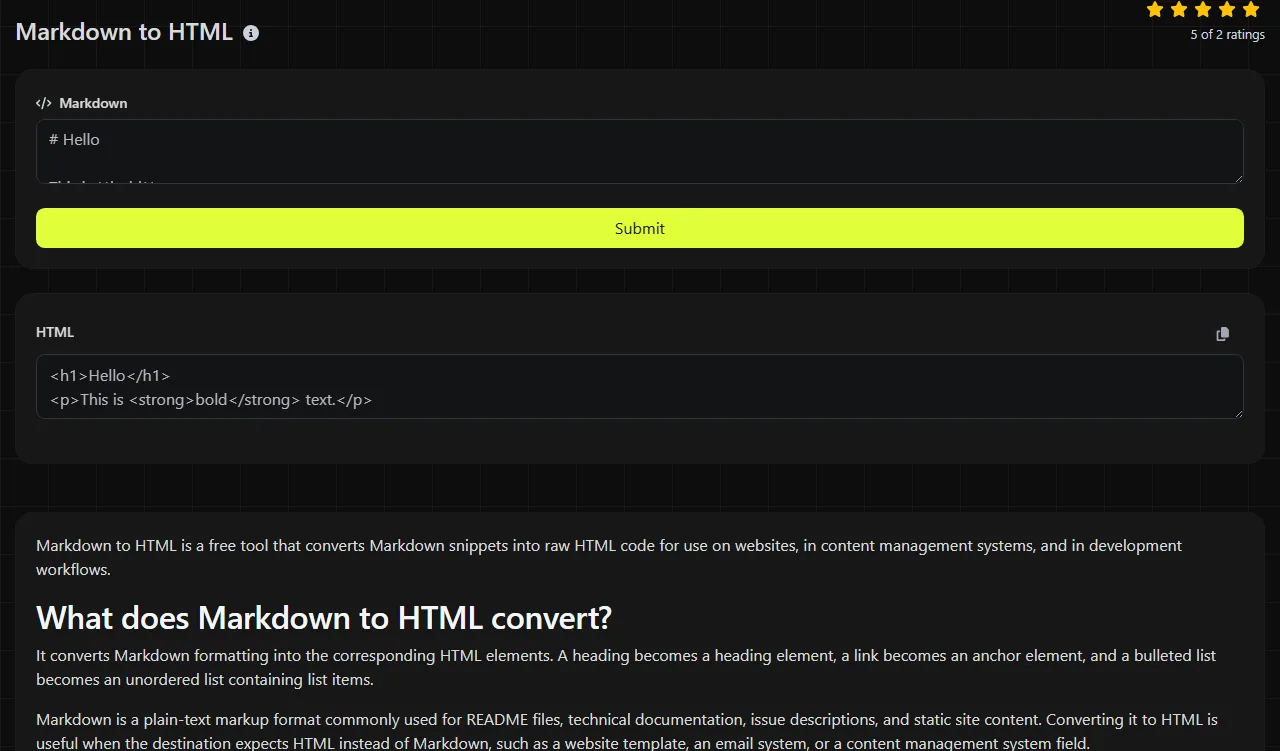
Enter the source text in the Markdown field, run the conversion, and then view or copy the generated code from the HTML field.
- Paste a complete snippet instead of a partial formatting marker.
- Convert the text and inspect the element structure in the returned HTML.
- Check links, nested lists, and code blocks in the application that will display them.
- Apply site styling separately if the destination does not already have appropriate CSS.
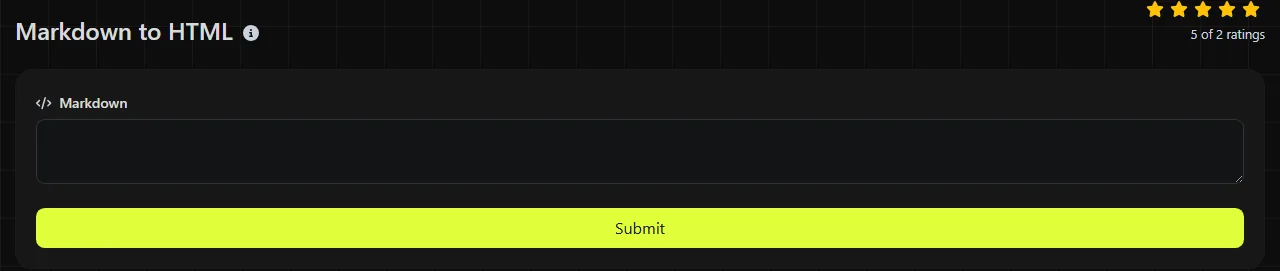
The conversion takes place on the server. Your input travels to the server over HTTPS and is not stored. Because the text leaves your device for processing, do not submit credentials, private keys, or confidential material if your organization's policy prohibits server-side tools.
How should I read the returned HTML?
Read the result as raw HTML code containing elements that represent the Markdown's structure. It may be suitable for inserting into an existing page, template, or content field, but it is not necessarily a complete HTML document with a doctype, metadata, styles, and scripts.
For a small heading example, the plain-text input is:
# Release notes
The conventional HTML result is:
<h1>Release notes</h1>
A short list input is:
- Alpha
- Beta
The corresponding structure is an unordered list containing two list-item elements:
<ul>
<li>Alpha</li>
<li>Beta</li>
</ul>
Most Markdown mistakes do not produce formal parser errors. An unmatched formatting marker, incorrect indentation, or a missing space after a list marker may appear as ordinary text instead. If the returned HTML looks valid but its structure is wrong, compare the output elements with the intended document hierarchy.
- Check that headings use the expected level and do not jump unnecessarily from one level to another.
- Confirm that nested list items use consistent indentation in the Markdown source.
- Inspect link destinations before publishing, especially when processing third-party content.
- Review fenced code blocks carefully because an unclosed fence can absorb the rest of a document.
- Look for raw HTML in the source, since different Markdown implementations may preserve, escape, or reject it.
Worked conversion details
Markdown conversion changes the structure rather than the underlying language of the text. Accented letters, non-Latin scripts, numbers, and ordinary punctuation can remain as text content inside the generated elements. HTML-sensitive characters may need entity encoding when they are intended to appear literally instead of forming markup.
Spaces and blank lines can affect parsing. A blank line commonly separates paragraphs, while indentation may create a nested list or code block. Line-break behavior also varies among Markdown dialects, so a single newline in the source does not always produce a visible HTML line break.
Empty input has no meaningful document structure to convert. Very long input may be better handled through a local build process, where it can be version-controlled, tested, and converted consistently using the same parser used in production. No converter can determine whether a heading level, link destination, or list hierarchy is semantically correct for your project.
When is converting Markdown to HTML worthwhile?
Conversion is worthwhile when a downstream system accepts HTML but your source material is written or provided in Markdown. Common use cases include checking third-party documentation before importing it, debugging a static site build, preparing release notes for an HTML-only editor, or reviewing generated markup before deployment.
Converting Markdown to HTML is usually unnecessary when only a machine will read the content and the Markdown already works in its required format. Similarly, converting Markdown early in a pipeline can make later editing more difficult if authors are expected to continue working in Markdown.
Do not minify the HTML while debugging its structure. Readable markup makes misplaced nesting and unexpected elements easier to identify. After checking the output and preparing it for production delivery, you can use an HTML minifier to remove unnecessary whitespace.
Frequently asked questions
Does the converted HTML include CSS styling?
No. HTML describes structure, while CSS controls most presentation. A heading element may look different from one site to another because the browser, application, or theme provides the styling. Add or reuse CSS in the destination instead of expecting the Markdown source to define the final appearance.
Can I convert Markdown tables and task lists?
Support depends on the Markdown dialect used by the parser. Tables and task-list checkboxes are common extensions, not universal Markdown syntax. Convert a small representative sample and verify the returned elements before relying on them in a larger document.
Is it safe to convert untrusted Markdown?
Treat untrusted Markdown as untrusted content even after conversion. Depending on the parser and destination, embedded HTML or unsafe link schemes may require sanitization. This converter changes the format, but conversion alone should not be treated as a security filter.
Can I paste the HTML into WordPress or another CMS?
Usually, as long as the editor has an HTML or code view and allows the returned elements. Some content management systems sanitize pasted markup, remove unsupported attributes, or change paragraph spacing. Preview the content and check the saved version because the CMS may transform it after submission.
Why does my code block render incorrectly?
Check that the opening and closing fences match and appear on separate lines. Indented code blocks can also break when the surrounding list indentation is inconsistent. If syntax highlighting is required, the destination must recognize any language identifier and provide its own highlighting script or styles.
Should I keep the Markdown after converting it?
Keep the Markdown when it is the editable source of record. Store generated HTML separately or recreate it during the build so later edits do not diverge between the two formats. Before publishing, validate links and inspect the fragment in the actual destination instead of relying only on the raw code.
Popular Tools
Create your own custom signature and download it easily with our signature generator tool for personalized e-signatures.
Calculate the size of any text in Bytes (B), Kilobytes (KB), or Megabytes (MB) using our text size calculator tool.
Use the reverse IP lookup tool to find the domain or host associated with any IP address quickly and easily.
Use our ping tool to check the status and response time of any website, server, or port quickly and efficiently.
Generate your free WhatsApp link instantly with our WhatsApp Link Generator. Add a custom message and start chats in one click. No login or coding required.
Digily Link's IP lookup tool provides detailed information about any IP address. Use this free online service to get comprehensive IP data.