Color converter
Easily convert your color to multiple formats like RGB, HEX, and HSL with our color converter tool.

Color converter is a free tool that converts a color provided as HEX, HEX alpha, RGB, RGBA, HSV, HSL, or HSLA into multiple equivalent color formats.
What color formats can I convert?
You can enter HEX, HEX alpha, RGB, RGBA, HSV, HSL, or HSLA and view the corresponding values in every supported format. This is useful when a design specification, stylesheet, or third-party API represents the same color differently.
- HEX represents the red, green, and blue channels with hexadecimal pairs, usually in the form #RRGGBB.
- HEX Alpha adds an opacity channel. In modern CSS notation, this commonly appears as #RRGGBBAA.
- RGB uses red, green, and blue channel values, commonly ranging from 0 to 255.
- RGBA adds alpha transparency to RGB.
- HSV describes hue, saturation, and value. It is common in color pickers but is not a standard CSS color function.
- HSL describes hue, saturation, and lightness. CSS supports HSL directly.
- HSLA is HSL with an alpha value.
RGB and HSL are different mathematical descriptions of a color, not different colors. Conversion lets you change the representation while preserving the intended color as closely as the destination format allows.
How do I use the color converter?
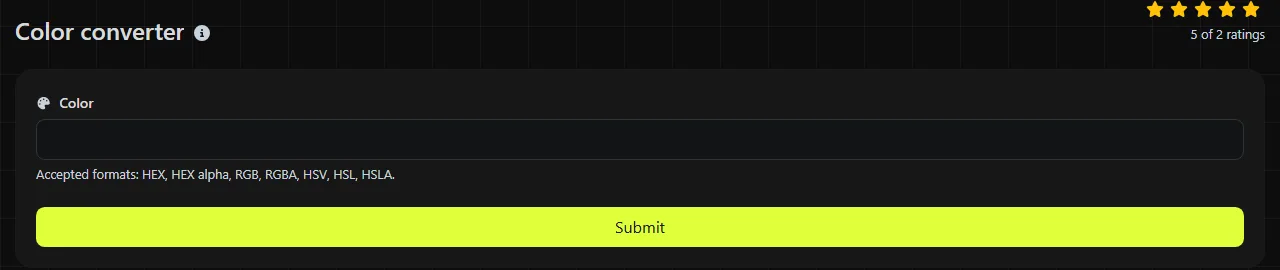
Enter one complete color value in the Color field using one of the accepted formats, then view or copy the generated values from the output fields.
- Copy the source value exactly, including its leading hash, commas, brackets, percentage signs, or alpha component where applicable.
- Place it in the Color field.
- View the equivalent values shown under HEX, HEX Alpha, RGB, RGBA, HSV, HSL, and HSLA.
- Choose a supported color format that your destination accepts. For a CSS rule, HEX, RGB, RGBA, HSL, and HSLA are common choices. HSV is more often used in editing interfaces and color calculations.
The conversion runs on the server. Your input is sent to the server over HTTPS and is not stored. Although an individual color is rarely sensitive, consider whether an unreleased palette or set of design tokens is confidential before submitting it to any online service.
Spaces and punctuation are part of RGB, HSL, and related syntax, while percentage signs distinguish percentage values. A number by itself, an empty value, or arbitrary text does not identify a color. Accented and non-Latin text also has no defined meaning in these numeric formats.
How should I interpret the converted values?
Read each result as another notation for the same color, paying close attention to channel ranges, percentages, and alpha transparency. The field you should copy depends on the color notation supported by the receiving system.
In six-digit HEX, the first pair represents red, the second green, and the third blue. For example, #336699 contains hexadecimal channel values 33, 66 and 99, which correspond to decimal RGB values 51, 102 and 153.
Hue is typically expressed as an angle around a color wheel. Saturation and lightness or value are usually percentages. HSL lightness and HSV value use different calculations, so their percentages should not be compared as though they measure the same property.
Alpha describes opacity. A fully opaque color does not need an alpha-aware format, but a semitransparent color does. If you copy an RGBA or HSLA color into plain RGB, HSL, or six-digit HEX, the destination notation has nowhere to store the alpha channel.
This converter is not documented as a syntax validator with detailed diagnostic messages. Do not rely on it to identify the exact character in malformed input. Common color syntax errors include a missing hash in HEX, unmatched brackets, missing percentage signs, an alpha value outside the expected range, or a mix of HSL and RGB channel conventions.
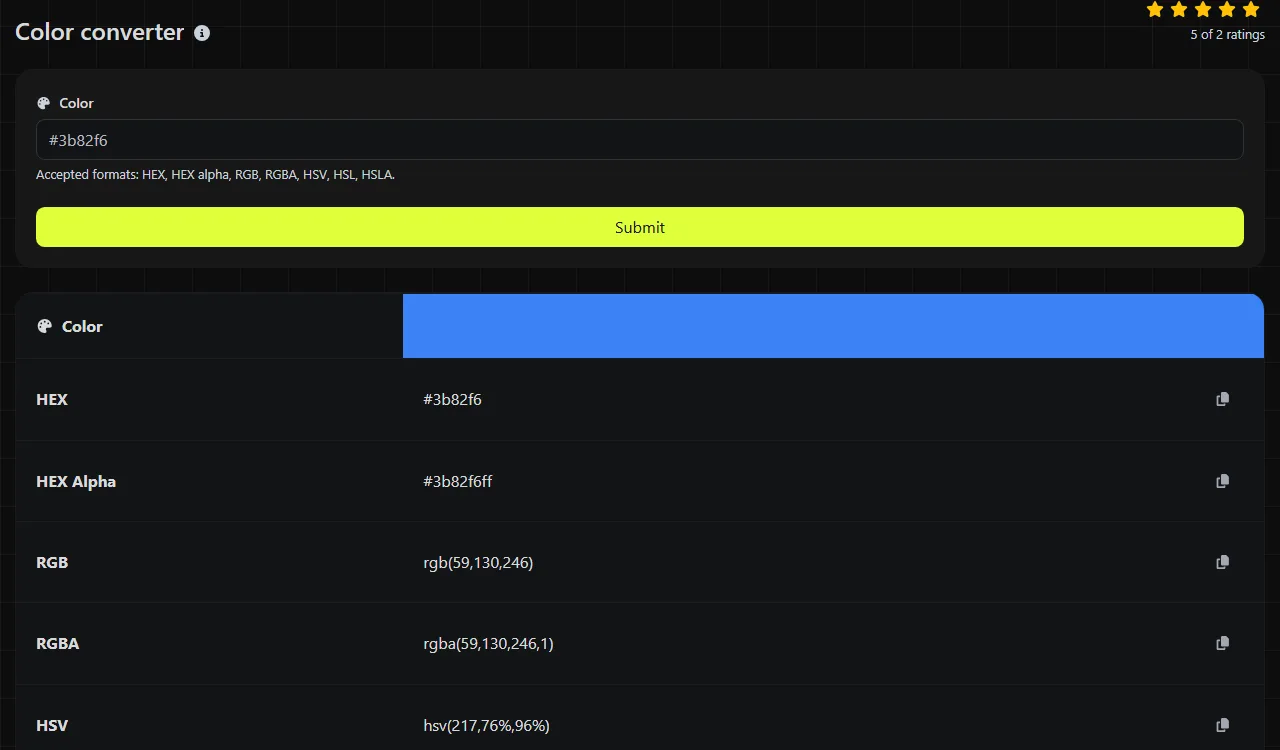
Color conversion examples
A simple example shows how HEX, RGB, HSL, and HSV relate to one another. Pure red can be written in the following equivalent forms.
- HEX input #ff0000
- RGB equivalent rgb(255, 0, 0)
- HSL equivalent hsl(0, 100%, 50%)
- HSV equivalent hsv(0, 100%, 100%)
For a less saturated color, #336699 is equivalent to rgb(51, 102, 153). Its HSL representation is hsl(210, 50%, 40%), while its HSV representation has a hue of 210 degrees, saturation of about 66.7% and value of 60%. An interface may round decimal values or use different spacing without changing the practical meaning.
Transparency provides another straightforward example. rgba(255, 0, 0, 0.5) and hsla(0, 100%, 50%, 0.5) both describe red at half opacity. Under the common eight-digit CSS HEX convention, the corresponding value is #ff000080, where 80 is the quantized alpha byte.
When is it worth converting a color?
Color conversion is useful when the receiving application requires a different notation or when another representation makes debugging easier. Typical cases include converting a Figma value into a CSS custom property, checking an RGBA value found in Chrome DevTools, preparing color fields for an API payload, or reviewing third-party theme data before deployment.
Conversion is usually unnecessary when the destination already supports the existing color notation. There is little benefit in changing six-digit HEX to RGB solely for machine-readable CSS, and converting back and forth can introduce rounding in HSL or HSV values. Likewise, do not add an alpha channel when every color is known to be fully opaque.
If you need to choose a color visually instead of converting a known value, Color picker is the more direct tool. Conversion also does not replace contrast testing, color-blindness simulation, or color-profile management. Equivalent numeric values do not prove that foreground text meets WCAG contrast requirements.
Frequently asked questions
Does the converter accept CSS named colors?
No. The documented accepted formats are HEX, HEX alpha, RGB, RGBA, HSV, HSL, and HSLA, so names such as red, rebeccapurple or transparent are not listed as supported input. Convert a named color to a numeric CSS value before entering it.
Can I enter three-digit HEX values?
The accepted input includes HEX, but the supported HEX lengths are not documented. For predictable input, expand shorthand such as #369 to #336699. The same principle applies to four-digit shorthand containing alpha.
Can I paste a CSS declaration instead of just the color value?
Enter the color value rather than the entire declaration. For example, use #336699 instead of color: #336699; because the property name and semicolon are not part of the color itself. Remove surrounding quotation marks when copying a value from JSON or a configuration file.
Will the result preserve wide-gamut or color-profile information?
No wide-gamut formats or embedded color profiles are listed as supported. Display P3, Lab, LCH and ICC profile data contain information that the available HEX, RGB, HSL and HSV fields do not express. Use a color-managed application when profile-aware conversion is required.
Why do converted values sometimes include decimals?
HSL and HSV calculations can produce fractional percentages even when the source RGB channels are whole numbers. Rounding those figures may slightly change a later conversion back to RGB. Keep the available precision when storing design tokens, then round only if the target format or coding standard requires it.
Popular Tools
Create your own custom signature and download it easily with our signature generator tool for personalized e-signatures.
Calculate the size of any text in Bytes (B), Kilobytes (KB), or Megabytes (MB) using our text size calculator tool.
Use the reverse IP lookup tool to find the domain or host associated with any IP address quickly and easily.
Use our ping tool to check the status and response time of any website, server, or port quickly and efficiently.
Generate your free WhatsApp link instantly with our WhatsApp Link Generator. Add a custom message and start chats in one click. No login or coding required.
Digily Link's IP lookup tool provides detailed information about any IP address. Use this free online service to get comprehensive IP data.