Upside down text generator
Easily flip and turn your text upside down with our upside down text generator tool for a fun and unique effect.
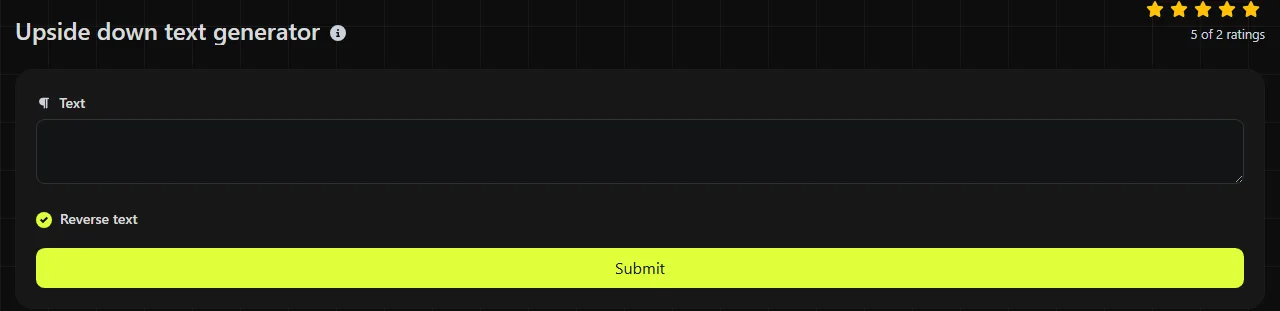
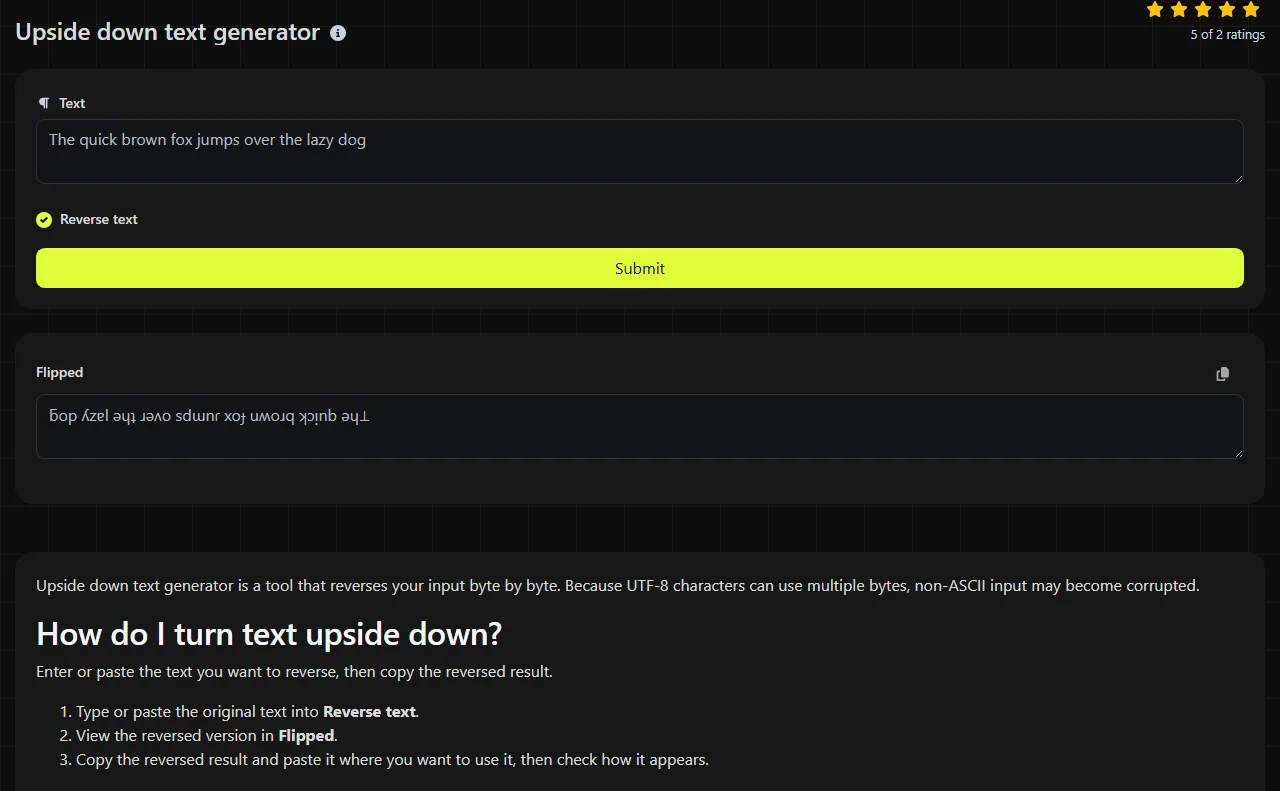
Upside down text generator is a tool that reverses your input byte by byte. Because UTF-8 characters can use multiple bytes, non-ASCII input may become corrupted.
How do I turn text upside down?
Enter or paste the text you want to reverse, then copy the reversed result.
- Type or paste the original text into Reverse text.
- View the reversed version in Flipped.
- Copy the reversed result and paste it where you want to use it, then check how it appears.
The conversion takes place on the server. Your input is sent to the server over HTTPS and is not stored.
Where can upside-down text save time?
It can save time when you want to reverse a short piece of text. Possible uses include:
- a playful line in an Instagram or TikTok bio;
- a display name or short message on Discord;
- a WhatsApp group description or status;
- a heading in a social media post on X, Facebook or LinkedIn;
- a clue, answer or reveal in a quiz document;
- a label on a party invitation, poster or informal presentation.
Because the tool reverses bytes, test a short non-ASCII sample before reversing a long passage. A practical approach is to write and proofread the plain-text version first, keep a copy, and flip only the final wording. Editing reversed characters directly is slow and makes spelling mistakes harder to catch.
How does text reversal work?
The tool reverses the input byte sequence. It does not replace characters with upside-down Unicode lookalikes.
For example, reversing the ASCII input Hello produces olleH. For ASCII input, the result contains the same characters in reverse order.
This distinction is important for non-ASCII input. Because UTF-8 characters can use more than one byte, byte-by-byte reversal may corrupt them and produce invalid UTF-8.
What happens with spaces, accents and other tricky input?
ASCII spaces, punctuation and other characters are included in the reversed sequence without being replaced. Multibyte characters may be corrupted by byte-by-byte reversal.
- Numbers: digits are reversed without being replaced.
- Punctuation: punctuation marks are reversed without being replaced.
- Accented letters: these may use multiple bytes and may be corrupted.
- Non-Latin scripts: multibyte characters may be corrupted.
- Emoji: multibyte emoji may be corrupted.
- Empty input: there is nothing meaningful to flip.
Very long passages are also hard to read and check when reversed. Reverse one sentence at a time if you need to check line order or punctuation carefully.
Why does the result break on some websites?
If your input contains multibyte UTF-8 characters, byte-by-byte reversal can produce invalid text before it reaches another website. The destination may also reject the value, change it or count it differently.
Reversed text is also a poor choice for information that needs to remain accessible or searchable. Screen readers may announce the reversed characters in output order or encounter malformed non-ASCII text. Search engines and in-app search tools may not match the reversed version when someone searches for the original words.
Avoid using reversed text for email addresses, website addresses, legal wording, account recovery details or any field that requires an exact plain-text value.
Frequently asked questions
Does upside-down text count toward a platform's character limit?
For ASCII input, reversing the text preserves the same characters and underlying length. For non-ASCII input, byte-by-byte reversal may corrupt the text, so a platform may not count or display it as expected. After pasting, check the destination's character counter instead of relying on the original text's length.
Can I use upside-down text in an email subject line?
You can paste reversed ASCII text into an email subject line just like other ASCII text. If the original input contains non-ASCII characters, byte-by-byte reversal may corrupt the text before you paste it. Keep the essential meaning in regular text and send a test message to another account before using it for an actual mailing.
Will the effect stay the same when I copy and paste it?
Reversed ASCII text copies and pastes normally. With non-ASCII input, the output may already have been corrupted by byte-by-byte reversal before you copy it.
Can I convert the result back to the original text?
Reversing the bytes twice restores the original byte sequence. However, if malformed intermediate non-ASCII output is copied through another system, that system may change or reject it before it can be reversed again. Keep the original whenever accuracy matters.
Can I use upside-down text for passwords or programming code?
Reversed ASCII consists of ordinary ASCII values, but reversal changes their exact order and may make them harder to read. Non-ASCII input may be corrupted by byte-by-byte reversal. Use reversed text only when the exact resulting value is intended and accepted by the applicable password policy, compiler, configuration file or data field.
Popular Tools
Create your own custom signature and download it easily with our signature generator tool for personalized e-signatures.
Calculate the size of any text in Bytes (B), Kilobytes (KB), or Megabytes (MB) using our text size calculator tool.
Use the reverse IP lookup tool to find the domain or host associated with any IP address quickly and easily.
Use our ping tool to check the status and response time of any website, server, or port quickly and efficiently.
Generate your free WhatsApp link instantly with our WhatsApp Link Generator. Add a custom message and start chats in one click. No login or coding required.
Digily Link's IP lookup tool provides detailed information about any IP address. Use this free online service to get comprehensive IP data.