HTML tags remover
Remove all HTML tags from any text block with our HTML tags remover tool for clean and plain text content.
HTML tags remover is a free tool that removes HTML tags from a block of text and returns the remaining content as plain text.
How do I remove HTML tags from text?
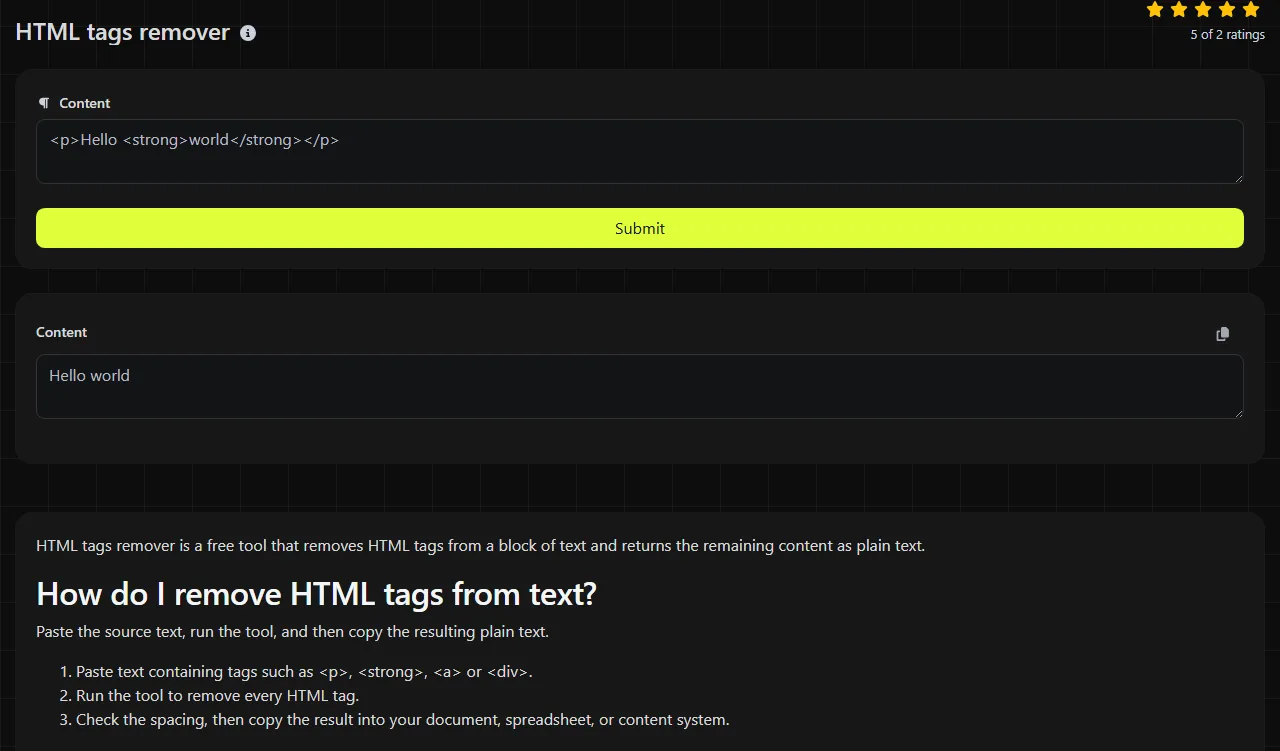
Paste the source text, run the tool, and then copy the resulting plain text.
- Paste text containing tags such as <p>, <strong>, <a> or <div>.
- Run the tool to remove every HTML tag.
- Check the spacing, then copy the result into your document, spreadsheet, or content system.
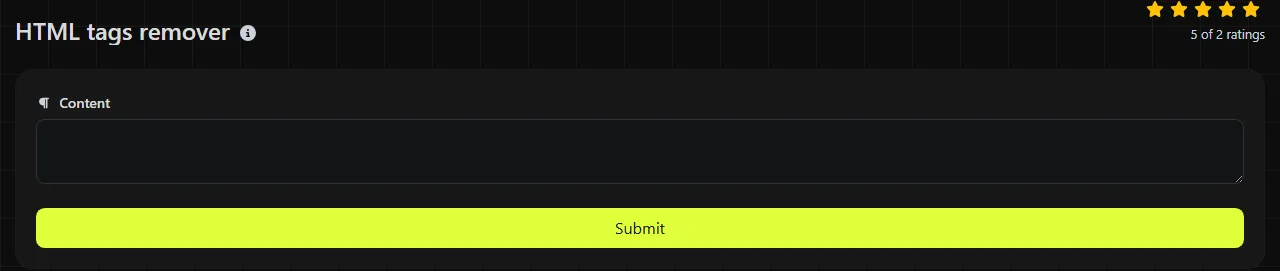
The tool uses PHP's strip_tags function. Processing takes place on the server, so your input is sent to the server over HTTPS. It is not stored.
When does removing HTML save time?
It saves time when text has been copied or exported with markup that the destination does not need or accept.
- Cleaning product descriptions exported from WordPress, Shopify, or another content management system before adding them to an Excel or Google Sheets workbook.
- Preparing plain-text mail merge fields for Microsoft Word or email platforms such as Mailchimp, where stray tags may appear in the message.
- Removing paragraph and link markup from a CSV description column before importing it into a database.
- Preparing text for platform fields that count visible characters but do not render HTML.
- Cleaning copied website content before adding it to notes, support tickets, or internal documentation.
A useful practice is to preserve the structure before removing the tags. If paragraphs, list items, or line breaks need to remain separate, first replace closing paragraph tags, closing list-item tags, and <br> elements with line breaks.
What happens to spacing, punctuation, and unusual characters?
Spaces, punctuation, numbers, and ordinary text characters remain, while the tags themselves are deleted.
Removing tags does not automatically insert spaces where the tags used to be. For example, <ul><li>Red</li><li>Blue</li></ul> becomes RedBlue. If the source contains actual spaces or line breaks between those elements, those characters remain.
Accented letters, emoji, and non-Latin writing are content rather than HTML tags, so stripping tags does not inherently remove them. For a very long block of text, check several points in the result, especially if the source contains incomplete or malformed markup.
Before and after
Input: <p>Hello <strong>Sam</strong>.</p>
Output: Hello Sam.
Input: <h2>Delivery</h2><p>Usually 2–3 working days.</p>
Output: DeliveryUsually 2–3 working days.
Input: <p>Delivery & returns</p>
Output: Delivery & returns
The last example shows that character references such as & are not decoded. Removing tags and decoding HTML character references are separate operations.
What doesn't an HTML tags remover do?
It does not extract only the meaningful article text, rebuild paragraph spacing, or convert HTML to Markdown.
Content inside script and style elements may remain after the surrounding tags are removed. For example, removing the tags from <script>alert("x")</script>Welcome leaves alert("x")Welcome. This means tag removal is not a substitute for a dedicated HTML sanitizer when handling untrusted input.
Broken markup can also produce unexpected results because strip_tags is not an HTML repair tool. If you need URLs instead of visible text, use a URL extractor. A Text size calculator can help when the cleaned result must fit within a restricted field.
Frequently asked questions
Does it remove HTML comments?
Yes. PHP's strip_tags function removes HTML comments as well as tags. Text placed only inside a comment will therefore not appear in the result.
Can I keep certain HTML tags?
No. This tool is designed to remove all HTML tags. Use an HTML sanitizer or parser if you need to retain an approved set, such as paragraphs and links.
Will it remove Markdown formatting?
No. Markdown syntax such as hashes, asterisks, and square brackets remains in the output, while any embedded HTML tags are still removed.
Is the result ready to save as a CSV file?
Not necessarily. Tag removal does not escape commas, quotation marks, or embedded line breaks according to CSV rules. Use a proper CSV writer when adding the cleaned text to a file.
Can I use it to extract the main text from an entire web page?
You can remove the tags from the page source you provide, but the result may include navigation labels, cookie notices, CSS, and JavaScript content. Extracting the main article requires a parser that understands the page structure.
Final checks
Read through the cleaned text once before using it. Restore any missing spaces or paragraph breaks, confirm that HTML character references display as intended, and process untrusted source code with a suitable sanitization method rather than relying on tag removal alone.
Popular Tools
Create your own custom signature and download it easily with our signature generator tool for personalized e-signatures.
Calculate the size of any text in Bytes (B), Kilobytes (KB), or Megabytes (MB) using our text size calculator tool.
Use the reverse IP lookup tool to find the domain or host associated with any IP address quickly and easily.
Use our ping tool to check the status and response time of any website, server, or port quickly and efficiently.
Generate your free WhatsApp link instantly with our WhatsApp Link Generator. Add a custom message and start chats in one click. No login or coding required.
Digily Link's IP lookup tool provides detailed information about any IP address. Use this free online service to get comprehensive IP data.