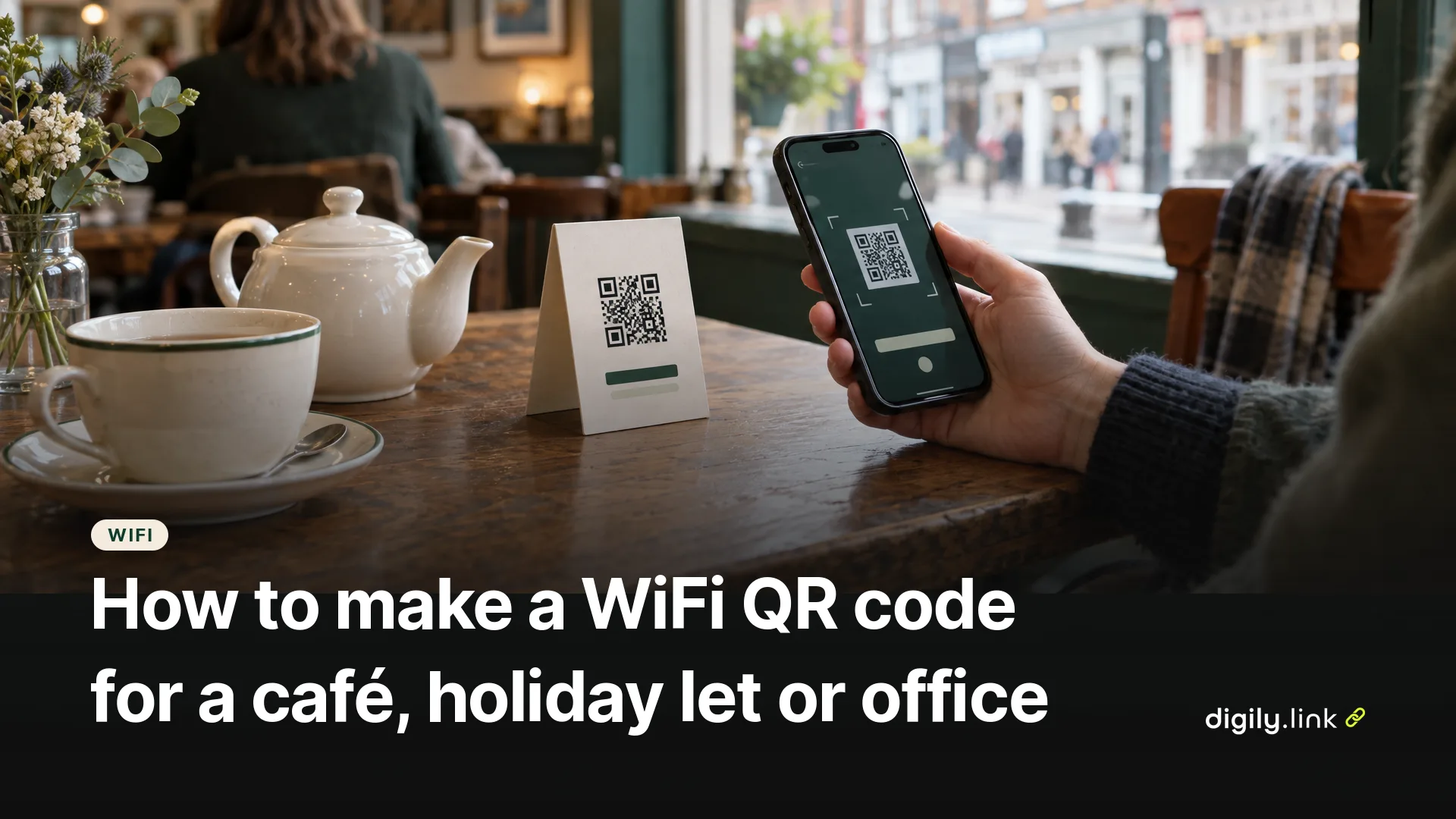
A WiFi QR code lets guests join your network by pointing their phone camera at it, with no typing of long passwords. To make one, enter your network name (SSID), choose the security type and type the password into a WiFi QR code generator, then print the code. Most recent iPhones and Android phones can read these codes with the camera or the built-in QR scanner and offer to join the network.
This guide is for cafés, holiday lets, Airbnb hosts, salons and small offices in the UK. It covers the settings that matter, where to find your network details, and what it means that the password is stored inside the code.
How do I make a WiFi QR code?
- Find your network name and password. They're usually on a sticker on the router, unless you've changed them.
- Check the security type in your router's settings or app. Many routers use WPA2 Personal or a WPA2/WPA3 transitional mode.
- Open a WiFi QR code generator. On Digily Link, go to QR codes, create a new code and choose the WiFi type.
- Fill in WiFi name (SSID), Encryption and Password. Tick WiFi is hidden only if your network doesn't broadcast its name.
- Download the code and test it on at least one iPhone and one Android phone before printing.
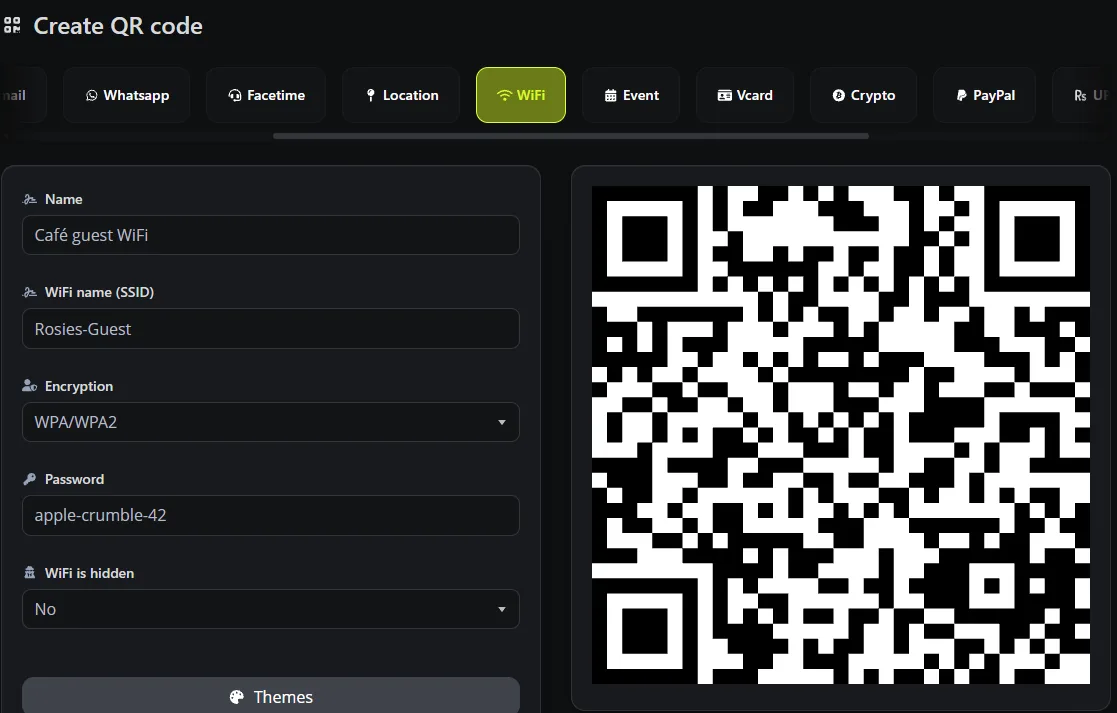
The Digily Link generator offers WPA/WPA2, WEP and No encryption. WEP and open networks are there for compatibility, but they aren't recommended for security, so use a password-protected network with modern security where you can. A QR code also can't make an older phone support WPA3. If your guest network is WPA3 only, some older phones may scan the code and still fail to join, so test with a few different devices.
What's actually inside a WiFi QR code?
A WiFi QR code holds a short line of text in a widely used format. For a network called Rosies-Guest with the password apple-crumble-42, it looks like this.
WIFI:S:Rosies-Guest;T:WPA;P:apple-crumble-42;;
S is the network name, T is the security type and P is the password. A hidden network adds H:true. If your network name or password contains a semicolon, comma, colon, quotation mark or backslash, those characters need escaping so phones read the details correctly. We checked how our generator builds the code, and it escapes all five for you.
Because the details live in the code itself, a WiFi QR code is always static. Scanning it doesn't need a short link or an internet connection, only the network itself in range. It also means anyone who can scan or photograph the code can read the password.
Can iPhones and Android phones scan a WiFi QR code?
Yes, on current versions. Apple's iPhone User Guide describes scanning QR codes with the Camera app or the Scan Code control in Control Center, and iPhones can show a Wi-Fi network as a QR code from the Passwords app. Android phones such as Pixel can share a network as a QR code from Settings or Quick Settings, and Android cameras and built-in scanners usually read these codes too. Menus vary between Android manufacturers, so if the camera doesn't react, try the phone's built-in QR scanner.
Details in Apple, Find and share your Wi-Fi password on iPhone and Google, Connect to Wi-Fi networks on your Pixel phone.
On an iPhone you can open the Passwords app, tap Wi-Fi, choose the network and tap Show Network QR Code. On a Pixel, go to Settings, then Network and Internet, then Internet, tap the settings icon next to your network and choose Share, or tap Share Wi-Fi in the Internet panel of Quick Settings. That's useful for occasional sharing. A generator is more useful when you want a printable file, your own colours or a logo, or the same code on every table.
Is it safe to put a WiFi QR code on display?
Anyone who can scan the code can read the network details, much like a password written on a board. These precautions help.
- Use a separate guest network, and check in your router's settings that guests can't reach your main local network. Depending on the router, you may need to turn on guest isolation. That keeps visitors away from your card terminal, printers and office computers. Put the guest network in the code, never the main one.
- Change the guest password when you want to cut off old access, for example after a staff member leaves or between holiday let seasons, and print a new code when you do.
- Keep the code where you can see it. A card on the counter is easier to swap than a code glued to a wall.
- In a holiday let, put the code inside the property, such as in the welcome folder, not on the front door.
Where to put a WiFi QR code
- In cafés and pubs, use table cards, the menu or a small stand by the till.
- In holiday lets and Airbnbs, use the welcome book, on the fridge or by the router.
- In salons and waiting rooms, put it on the reception desk.
- In offices, put it in meeting rooms for visitors, on the guest network only.
Print the network name and password under the code as well. Some guests will be on laptops or older phones and will need to type them. If your guest WiFi has a sign-in or terms page, scanning the code doesn't skip it, so guests may still need to accept the terms.
Frequently asked questions
Does a WiFi QR code expire?
No. A WiFi QR code has no expiry date of its own. It works as long as the network is available and its details stay the same. If you change the network name, password or security type, make a new code.
Can I change my WiFi password without reprinting the code?
No. The password is inside the code, so a new password means a new code. Even a dynamic QR code can't help here, because joining a network doesn't go through a web link.
Does it work for networks without a password?
Yes. Choose No encryption and leave the password blank. The code still saves guests from looking for the network name.
Is a WiFi QR code free to make?
Yes. WiFi is one of the QR code types on Digily Link's free plan, which includes 20 QR codes.
Can I add my logo to a WiFi QR code?
You can customise the colours and add a logo in the Digily Link QR code creator. Keep strong contrast, leave a clear margin around the code, and test the finished design on different phones at the size you'll print.
Why is my WiFi QR code not working?
Check the network name and password for typos, including capital letters, and that the security type matches your router. Then check the phone supports that security type and is in range. A smudged or tiny print can also stop the camera reading it.
Does hiding my network make it more secure?
No. Hiding the network name doesn't stop someone joining it. Only tick WiFi is hidden if your router is actually set not to broadcast the name.
Ready to make a printable WiFi code for your guests? See how the Digily Link QR code generator works.